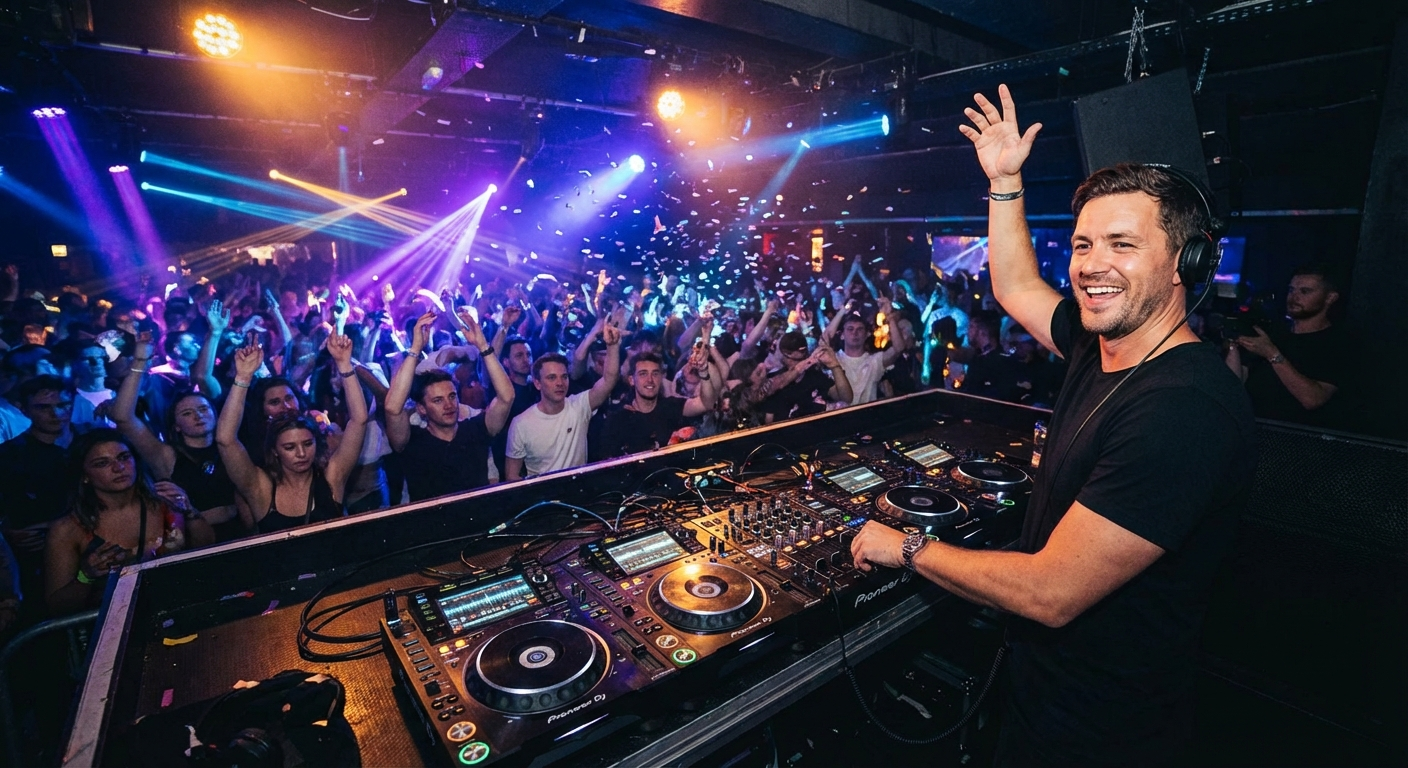
Why Your 2026 Event Depends on a Better DJ Briefing
You’ve booked the DJ. You’ve picked the venue. You’ve even started a rough playlist on your phone. But here’s the hard truth: most DJs walk into events blind. They have zero context about your crowd, your vibe, or the moments that matter most to you.
The difference between a good party and an unforgettable one comes down to coordinating with DJ before the first beat drops. In 2026, with smarter tools and higher guest expectations, you can’t afford to just “hand over a USB stick and hope for the best.”
💡 Pro Tip: The best DJs will tell you they can read a room. But they can’t read your mind. A 15-minute pre-event conversation can transform a generic set into a personalized soundtrack for your biggest moments.
In this guide, you’ll learn the five secret questions every DJ needs to ask — and how to answer them like a pro. We’ll walk through real song examples, guest request strategies, and the exact playlist structure that keeps dance floors packed. Let’s dive in.
🎯 Key Takeaways
- Master the five critical questions that transform your DJ coordination from average to exceptional
- Build a playlist that flows naturally from dinner to dance floor, using real crowd-tested songs
- Learn how to handle guest song requests without derailing your DJ’s set
- Discover the exact timing and structure for a 4-hour event that keeps energy high
- Get actionable templates and tools to share your vision with your DJ in minutes
Question 1: What’s the “Non-Negotiable” Moment?
Every great event has a peak. A moment where the energy spikes, the crowd roars, and everyone remembers why they came. For a wedding, it might be the first dance. For a corporate gala, it could be the CEO’s speech transition into a celebration. For a birthday party, it’s the cake-cutting — or the surprise dance-off.
Your DJ needs to know this moment before they even unpack their gear. Without this context, they’ll play a generic set that never builds toward anything meaningful.
Ask yourself: What single moment do you want guests to talk about for weeks? That’s your anchor. Everything else — the opening songs, the dinner music, the late-night bangers — should orbit around that peak.
How to Identify Your Peak Moment
- Weddings: First dance, parent dances, bouquet toss, or the “grand entrance” of the couple
- Birthday parties: Cake cutting, surprise performances, or a choreographed group dance
- Corporate events: Award ceremony transitions, product launches, or team-building celebrations
- Graduations: The moment the graduate enters, a speech, or the after-party kickoff
Once you identify that moment, tell your DJ exactly what song you want and how much time you need. For example: “At 9:15 PM, I want ‘Celebration’ by Kool & The Gang to start as we cut the cake. Please give me 60 seconds of buildup before that.”
📝 Note: Don’t assume your DJ knows the “standard” order of events. Every event is unique. Write it down and share it in advance. Tools like PartyMusicPlaylist let you build a timeline with specific songs for each moment — then export it directly to your DJ’s preferred format.
Question 2: Who’s Really in the Room?
Your DJ can’t read the room if they don’t know who’s in it. A playlist that kills at a 20-something rooftop party will flop at a multi-generational family reunion. Coordinating with DJ means giving them a clear picture of your crowd.
Think about these demographics:
- Age range: Is it mostly Gen Z, Millennials, Gen X, or a mix?
- Music taste: Do they love hip-hop, EDM, classic rock, country, or Latin beats?
- Dance culture: Are they the type to request “Cha-Cha Slide” or do they want underground house?
- Energy level: Is this a sit-down dinner with background music or a full-blown dance marathon?
A good DJ will adapt on the fly, but a great DJ will prepare a set that matches your audience from the first song. Share a rough guest list breakdown with your DJ. For example: “About 60% are family (ages 30-60), 30% are coworkers (ages 25-45), and 10% are close friends who love 90s hip-hop.” This gives them a roadmap.
📊 Crowd Profile Example: Multi-Generational Wedding
- Grandparents (60+): Frank Sinatra, Dean Martin, Motown classics
- Parents (40-60): 80s pop, 90s R&B, classic rock
- Friends (25-40): 2000s hip-hop, current pop, dance remixes
- Younger guests (under 25): Top 40, EDM, TikTok viral hits
💡 Pro Tip: Use a playlist template to map out songs for each age group. Then share that template with your DJ so they can blend genres seamlessly. A DJ who knows your crowd can transition from “September” by Earth, Wind & Fire to “Blinding Lights” by The Weeknd without losing energy.
Question 3: What’s the “Do Not Play” List?
Every event has songs that are off-limits. Maybe your best friend hates “Don’t Stop Believin’.” Maybe your parents walked out to “I Will Always Love You” at their divorce. Or maybe you just can’t stand the “Macarena” one more time.
Your DJ needs a clear “do not play” list. Without it, they’ll default to the same tired wedding anthems that kill your vibe. This is one of the most overlooked aspects of coordinating with DJ — and it can make or break your event.
- “Don’t Stop Believin’” by Journey — Overplayed at every event since 1981
- “Macarena” by Los Del Rio — Unless your crowd explicitly requests it
- “Cha-Cha Slide” by DJ Casper — Same as above; use sparingly
- “Happy” by Pharrell Williams — Great song, but many guests are tired of it
- “We Are Family” by Sister Sledge — A classic, but not for every crowd
⚠️ Heads Up: Don’t just say “no Macarena.” Be specific. List 5-10 songs you absolutely don’t want played. Also list songs you’re neutral about — your DJ needs to know what’s flexible. A good rule: “If you’re unsure, ask me via text during the event.”
On the flip side, create a “must-play” list of 10-15 songs that define your event. These are the tracks that will get you on the dance floor no matter what. Your DJ can use these as anchors to build the rest of the set around.
Question 4: What’s the Flow from Start to Finish?
A great event isn’t just a collection of good songs. It’s a journey. Coordinating with DJ means mapping out the energy curve from the moment guests arrive to the final encore.
Think of your event in phases:
- Cocktail hour (low energy): Background music, easy listening, jazz or acoustic covers
- Dinner (medium-low energy): Soft vocals, classic standards, or instrumental versions of popular songs
- Transition (medium energy): Building anticipation, maybe a speech or toast
- Peak moment (high energy): The anchor event — first dance, cake cutting, or celebration
- Dance floor (high energy): Upbeat bangers, crowd favorites, guest requests
- Wind-down (medium-low energy): Slower songs, goodnight anthems, last call
Each phase should last roughly 45-90 minutes depending on your event length. Your DJ needs to know the exact timeline for each phase. Don’t just say “play dinner music for an hour.” Say “At 7 PM, play acoustic covers of pop songs. At 8 PM, transition to upbeat classics. At 8:30 PM, stop music for the toast.”
🎵 Example Timeline for a 4-Hour Event
7:00 PM — Cocktails: Soft jazz and lounge music
7:30 PM — Dinner: Instrumental versions of Beatles, Stevie Wonder, and Ed Sheeran
8:30 PM — Speeches: No music (or very quiet background)
8:45 PM — First dance: “At Last” by Etta James
9:00 PM — Dance floor opens: “Uptown Funk” by Mark Ronson ft. Bruno Mars
10:30 PM — Wind-down: “Closing Time” by Semisonic or “Don’t Stop Believin’” (if not banned!)
11:00 PM — Goodnight: “Lovely Day” by Bill Withers
📝 Note: Build this timeline in advance and share it with your DJ. Tools like PartyMusicPlaylist let you drag-and-drop songs into each phase, then export a PDF or CSV that DJs love. This saves you hours of back-and-forth emails.
Question 5: How Do We Handle Guest Requests?
Guest requests are the wild card of every event. One uncle will demand “Sweet Caroline” at full volume. A friend will slide you a note asking for obscure indie rock. And someone’s cousin will try to hijack the DJ booth.
Your DJ needs a clear policy on guest requests. Without it, they’ll either ignore everyone (and risk offending guests) or play everything (and lose control of the flow).
- Option A: DJ has full control. No requests allowed. The DJ reads the room and plays what works.
- Option B: Request board. Guests write requests on a board or submit via a tool. DJ reviews and decides.
- Option C: Open requests. DJ takes requests from the floor but reserves the right to say no.
Most events work best with Option B. It gives guests a voice without letting them derail the set. You can use a digital request system like the one built into PartyMusicPlaylist — guests scan a QR code, submit songs, and the DJ sees them in real time. This keeps the dance floor happy and the DJ in control.
⚠️ Heads Up: Never let a guest physically approach the DJ booth during a set. It breaks the flow and creates awkward moments. Instead, designate a “request point person” (you or a friend) who collects requests and passes them to the DJ during breaks.
Also, pre-approve a list of 20-30 “safe” request songs that you’re okay with. This gives your DJ a pool to pull from when guests ask. For example:
- “Shut Up and Dance” by Walk the Moon — Guaranteed floor filler
- “I Wanna Dance with Somebody” by Whitney Houston — Timeless crowd-pleaser
- “Mr. Brightside” by The Killers — Millennial anthem
- “Get Lucky” by Daft Punk ft. Pharrell Williams — Modern classic
- “September” by Earth, Wind & Fire — Works for all ages
Song Lists by Event Moment
Now let’s get practical. Here are curated song lists for the key moments of your event. Use these as inspiration, then customize them for your crowd.
Dinner & Cocktail Hour (Low Energy)
These songs keep the vibe warm and conversational. No heavy beats, no overpowering vocals.
- “Lovely Day” by Bill Withers — Smooth and uplifting
- “Can’t Help Falling in Love” by Elvis Presley — Romantic and timeless
- “Here Comes the Sun” by The Beatles — Gentle optimism
- “Sunday Morning” by Maroon 5 — Modern and mellow
- “What a Wonderful World” by Louis Armstrong — Classic and warm
Dance Floor Openers (High Energy)
These songs signal that the party has started. They’re upbeat, familiar, and impossible to resist.
- “Uptown Funk” by Mark Ronson ft. Bruno Mars — The ultimate opener
- “24K Magic” by Bruno Mars — Funk-infused energy
- “I Gotta Feeling” by The Black Eyed Peas — Anthemic celebration
- “Don’t Stop the Music” by Rihanna — Dance floor gold
- “Levitating” by Dua Lipa — Modern pop perfection
🔥 Editor’s Top 5 Dance Floor Bangers
- “Blinding Lights” by The Weeknd — 80s-inspired synth-pop that fills every dance floor
- “Good 4 U” by Olivia Rodrigo — Energy bomb for younger crowds
- “Levels” by Avicii — EDM classic that still hits hard
- “One Dance” by Drake ft. Wizkid & Kyla — Afrobeat-infused global hit
- “Rolling in the Deep” by Adele (cover or remix) — Surprise crowd-pleaser
Wind-Down & Goodnight (Medium Energy)
These songs signal the end without killing the mood. They’re nostalgic, emotional, and perfect for last dances.
- “Closing Time” by Semisonic — The quintessential goodbye song
- “Time of My Life” by Bill Medley & Jennifer Warnes — Perfect for weddings
- “Piano Man” by Billy Joel — Singalong classic
- “Don’t Stop Believin’” by Journey — Only if it’s not on your “do not play” list
- “Good Riddance (Time of Your Life)” by Green Day — Emotional but not sad
How to Build Your DJ Coordination Kit
Now you have the five questions. But how do you actually share this with your DJ? Coordinating with DJ is easier when you have a structured kit.
- Write a one-page event brief. Include the date, venue, timeline, peak moment, crowd profile, do-not-play list, and must-play list. Keep it to one page — DJs are busy and won’t read a novel.
- Create a timeline with song anchors. Use a tool like PartyMusicPlaylist to map out each phase with specific songs. Export as a CSV or PDF.
- Share your playlist in advance. Give your DJ access to your curated playlist at least two weeks before the event. This gives them time to learn the songs and plan transitions.
- Set up a request system. Use a QR code or digital tool so guests can submit requests without interrupting the DJ. Test it before the event.
- Schedule a 15-minute pre-event call. Walk through the brief, timeline, and any last-minute changes. Confirm equipment setup and backup plans.
💡 Pro Tip: Most DJs appreciate a digital copy of your playlist in a format they can import into their software (Serato, Rekordbox, etc.). PartyMusicPlaylist supports export to these formats, saving your DJ hours of manual work. This small gesture builds goodwill and ensures your songs are ready to go.
Common Mistakes in DJ Coordination (and How to Avoid Them)
Even with the best intentions, things go wrong. Here are the most common mistakes people make when coordinating with DJ — and how to sidestep them.
- Mistake 1: Waiting until the last week. Start coordination at least 4-6 weeks before your event. DJs book up fast, and they need time to prepare.
- Mistake 2: Giving vague instructions. “Play good music” is useless. Be specific: “Play upbeat pop from 2000-2010 for the first hour, then transition to current Top 40.”
- Mistake 3: Ignoring the DJ’s expertise. Your DJ knows what works on a dance floor. Trust their judgment on transitions, song order, and energy management. You provide the vision; they provide the execution.
- Mistake 4: Overloading the playlist. 50-80 songs is plenty for a 4-hour event. Any more and your DJ will feel constrained. Let them fill in the gaps with their own library.
- Mistake 5: Forgetting backup plans. What if your first dance song doesn’t work acoustically? What if the power goes out? Have a backup playlist and a backup device (phone, tablet) ready.
⚠️ Heads Up: One of the biggest mistakes is not testing your playlist with the DJ’s equipment. Some DJs use older software that doesn’t support certain file formats. Ask your DJ what format they prefer (MP3, WAV, AIFF) and deliver your playlist accordingly. This avoids awkward “sorry, this song won’t play” moments.
Expert Tips from Seasoned DJs
We talked to professional DJs who’ve played everything from intimate weddings to stadium concerts. Here’s their best advice for coordinating with DJ like a pro.
🎧 “The best events happen when the client gives me a vibe, not a script.” — DJ Maria, 15 years experience. “Tell me the mood you want for each phase. ‘Happy and energetic’ is better than ‘play these 30 songs in this exact order.’ I need room to read the room.”
- Share your “why.” Explain why certain songs matter. “This was our first dance song” or “This was playing when we got engaged.” It helps the DJ understand emotional weight.
- Let the DJ surprise you. Reserve 20-30% of the set for the DJ’s own picks. They know what works in real time. A surprise transition or unexpected mashup can create magical moments.
- Use a shared document. Google Docs or a tool like PartyMusicPlaylist lets you collaborate with your DJ in real time. No more lost emails or outdated versions.
- Plan for the “bathroom break” song. Every event has a moment when half the crowd heads to the restroom or bar. A slower song or instrumental gives them a natural break. Your DJ should know when to play it.
- Confirm the tech setup. Does the venue have enough power outlets? Is there a backup generator? Does the DJ have a direct line to the sound system? These logistics matter more than song choices.
Why 2026 Is the Year of Smarter DJ Coordination
The event industry is evolving fast. In 2026, guests expect more personalization, better flow, and fewer awkward pauses. Coordinating with DJ is no longer optional — it’s the difference between a good party and a legendary one.
New tools make it easier than ever. Digital request systems, real-time playlist sharing, and AI-powered song suggestions are changing how DJs prepare. But the human element still matters. The five questions we covered — peak moment, crowd profile, do-not-play list, timeline, and request policy — are the foundation of every great event.
Start with those questions. Build your playlist. Share it with your DJ. Then trust the process. Your guests will thank you, your DJ will appreciate the clarity, and you’ll get to enjoy the party without worrying about the music.
Ready to build your perfect event playlist? Try PartyMusicPlaylist for free. Create a timeline, add songs, invite your DJ to collaborate, and export in any format. It’s the easiest way to coordinate with DJ and ensure your event sounds exactly how you imagined.
Frequently Asked Questions
PartyMusicPlaylist Team
Helping you create the perfect soundtrack for life's most memorable moments. Expert tips on event music planning, DJ coordination, and playlist curation.
Learn MoreReady to Plan Your Event Music?
Create the perfect playlist for your special event. Search songs, organize your timeline, and share with your DJ.
Get Started FreeRelated Articles
Continue reading