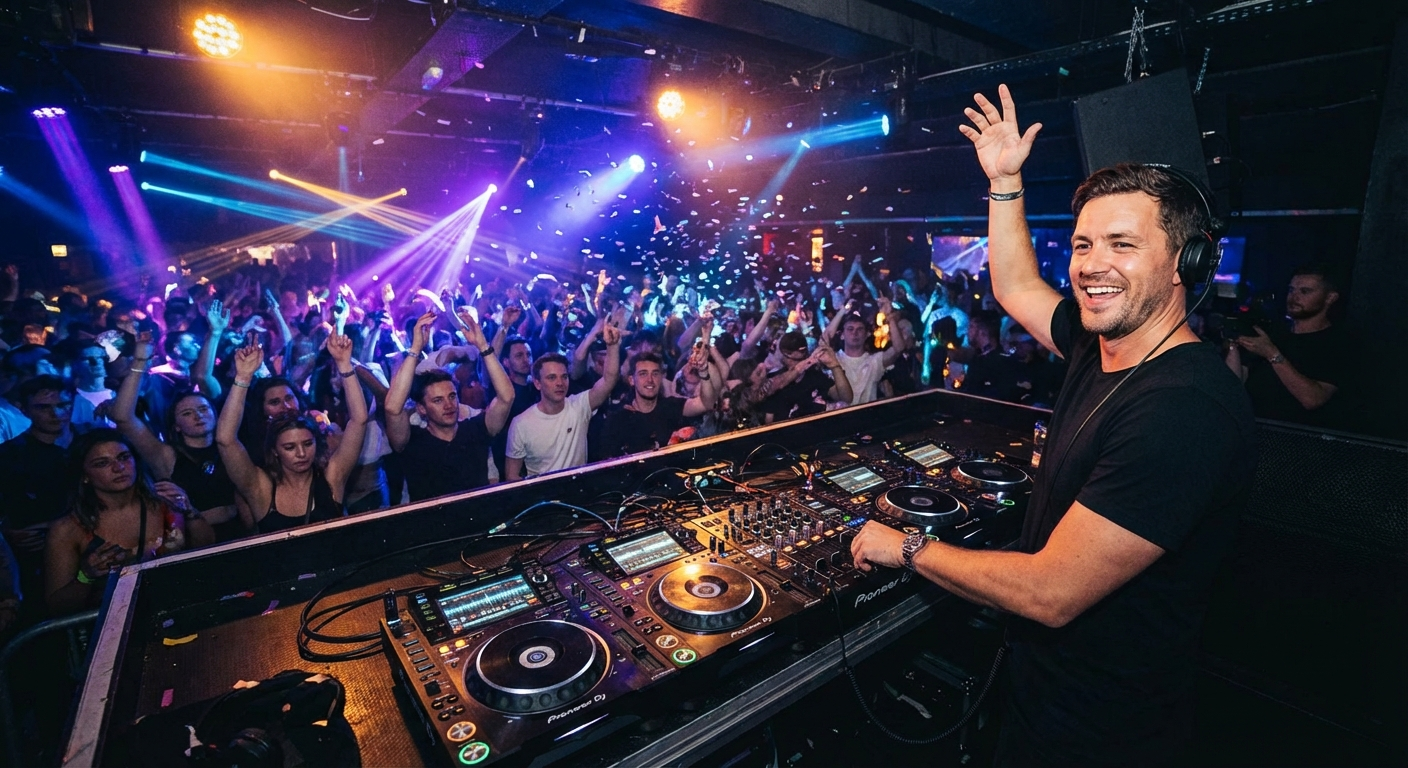
You're Killing the Vibe with Bad Transitions
You know the feeling. The dance floor is packed. Everyone's moving. Then—thud. The next song starts, and it's like someone hit the brakes. The energy dies. People shuffle back to the bar.
That awkward silence or jarring beat change is the #1 party killer. It doesn't matter if you have the best playlist in the world. If your song transitions are clunky, your guests will feel it.
In this guide, you're going to learn 7 secrets that professional DJs use to keep the energy flowing all night long. We're talking about smooth song transitions that feel effortless. No expensive equipment needed. Just smart planning and a few pro tricks.
By the end, you'll know exactly how to build a playlist that never stops. Ready to become the hero of your next party? Let's dive in.
🎯 Key Takeaways
- Learn the 7 secrets to seamless song transitions that keep the dance floor packed
- Discover how to match BPM, keys, and energy levels like a pro DJ
- Get specific song pairing examples for every party moment
- Avoid the 5 most common transition mistakes that ruin the vibe
- Master playlist tools like PartyMusicPlaylist to automate smooth transitions
What Are Smooth Song Transitions (And Why Do They Matter?)
Smooth song transitions are the art of moving from one track to the next without breaking the musical flow. It's not just about pressing play on the next song. It's about matching tempo, energy, and mood so the music feels like one continuous journey.
Think of a great DJ set. You barely notice when one song ends and another begins. The beat keeps rolling. The energy builds naturally. That's the magic of seamless transitions.
Why does this matter for your party? Simple. Bad transitions kill momentum. A study by the University of Southern California found that music with consistent tempo increases physical activity and social bonding. When you interrupt that flow, people disengage.
Here's what happens with smooth transitions:
- Guests stay on the dance floor longer — no awkward pauses
- Energy builds naturally — each song feels like the next chapter
- You look like a pro — even if you're just using a playlist app
- Less stress for you — no frantic song searching mid-party
💡 Pro Tip: The best transitions feel invisible. Your guests shouldn't notice the switch. They should just feel the urge to keep dancing. That's your goal.
Secret #1: Master the BPM (Beats Per Minute)
BPM is the heartbeat of your playlist. It's the speed of the music. If you jump from a 100 BPM song to a 128 BPM track, the change is jarring. Your guests will feel it in their bones.
The key to smooth song transitions is gradual BPM changes. You don't want to jump more than 5-8 BPM between songs. This keeps the energy flowing without shocking the system.
How to Check BPM
Most music players show BPM. Apps like Spotify and Apple Music have it built-in. You can also use free online BPM analyzers. Just upload your song, and it tells you the exact tempo.
- Use a BPM analyzer tool — free and takes 10 seconds
- Sort your playlist by BPM — start slow, build up, then cool down
- Create BPM zones — group songs within 5 BPM of each other
For example, a typical party flow might look like this:
- Opening (100-110 BPM) — "Levitating" by Dua Lipa (103 BPM)
- Building (110-120 BPM) — "Blinding Lights" by The Weeknd (112 BPM)
- Peak (120-128 BPM) — "Uptown Funk" by Mark Ronson (115 BPM) then "I Gotta Feeling" by Black Eyed Peas (128 BPM)
- Cool Down (100-110 BPM) — "Someone Like You" by Adele (67 BPM, but use a remix at 100 BPM)
⚠️ Heads Up: Don't jump from a fast song to a slow ballad. It kills the energy instantly. Always cool down gradually over 2-3 songs.
Secret #2: Match the Musical Key
BPM isn't everything. The musical key matters too. When two songs are in the same or compatible key, they blend together harmonically. When they clash, it sounds like a wrong note.
The Camelot Wheel is the DJ's secret weapon. It's a circular chart that shows which keys work together. Songs in the same key (e.g., 8A and 8A) or adjacent keys (8A and 9A) transition smoothly.
You don't need to memorize it. Just use a tool like Mixed In Key or the key detection in your DJ software. Some streaming services now show key information in their metadata.
Here's a simple rule: If two songs sound good when you hum the melody together, they're in a compatible key.
- "Get Lucky" by Daft Punk (8A) — pairs well with "Happy" by Pharrell (9A)
- "Shape of You" by Ed Sheeran (1A) — pairs well with "Can't Stop the Feeling" by Justin Timberlake (1A)
- "Dancing Queen" by ABBA (8A) — pairs well with "I Wanna Dance with Somebody" by Whitney Houston (8A)
💡 Pro Tip: When in doubt, use songs in the same key. It's the safest bet for smooth transitions. Most pop songs are in major keys, which are more forgiving.
Secret #3: Use Energy Levels, Not Just BPM
BPM tells you the speed. But energy level tells you the intensity. A slow song with heavy bass can feel more energetic than a fast pop song with light instrumentation.
Think of energy on a scale of 1-10. A ballad might be a 3. A dance anthem is a 9. Your job is to move the energy up and down gradually, not in giant leaps.
Energy Mapping Example:
Song 1: "Watermelon Sugar" by Harry Styles (Energy: 6, BPM: 95)
Song 2: "Levitating" by Dua Lipa (Energy: 7, BPM: 103)
Song 3: "Uptown Funk" by Mark Ronson (Energy: 8, BPM: 115)
Song 4: "I Gotta Feeling" by Black Eyed Peas (Energy: 9, BPM: 128)
Notice how the energy and BPM both increase gradually. That's the sweet spot.
- Rate every song on energy (1-10) — be honest about intensity
- Group songs by energy level — create blocks of similar intensity
- Use 2-3 songs to ramp up or down — never jump more than 2 energy levels at once
Secret #4: The Power of the Fade-Out and Beatmatch
Two classic techniques every DJ uses: fade-out and beatmatch. You don't need a DJ controller for these. Your playlist app can do the heavy lifting.
Fade-Out Transitions
This is the simplest method. As one song ends, gradually lower its volume while raising the next song's volume. Most music players have a crossfade setting. Set it to 3-6 seconds for a smooth blend.
On PartyMusicPlaylist, you can enable auto-crossfade. This means every transition is seamless without any manual work. Just set it and forget it.
Beatmatching
Beatmatching means aligning the beats of two songs so they play in sync. When done well, the transition is almost invisible. The old song's beat continues into the new song's beat.
You don't need to be a pro. Use software that does it for you. DJ apps like Virtual DJ or Serato have auto-beatmatching. Even some playlist apps offer beat-aligned transitions.
- Enable crossfade in your music player — usually 3-6 seconds
- Use apps with auto-beatmatching — saves hours of manual work
- Practice with two songs of the same BPM — easiest way to learn
💡 Pro Tip: For a more dramatic transition, try a "hard cut" on a beat. Cut the old song at the start of a new phrase and bring in the new song on the next beat. It creates a powerful energy spike.
Secret #5: Build Phrase Transitions (The DJ's Secret Weapon)
Most songs are structured in 8-bar or 16-bar phrases. A phrase is a section of music with a beginning and end. Think of it like a paragraph in a story.
Phrase transitions mean starting the new song at the beginning of a new phrase in the old song. This creates a natural, musical change that feels intentional.
Here's how it works:
- Listen to the old song — identify where phrases end (usually every 8 or 16 bars)
- Start the new song — at the beginning of a new phrase in the old song
- Let the beat of the new song — take over naturally
For example, if the old song has a chorus that ends at 2:30, start the new song at exactly 2:30. The chorus ends, and the new song's first beat hits. It feels like a planned moment.
TL;DR: Phrase transitions are about timing. Start the new song at the end of a musical section in the old song. It creates a natural, professional-sounding change.
Secret #6: Create "Momentum Blocks" in Your Playlist
Instead of thinking song by song, think in momentum blocks. These are groups of 3-5 songs that share similar BPM, energy, and mood. Each block builds on the last.
A typical party might have 4-5 momentum blocks:
- Block 1: Warm-Up (15 minutes) — low energy, familiar hits, 100-110 BPM
- Block 2: Building Energy (20 minutes) — medium energy, danceable, 110-120 BPM
- Block 3: Peak Party (30 minutes) — high energy, bangers, 120-128 BPM
- Block 4: Cool Down (15 minutes) — medium-low energy, sing-alongs, 100-110 BPM
- Block 5: Late Night (30 minutes) — medium energy, throwbacks, 110-120 BPM
Each block transitions smoothly within itself. Between blocks, use a "bridge" song that shares characteristics of both blocks.
For example, between Block 1 and Block 2, use a song that has warm-up energy but a slightly faster BPM. "Watermelon Sugar" (95 BPM, energy 6) could bridge to "Levitating" (103 BPM, energy 7).
- Plan 4-5 blocks per party — each 15-30 minutes long
- Use bridge songs between blocks — they share traits of both blocks
- Adjust block length based on crowd — if they're loving it, extend the peak block
⚠️ Heads Up: Don't make all blocks the same length. A peak block should be longer than a warm-up. Your crowd needs time to get into the groove.
Secret #7: Use Guest Requests to Fuel Transitions
Here's a secret most DJs won't tell you: guest song requests can actually help your transitions. When a guest requests a song, you know exactly what that person wants to hear. Use that energy.
On PartyMusicPlaylist, guests can submit requests before or during the party. You see exactly what songs are popular. This lets you plan transitions around the songs people actually want.
Here's how to use requests for smooth transitions:
- Collect requests early — share the party link a week before
- Group requested songs by BPM and energy — create a "requests block"
- Play requests in a logical order — start with medium-energy requests, build to high-energy
- Use requests as bridge songs — they often have broad appeal
For example, if guests request "Shake It Off" by Taylor Swift (100 BPM, energy 7) and "Don't Stop Believin'" by Journey (120 BPM, energy 8), play them in that order. The BPM jump is manageable, and the energy builds naturally.
Editor's Top Picks for Smooth Transitions
- "Blinding Lights" by The Weeknd (112 BPM) — perfect bridge song between warm-up and building energy
- "Uptown Funk" by Mark Ronson (115 BPM) — ideal for peak party transitions
- "Levitating" by Dua Lipa (103 BPM) — great for building energy from warm-up
- "I Gotta Feeling" by Black Eyed Peas (128 BPM) — peak party closer with natural energy
- "Watermelon Sugar" by Harry Styles (95 BPM) — smooth warm-up starter
5 Common Transition Mistakes (And How to Fix Them)
Even experienced DJs make these mistakes. Here's what to avoid:
Mistake #1: The Dead Air
That awkward silence between songs. It kills the vibe instantly. Fix it with crossfade or by starting the next song before the current one ends.
💡 Pro Tip: Use a 3-second crossfade as a minimum. For high-energy moments, use 1-second or a hard cut on a beat.
Mistake #2: The Tempo Jump
Going from 100 BPM to 128 BPM in one song. It feels like whiplash. Fix it by using a bridge song at 115 BPM.
Mistake #3: The Key Clash
Two songs in incompatible keys sound terrible together. Fix it by checking keys before playing. Use the Camelot Wheel as a guide.
Mistake #4: The Energy Crash
Going from a peak party banger to a slow ballad. Everyone leaves the dance floor. Fix it by cooling down gradually over 2-3 songs.
Mistake #5: The Random Request
Taking a request without considering the flow. Fix it by saving requests for a dedicated block or using them as bridge songs.
- Plan your transitions before the party — don't wing it
- Test your playlist at home — listen for awkward moments
- Have backup songs ready — for unexpected dead air moments
- Use a playlist app with auto-transitions — PartyMusicPlaylist has this feature
Expert Tips for Pro-Level Transitions
Want to take your transitions to the next level? Here are advanced techniques from professional DJs:
The Echo Out
Add an echo effect to the last beat of the old song as you start the new song. It creates a dreamy, atmospheric transition. Most DJ software has an echo effect built-in.
The Filter Sweep
Apply a low-pass filter to the old song, gradually removing high frequencies. As the old song becomes muffled, bring in the new song with full frequency. It's a smooth, cinematic transition.
The Loop and Drop
Loop the last 4 beats of the old song. Keep it playing while you bring in the new song. When you release the loop, the new song hits with full force. It's perfect for peak party moments.
- Practice with simple transitions first — crossfade and fade-out
- Experiment with effects — echo, filter, and loop are beginner-friendly
- Record your sets — listen back to identify weak transitions
- Watch DJ tutorials on YouTube — visual learning helps
💡 Pro Tip: The best transitions are the ones you don't notice. Focus on energy flow, not fancy effects. A simple, well-timed crossfade beats a complicated, sloppy effect every time.
How PartyMusicPlaylist Makes Transitions Effortless
You don't need to be a professional DJ to create smooth transitions. PartyMusicPlaylist is designed to do the heavy lifting for you.
Here's how it works:
- Auto-BPM Detection — the app reads every song's BPM automatically
- Smart Crossfade — set your preferred fade time, and every transition is seamless
- Guest Request Integration — requests are sorted by BPM and energy level
- DJ Export Feature — export your playlist to DJ software for manual beatmatching
- Local DJ Finder — if you want a pro, find one nearby
The best part? It's completely free. You can create a playlist, enable smooth transitions, and let the app handle the rest. No training required.
Plus, you can browse our pre-made playlist templates for every occasion. Birthday, wedding, corporate event — we have a template with perfect transitions built-in.
Frequently Asked Questions
PartyMusicPlaylist Team
Helping you create the perfect soundtrack for life's most memorable moments. Expert tips on event music planning, DJ coordination, and playlist curation.
Learn MoreReady to Plan Your Event Music?
Create the perfect playlist for your special event. Search songs, organize your timeline, and share with your DJ.
Get Started FreeRelated Articles
Continue reading