Planning an event? You've got the venue, the guest list, and maybe even some decorations. But what about the event sound setup? Don't underestimate the power of great audio! A poorly executed sound system can ruin even the most meticulously planned party. On the other hand, crystal-clear sound and perfectly balanced music can elevate your event to legendary status. This guide is your backstage pass to mastering sound setup for events, with secrets the pros use to ensure every note hits just right. From choosing the right equipment to troubleshooting common issues, we'll cover everything you need to know. Get ready to turn up the volume and make your event unforgettable!
🎯 Key Takeaways
- Choosing the right speakers and amplification is crucial for optimal sound.
- Proper microphone placement and audio mixing are essential for clear vocals and balanced sound.
- Understanding acoustics and addressing potential feedback issues can significantly improve audio quality.
- Testing your sound system thoroughly before the event is critical for identifying and resolving any problems.
- Using a playlist creation tool like PartyMusicPlaylist can streamline your music selection and ensure a smooth flow of tunes.
Understanding Your Event Sound Needs
Before diving into the technical aspects, let's define the scope of your event sound setup. What kind of event are you hosting? A small intimate gathering will require a different approach than a large outdoor concert. Consider the size of the venue, the number of attendees, and the type of music or audio content you'll be playing. Are you planning on speeches, live music, a DJ set, or simply background music? Knowing your specific needs will guide your equipment selection and setup strategy.
Think about the acoustics of your venue. Is it a carpeted room that absorbs sound or a large hall with hard surfaces that create echoes? These factors influence the type of speakers you'll need and how you position them. For example, a room with poor acoustics might benefit from speakers with wider dispersion patterns, while a smaller, more controlled space may require speakers with a tighter focus. If you are hosting a wedding, consider the different music selections needed for the processional, cocktail hour, dinner, and dance party.
Also, think about power requirements. Do you have enough outlets to power all your equipment? Are the outlets conveniently located? Extension cords and power strips are essential tools, but be mindful of overloading circuits. Finally, consider your budget. There's a wide range of audio equipment available, and prices can vary significantly. Prioritize the most critical components and look for cost-effective solutions where possible.
- Assess your event's specific audio requirements — consider size, attendees, and planned activities.
- Evaluate venue acoustics — understand how the space affects sound propagation.
- Plan for power needs — ensure sufficient outlets and safe power distribution.
Selecting the Right Audio Equipment
Choosing the right equipment is the foundation of a successful event sound setup. The core components typically include speakers, amplifiers, mixers, microphones, and audio sources. Let's break down each of these in more detail.
Speakers: The type of speakers you choose will depend on the size of your venue and the desired sound level. Powered speakers (also known as active speakers) have built-in amplifiers, making them convenient and easy to set up. Passive speakers require an external amplifier. Subwoofers are essential for reproducing low-frequency sounds, adding depth and impact to your music. Consider the speaker's frequency response, which indicates the range of frequencies it can reproduce. A wider frequency response generally results in more accurate sound reproduction.
Amplifiers: If you're using passive speakers, you'll need an amplifier to power them. Choose an amplifier that provides sufficient power for your speakers. A general rule of thumb is to select an amplifier that provides at least 1.5 times the speaker's RMS (Root Mean Square) power rating. This ensures the amplifier can deliver clean, undistorted sound even at high volumes.
Mixers: A mixer allows you to combine and control multiple audio sources, such as microphones, instruments, and audio players. Mixers come in various sizes and configurations, with different numbers of channels and features. Look for a mixer with enough channels to accommodate all your audio sources. Features like EQ (equalization), effects, and aux sends can enhance your sound and provide greater control over your audio mix.
Microphones: Whether you need microphones for speeches, live vocals, or instruments, choosing the right type is crucial. Dynamic microphones are durable and versatile, making them suitable for a wide range of applications. Condenser microphones are more sensitive and offer better sound quality, but they require phantom power. Wireless microphones provide greater freedom of movement, but they can be subject to interference.
Audio Sources: Your audio source could be a laptop, smartphone, CD player, or even a live instrument. Ensure you have the correct cables and adapters to connect your audio source to the mixer. For digital audio sources, consider using a high-quality audio interface to improve sound quality.
💡 Pro Tip: Renting equipment can be a cost-effective option, especially for one-off events. Renting allows you to access professional-grade equipment without the long-term investment.
Optimizing Speaker Placement for Sound Quality
Even the best equipment won't sound its best if it's not positioned correctly. Speaker placement is critical for achieving optimal sound quality and coverage. Here are some key considerations:
Height: Elevate your speakers to ear level for the audience. This ensures that the sound is directed towards listeners' ears rather than being absorbed by furniture or other objects. Speaker stands are a worthwhile investment for achieving the proper height.
Distance: The distance between speakers and the audience affects the perceived volume and clarity. In general, position speakers closer to the audience in smaller venues and farther away in larger venues. Experiment with different distances to find the sweet spot.
Angle: Angle your speakers towards the audience to ensure optimal coverage. In wider venues, you may need to use multiple speakers to cover the entire area. Consider using a "stereo" setup with two speakers positioned on either side of the stage or performance area. This creates a wider soundstage and enhances the listening experience.
Avoid Obstructions: Make sure there are no obstructions blocking the sound path between the speakers and the audience. Objects like furniture, pillars, and even people can absorb or deflect sound waves, reducing clarity and volume.
Subwoofer Placement: Subwoofers are typically placed on the floor, but their placement can still affect the overall sound. Experiment with different locations to find the spot where the bass response is strongest and most even. Placing a subwoofer in a corner can often amplify the bass, but it can also create unwanted resonances.
Avoiding Feedback: Feedback occurs when sound from the speakers is picked up by the microphone, creating a loud, screeching noise. To minimize feedback, keep microphones away from speakers and reduce the microphone gain. Use a directional microphone to pick up sound from a specific area and reject sound from other directions. Equalization can also help reduce feedback by attenuating frequencies that are prone to feedback.
- Elevate speakers to ear level using stands.
- Angle speakers towards the audience for optimal coverage.
- Keep microphones away from speakers to minimize feedback.
Mastering Microphone Techniques for Clear Vocals
Microphone technique is just as important as microphone selection. Proper microphone technique can significantly improve the clarity and intelligibility of vocals and spoken word. Here are some essential tips:
Distance: Maintain a consistent distance between your mouth and the microphone. A distance of 4-6 inches is generally recommended for most microphones. Moving closer to the microphone increases the volume, while moving farther away decreases the volume. Be mindful of the proximity effect, which is an increase in bass response when you're close to the microphone.
Angle: Speak directly into the microphone, but slightly off-axis. This helps reduce plosives, which are the popping sounds created by "p" and "b" sounds. Using a pop filter can also help minimize plosives.
Gain Staging: Set the microphone gain to an appropriate level. The goal is to achieve a strong, clear signal without clipping or distortion. Start with the gain turned down and gradually increase it until the signal is strong enough. Monitor the audio level on the mixer and adjust the gain as needed. Avoid setting the gain too high, as this can introduce noise and feedback.
Handling Noise: Be mindful of handling noise, which is the sound created by touching or moving the microphone. Use a microphone stand or shock mount to isolate the microphone from vibrations. If you're holding the microphone, grip it gently and avoid tapping or bumping it.
Breathing Techniques: Control your breathing to avoid loud breaths or gasps being picked up by the microphone. Breathe from your diaphragm rather than your chest to create a more consistent airflow. Practice proper breathing techniques to improve your vocal delivery.
- Maintain consistent distance from the mic (4-6 inches).
- Speak slightly off-axis to reduce plosives.
- Set appropriate gain to avoid clipping/distortion.
- Control breathing to prevent unwanted noise pickup.
Creating the Perfect Party Playlist with PartyMusicPlaylist
Once you've got your event sound setup sorted, the next crucial step is curating the perfect playlist. A carefully crafted playlist can set the mood, keep the energy high, and ensure your guests have a blast. But creating a playlist from scratch can be time-consuming and overwhelming. That's where PartyMusicPlaylist comes in.
PartyMusicPlaylist is a free online tool that makes it easy to create and manage event playlists. With PartyMusicPlaylist, you can:
- Search for songs from a vast library of music.
- Create playlists for different parts of your event (e.g., cocktail hour, dinner, dancing).
- Collaborate with guests to add their favorite songs to the playlist.
- Export your playlist to various formats (e.g., Spotify, Apple Music).
- Discover local DJs if you prefer to leave the music to the professionals.
To get started, simply visit the PartyMusicPlaylist website and create a free account. Then, start searching for songs and building your playlists. You can organize your playlists by genre, mood, or event type. Take advantage of the collaborative features to get input from your guests and ensure everyone's musical tastes are represented.
💡 Pro Tip: Use PartyMusicPlaylist to create a "request" playlist where guests can add songs they'd like to hear during the event. This ensures everyone feels involved and engaged.
Must-Have Dance Floor Anthems
- "September" by Earth, Wind & Fire — Guaranteed to get everyone moving.
- "Don't Stop Me Now" by Queen — Pure energy and singalong potential.
- "Uptown Funk" by Mark Ronson ft. Bruno Mars — A modern classic that never fails.
Essential Songs for Every Event
No matter the event, certain songs are almost guaranteed to be crowd-pleasers. Here are some essential tracks to consider for your music selection:
Uplifting Pop Hits:
- "Happy" by Pharrell Williams — Infectious and instantly mood-boosting.
- "Walking on Sunshine" by Katrina & The Waves — Classic feel-good anthem.
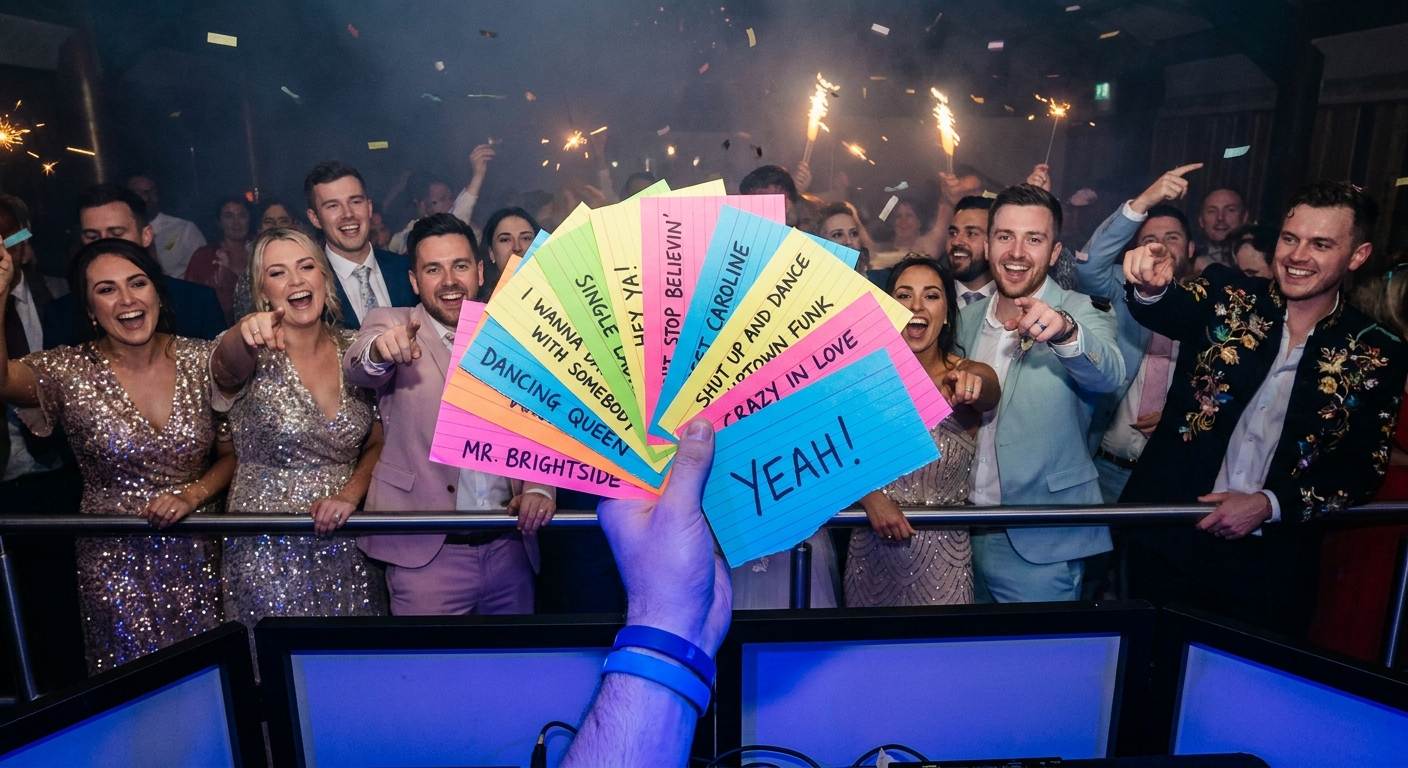
- "I Wanna Dance with Somebody (Who Loves Me)" by Whitney Houston — Timeless dance floor filler.
- "Dancing Queen" by ABBA — An undeniable singalong classic.
Romantic Ballads:
- "At Last" by Etta James — Perfect for a first dance or slow dance.
- "Can't Help Falling in Love" by Elvis Presley — A timeless expression of love.
- "A Thousand Years" by Christina Perri — Modern romantic ballad.
- "Thinking Out Loud" by Ed Sheeran — Another modern wedding staple.
Classic Rock Anthems:
- "Sweet Child o' Mine" by Guns N' Roses — Classic rock singalong.
- "Livin' on a Prayer" by Bon Jovi — Arena rock anthem that gets everyone pumped.
- "Bohemian Rhapsody" by Queen — An epic masterpiece that's always a crowd-pleaser.
- "Don't Stop Believin'" by Journey — Another singalong rock anthem.
Party Anthems:
- "Yeah!" by Usher ft. Lil Jon & Ludacris — High-energy club classic.
- "Get Lucky" by Daft Punk ft. Pharrell Williams — Funky and infectious dance track.
- "I Gotta Feeling" by The Black Eyed Peas — Guaranteed to get the party started.
- "Party Rock Anthem" by LMFAO — Unapologetically fun and energetic.
Troubleshooting Common Sound Issues
Even with careful planning, sound issues can arise during an event. Knowing how to troubleshoot common problems can save you from embarrassment and keep the music playing. Here are some common issues and their solutions:
No Sound: Check all your connections to ensure everything is plugged in correctly. Verify that the power is on for all your equipment. Check the volume levels on your mixer and audio sources. If you're using powered speakers, make sure they're turned on and the volume is turned up.
Distorted Sound: Distortion can be caused by clipping, which occurs when the audio signal is too strong. Reduce the gain on your mixer or audio source. Check your speaker cables for damage or loose connections. If you're using an amplifier, make sure it's not being overdriven.
Feedback: Reduce the microphone gain or move the microphone away from the speakers. Use a directional microphone to pick up sound from a specific area and reject sound from other directions. Adjust the EQ to attenuate frequencies that are prone to feedback.
Hum or Buzz: Hum or buzz can be caused by ground loops. Try using a ground lift adapter on one of your power cables. Ensure all your equipment is plugged into the same power outlet. Check your audio cables for damage or poor shielding.
Intermittent Sound: Intermittent sound can be caused by loose connections or faulty cables. Check all your cables and connectors. Replace any damaged or worn cables. Make sure your equipment is properly ventilated to prevent overheating.
- Check all connections for loose cables.
- Verify power status of all devices.
- Reduce gain to eliminate distortion.
- Adjust EQ to minimize feedback.
Testing Your Sound System Before the Event
The most crucial step in ensuring a successful event sound setup is testing your system thoroughly before the event. This allows you to identify and resolve any problems before your guests arrive. Here's a checklist to follow:
- Set up all your equipment: Connect all your speakers, microphones, mixers, and audio sources.
- Play a variety of music: Test different genres and styles of music to ensure your system can handle a wide range of frequencies.
- Test your microphones: Speak and sing into each microphone to check its sound quality and gain levels.
- Check your mixer settings: Adjust the EQ and levels on your mixer to achieve a balanced and pleasing sound.
- Walk around the venue: Listen to the sound from different locations to ensure even coverage.
- Identify and resolve any issues: Troubleshoot any problems you encounter, such as distortion, feedback, or hum.
- Do a final sound check: Before the event starts, do a final sound check to ensure everything is working perfectly.
⚠️ Heads Up: Don't wait until the last minute to test your sound system. Give yourself plenty of time to troubleshoot any issues that may arise.
DJ Tips for a Flawless Event Sound Experience
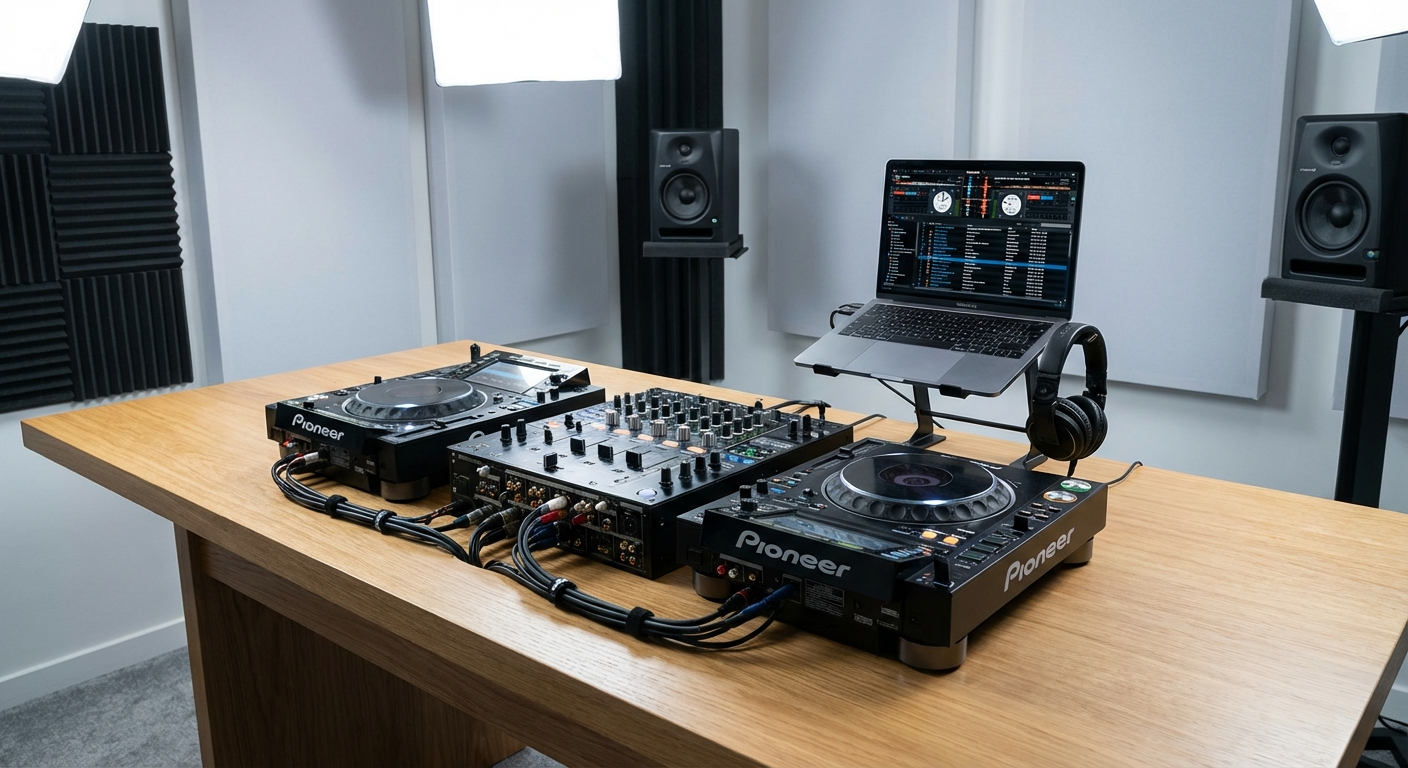
If you're a DJ, you have a special responsibility for ensuring a flawless event sound experience. Here are some tips to help you deliver a professional and memorable performance:
- Arrive early: Give yourself plenty of time to set up your equipment and do a sound check.
- Know your audience: Tailor your music selection to the tastes of your audience.
- Read the room: Pay attention to the energy of the crowd and adjust your music accordingly.
- Use transitions: Smooth transitions between songs are essential for maintaining a consistent flow.
- Mix in key: Mixing in key creates a more harmonious and pleasing sound.
- Use effects sparingly: Effects can enhance your sound, but overuse can be distracting.
- Monitor your levels: Keep an eye on your levels to avoid clipping or distortion.
- Interact with the crowd: Engage with the audience to create a connection and keep the energy high.
⚠️ Heads Up: Avoid playing songs that are too explicit or offensive, as this can alienate some guests.
Remember, the best event sound setup is one that goes unnoticed because it simply sounds great. Focus on clear audio, balanced levels, and a playlist that complements the event's atmosphere. By following these tips, you'll be well on your way to creating an unforgettable experience for your guests.
Frequently Asked Questions
PartyMusicPlaylist Team
Helping you create the perfect soundtrack for life's most memorable moments. Expert tips on event music planning, DJ coordination, and playlist curation.
Learn MoreReady to Plan Your Event Music?
Create the perfect playlist for your special event. Search songs, organize your timeline, and share with your DJ.
Get Started FreeRelated Articles
Continue reading