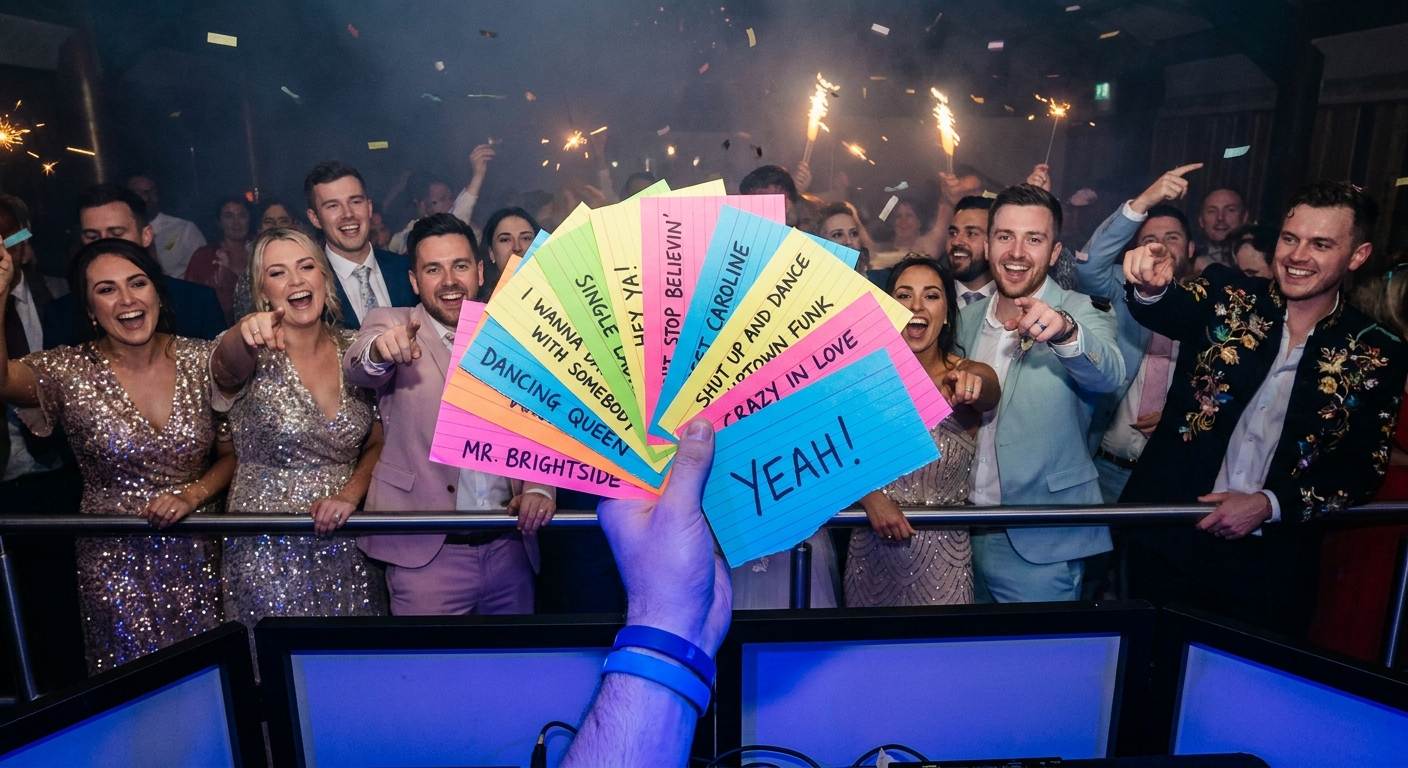
The year is 2026. DJing has evolved, but one thing remains constant: the power of a perfectly curated playlist. No longer are DJs solitary figures crafting sets in isolation. Today's top DJs leverage the power of playlist collaboration tools to engage their audiences, gather real-time feedback, and build unforgettable musical experiences. Are you ready to discover the secret weapons that the pros are using?
🎯 Key Takeaways
- Discover the best playlist collaboration tools to enhance your DJ sets in 2026.
- Learn how to gather real-time song requests and feedback from your audience.
- Master the art of building collaborative playlists with other DJs and music enthusiasts.
- Understand the importance of seamless integration with DJ software and streaming services.
- Explore advanced features like AI-powered song suggestions and automated playlist updates.
Why Playlist Collaboration is the Future of DJing
Gone are the days of DJs dictating the entire musical landscape of an event. Today, it's all about creating a shared experience. Playlist collaboration allows DJs to tap into the collective musical knowledge of their audience, ensuring a setlist that resonates with everyone. Think of it as crowdsourcing your musical genius!
But it's not just about taking requests. Think about the ability to co-create playlists with other DJs across the globe. Imagine the possibilities of genre-fusion and innovative set designs. The possibilities are endless!
Consider this scenario: You're DJing a wedding, and the bride and groom want specific songs played but aren't sure how to organize them. With a collaboration tool, they can easily add their favorites, and you can weave them seamlessly into your set. It's a win-win!
The benefits of using playlist collaboration tools include:
- Increased audience engagement: Get your crowd involved in the music selection.
- Real-time feedback: Gauge the crowd's reaction to songs as you play them.
- Diverse music selection: Tap into a wider range of musical tastes.
- Streamlined planning: Organize your setlist efficiently with input from others.
- Enhanced creativity: Collaborate with other DJs for fresh ideas and perspectives.
💡 Pro Tip: Encourage your audience to add songs that fit the event's theme. Provide clear instructions on how to use the collaboration tool and set some ground rules for song selection to ensure a cohesive playlist.
Top 7 Playlist Collaboration Tools for DJs in 2026
The market is flooded with options, but only a few playlist collaboration tools truly stand out. Here are seven that are making waves in 2026:
- PartyMusicPlaylist: (Of course!) Our platform offers intuitive collaboration features, allowing guests to add songs, vote on their favorites, and even send direct requests to the DJ. Plus, it integrates seamlessly with popular DJ software and streaming services. You can create a shareable link for anyone to add their songs. Create Your Playlist today.
- SoundShare Pro: A premium option with advanced features like AI-powered song suggestions and real-time audience feedback analysis. It also supports multiple DJ profiles for collaborative sets.
- CrowdDJ: Known for its robust voting system and integration with social media platforms. It allows DJs to create custom event pages where attendees can submit and vote on songs.
- Setlist.io Collab: Ideal for DJs who want to share their setlists with fans after a performance. It offers basic collaboration features for adding and editing songs.
- Jukebox Party: A simple and user-friendly tool designed for small gatherings and parties. It allows guests to add songs via a QR code and vote on their preferences.
- SyncDJ: A cloud-based platform that enables DJs to collaborate on playlists in real-time, regardless of location. It includes features like version control and conflict resolution.
- Amped Studio: While primarily a DAW, Amped Studio boasts strong collaboration features allowing multiple users to work on the same project simultaneously. Ideal for DJs producing original music or remixes.
How to Gather Real-Time Song Requests with Collaboration Tools
One of the most powerful features of playlist collaboration tools is the ability to gather real-time song requests. This allows you to adapt your set on the fly, ensuring that the crowd stays engaged and energized. So how do you make it work?
Here are the steps to effectively gather real-time song requests:
- Choose the Right Tool: Select a platform with built-in request features, like PartyMusicPlaylist.
- Promote the Collaboration Link: Share the playlist link with your audience before and during the event. Post it on social media, display it on screens, or announce it verbally.
- Set Request Guidelines: Establish some rules for song requests. For example, you might limit the number of requests per person or specify the types of music that are appropriate for the event.
- Monitor the Request Queue: Keep an eye on the incoming requests and prioritize songs that fit the overall vibe of the event.
- Acknowledge Requests: Let your audience know that you're listening to their requests. You can do this by playing a few requested songs or by giving shout-outs to the people who submitted them.
- React to Feedback: Use the tool’s feedback features (likes, dislikes, ratings) to gauge the crowd’s reaction to songs you’re playing. Adjust your set accordingly.
⚠️ Heads Up: Be prepared for some off-the-wall requests! Have a polite way to decline songs that don't fit the event's theme or your overall set. A simple "Thanks for the suggestion, but I'm going to keep the energy up with something a little different" can work wonders.
Building Collaborative Playlists with Other DJs
Collaborating with other DJs can open up a world of creative possibilities. Playlist collaboration tools make it easy to share ideas, combine musical styles, and create truly unique sets. Here's how to do it effectively:
- Choose Your Collaborators Wisely: Select DJs who share your musical interests and have complementary skills.
- Establish Clear Goals: Discuss the type of event you're planning for, the target audience, and the overall vibe you want to create.
- Divide Responsibilities: Assign specific tasks to each DJ, such as curating a particular genre or creating transitions between songs.
- Use a Centralized Platform: Choose a collaboration tool that allows multiple DJs to access and edit the playlist simultaneously.
- Communicate Regularly: Stay in constant communication with your collaborators to discuss ideas, provide feedback, and resolve any conflicts.
- Rehearse Together: If possible, rehearse the set together before the event to ensure a seamless performance.
Imagine a scenario where one DJ specializes in house music, while another excels in hip-hop. By collaborating, they can create a set that seamlessly blends these two genres, creating a unique and unforgettable experience for the audience.
Essential Features to Look for in a Playlist Collaboration Tool
Not all playlist collaboration tools are created equal. When choosing a platform, here are some essential features to look for:
- Real-time Collaboration: The ability for multiple users to access and edit the playlist simultaneously.
- Request Management: Features for submitting, voting on, and managing song requests.
- Feedback Mechanisms: Tools for gathering real-time feedback from the audience, such as likes, dislikes, and ratings.
- Integration with DJ Software: Seamless compatibility with popular DJ software like Serato, Traktor, and Ableton Live.
- Integration with Streaming Services: Support for streaming services like Spotify, Apple Music, and Tidal.
- Customization Options: The ability to customize the look and feel of the collaboration platform to match your brand or event.
- Mobile Accessibility: A mobile app that allows users to access and manage the playlist on the go.
- Offline Access: The option to download the playlist for offline playback in case of internet connectivity issues.
Must-Have Songs for Any Collaborative Playlist
No matter the event, some songs are guaranteed to get the crowd moving. Here are a few must-have tracks for any collaborative playlist:
Editor's Top Picks
- "September" by Earth, Wind & Fire — A timeless classic that always gets people on the dance floor.
- "Don't Stop Believin'" by Journey — An anthem that everyone knows and loves.
- "Uptown Funk" by Mark Ronson ft. Bruno Mars — A modern funk masterpiece that's impossible not to dance to.
- "Dancing Queen" by ABBA — An eternally popular song that makes everyone feel good.
- "I Wanna Dance with Somebody (Who Loves Me)" by Whitney Houston — A high-energy anthem that's perfect for getting the party started.
- "Mr. Brightside" by The Killers — An indie rock staple that's guaranteed to get the crowd singing along.
- "Happy" by Pharrell Williams — An infectious tune that's impossible not to smile to.
- "Sweet Caroline" by Neil Diamond — A classic singalong that's perfect for any occasion.
- "Hey Ya!" by Outkast — A funky and upbeat track that's guaranteed to get the crowd moving.
Creating the Perfect Vibe: Song Suggestions by Mood
The best playlists aren't just a random collection of songs; they're carefully curated to create a specific mood or atmosphere. Here are some song suggestions for different moments:
For Getting the Party Started
- "Get Lucky" by Daft Punk ft. Pharrell Williams & Nile Rodgers — Sets an upbeat, feel-good tone.
- "Can't Stop the Feeling!" by Justin Timberlake — Guaranteed to lift spirits and get people moving.
- "24K Magic" by Bruno Mars — Funky and undeniably catchy.
- "I Gotta Feeling" by The Black Eyed Peas — A classic party anthem that still hits hard.
For Mellow Grooves and Background Music
- "Watermelon Sugar" by Harry Styles — Relaxed and groovy.
- "Golden" by Harry Styles — Upbeat but calming.
- "Better Together" by Jack Johnson — Perfect for creating a relaxed and positive atmosphere.
- "Come Away With Me" by Norah Jones — Smooth and sophisticated.
For Romantic Moments
- "Thinking Out Loud" by Ed Sheeran — A modern classic for slow dances.
- "At Last" by Etta James — Timeless and elegant.
- "A Thousand Years" by Christina Perri — Beautiful and emotional.
- "Perfect" by Ed Sheeran — Another great choice for romantic moments.
DJ Tips: Maximizing Your Playlist Collaboration Efforts
Using playlist collaboration tools is just the first step. Here are some tips to maximize your efforts and create truly unforgettable musical experiences:
- Promote Your Collaboration Link: Make sure your audience knows how to access and contribute to the playlist.
- Set Clear Expectations: Establish guidelines for song selection to ensure a cohesive playlist.
- Engage with Your Audience: Respond to requests and acknowledge contributions to show that you're listening.
- Curate the Playlist: Don't be afraid to remove songs that don't fit the overall vibe or that are duplicates.
- Experiment with Different Genres: Use collaboration as an opportunity to explore new musical styles and broaden your horizons.
- Use Data Wisely: Utilize feedback features to understand the crowd’s preferences and adjust your set accordingly.
💡 Pro Tip: Create a short video tutorial explaining how to use the collaboration tool and share it on social media. This will help your audience understand the process and encourage them to participate.
Common Mistakes to Avoid When Using Collaboration Tools
While playlist collaboration tools can be incredibly powerful, it's easy to make mistakes that can undermine your efforts. Here are some common pitfalls to avoid:
⚠️ Heads Up: Ignoring Audience Feedback: Don't disregard the feedback you're receiving from your audience. If a song is getting negative reactions, don't be afraid to cut it from the playlist.
⚠️ Heads Up: Overcrowding the Playlist: Don't let the playlist become too cluttered with too many songs. Keep it focused and curated to ensure a smooth and enjoyable listening experience.
⚠️ Heads Up: Failing to Moderate: It's essential to moderate the playlist to remove inappropriate or irrelevant songs. This will help maintain a professional and enjoyable atmosphere.
⚠️ Heads Up: Being Unresponsive: Respond to song requests and acknowledge contributions from your audience. This will show that you value their input and encourage them to participate.
Expert Advice: Taking Your DJ Sets to the Next Level
Ready to take your DJ sets to the next level? Here's some expert advice to help you stand out from the crowd:
Embrace the power of AI: In 2026, AI-powered tools can analyze your audience's preferences and suggest songs that are guaranteed to be a hit. Use these tools to supplement your own musical knowledge and create truly personalized sets.
- Master the Art of Transitioning: Seamless transitions are key to creating a smooth and engaging listening experience. Practice your transitions and experiment with different techniques.
- Read the Crowd: Pay attention to the crowd's energy and adjust your set accordingly. If they're loving a particular genre, stick with it. If they're starting to lose interest, switch things up.
- Use Effects Creatively: Don't be afraid to experiment with effects like reverb, delay, and distortion. Use them sparingly to add texture and excitement to your set.
- Stay Up-to-Date: Keep up with the latest music trends and technologies. Attend industry events, read music blogs, and follow influential DJs on social media.
Frequently Asked Questions
PartyMusicPlaylist Team
Helping you create the perfect soundtrack for life's most memorable moments. Expert tips on event music planning, DJ coordination, and playlist curation.
Learn MoreReady to Plan Your Event Music?
Create the perfect playlist for your special event. Search songs, organize your timeline, and share with your DJ.
Get Started FreeRelated Articles
Continue reading