Your Gigs Sound Terrible, And Here Is The Fix
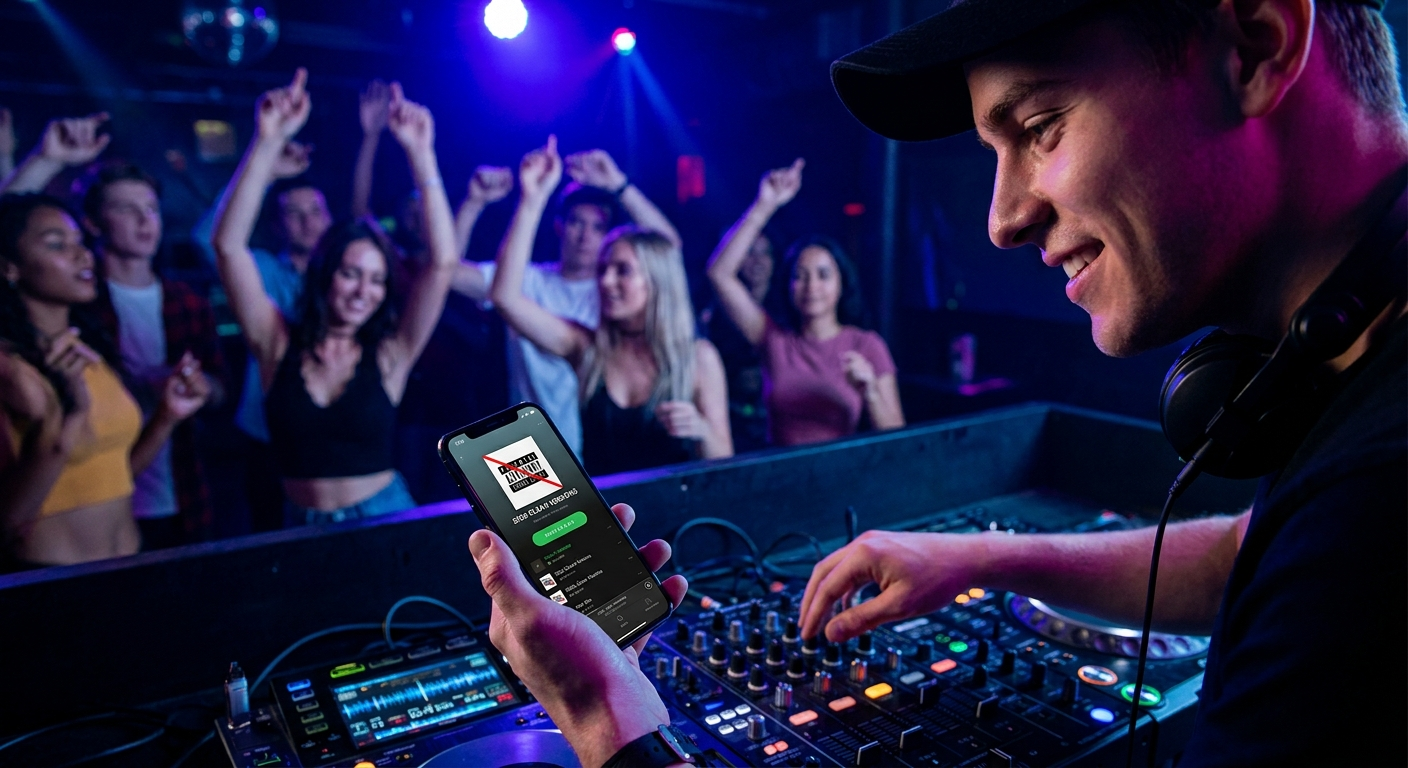
You have spent hours building the perfect playlist. You have considered every guest. You have even used PartyMusicPlaylist.com to collect song requests from your attendees. But when the first track drops, the room feels empty. The bass is muddy. The vocals are lost. Your guests are talking louder than the music.
This is not a problem with your song selection. This is an event sound setup problem. And it is ruining your gigs.
Most hosts and part-time DJs make the same five critical mistakes. They spend money on expensive speakers but ignore the room. They crank the volume instead of balancing the frequencies. They set up in the worst possible location.
In this guide, I am going to walk you through every single one of these mistakes. You are going to learn exactly how to fix them. And you are going to walk away with a setup that sounds professional, fills the room, and makes your playlist shine.
🎯 Key Takeaways
- Speaker placement is 80% of your sound quality — move your speakers before you touch the EQ
- Volume does not equal good sound — proper gain staging and EQ balance are far more important
- Your room kills your sound — learn how to read the space and adjust accordingly
- Wireless audio introduces latency and dropouts — wired connections are always superior for gigs
- Testing your event sound setup one hour before guests arrive is the number one rule of professional events
Mistake #1: The Worst Speaker Placement In The Room
You walk into a venue. You see an empty corner. You put your speakers there. It feels natural, right?
Wrong. That corner is a sound trap. It is the worst possible spot for your event sound setup.
When you place speakers in corners, the bass builds up unnaturally. This is called "corner loading." It makes your low-end sound boomy and undefined. Your kick drum becomes a thud. Your bass guitar becomes a rumble. And the rest of the frequency range gets swallowed.
Where Should You Actually Place Your Speakers?
Your speakers need to be in front of your listening area, pointed toward the center of the room. They should be at least 12 inches away from any wall. And they should be elevated to ear height.
Here is the exact step-by-step process I use for every event:
- Walk the room first. Stand where your guests will stand. Find the center point of the dance floor or main seating area.
- Place your speakers along the front wall (the wall opposite your guests) — not in the corners.
- Angle them inward about 45 degrees toward the center of the room. This creates a "sweet spot" where the stereo image is clear.
- Elevate them. If your speakers are on the floor, your sound hits peoples' legs, not their ears. Use speaker stands or sturdy tables.
- Keep them at least 3 feet from any corner. Measure it if you have to.
💡 Pro Tip: If you are using a subwoofer, place it in the center of the front wall, not in a corner. Subwoofers are omnidirectional, but corner placement still causes boominess. Center placement gives you tighter, cleaner bass that fills the room evenly.
Think about it this way: your speakers are like flashlights. If you point them at the floor, you only light up a tiny patch. If you point them at the ceiling, the light scatters. But if you aim them directly at your audience, everyone sees clearly. Sound works the same way.
Mistake #2: Cranking The Volume Instead Of Balancing The Mix
This is the most common mistake I see at house parties and small events. The host thinks the music is too quiet. So they turn up the master volume. Then the sound distorts. Then they turn it up more. Now everything sounds like a blown-out car stereo.
The problem is not the volume level. The problem is the balance of your frequencies.
What Is Gain Staging And Why Does It Matter?
Gain staging is the process of setting the input level of your audio source so it hits your speakers cleanly. If your input signal is too hot (too loud), your speakers will clip. Clipping sounds terrible and can damage your equipment.
Here is how to set gain properly for your event sound setup:
- Start with your mixer or controller at 0 dB (unity gain). This is the neutral position.
- Set your speaker volume knobs to about 75%. This gives you headroom to adjust later.
- Play a song you know well. Something with clear vocals and a strong bassline.
- Slowly raise the channel fader until the music sounds full but not distorted.
- Watch your meters. If the meters are hitting red, you are too loud. Back off until they peak in the yellow zone.
Once your gain is set correctly, use the master volume to adjust the overall level for the room. But do not touch the individual channel gains again unless you change songs drastically.
⚠️ Heads Up: If you are using a smartphone or laptop as your music source, turn the device volume to 100% before connecting to your mixer. Then adjust gain on the mixer. Low device volume + high mixer gain = noise and hiss. High device volume + proper mixer gain = clean, powerful sound.
"I used to think louder was better. After learning proper gain staging, my gigs went from 'okay' to 'wow, what speakers are those?'" — Mark T., weekend DJ
Mistake #3: Ignoring The Room Acoustics
Every room sounds different. A concrete basement sounds like a cave. A carpeted living room sounds dead. A wood-floored hall sounds bright and echoey.
Your event sound setup must adapt to the room. If you ignore the room, your music will fight the space.
How To Read Your Room In 30 Seconds
Clap your hands loudly. Listen to the sound decay.
- If you hear a long echo (reverberation) — your room is "live." You need to reduce high frequencies and add some absorption (rugs, curtains, people).
- If the clap sounds dead and flat — your room is "dead." You need to boost presence frequencies to make the music cut through.
- If the clap sounds balanced and natural — your room is neutral. Lucky you. Just set up and play.
Most small venues fall into the "live" category. Hard surfaces like wood, tile, and glass reflect sound waves, creating echo. This muddies up your music, especially vocals and cymbals.
Quick Fixes For Problem Rooms
You cannot renovate the venue. But you can make small adjustments that dramatically improve your event sound setup.
- Pull back your high-frequency EQ. If the room is too bright, reduce the treble by 2-3 dB. This cuts down on harsh reflections.
- Add soft surfaces. Open a curtain. Put a rug on the floor. Hang a blanket on a wall. Every soft surface absorbs sound and reduces echo.
- Position your speakers away from reflective surfaces. Do not place them directly in front of a window or a bare wall.
- Use the 3:1 rule. If your speakers are 3 feet from a wall, the reflection path is 6 feet (3 there, 3 back). That delay is enough to cause comb filtering (phase cancellation). Move them further away if possible.
"I played a wedding in a concrete warehouse. The sound was horrible until I pulled the treble down and put a carpet under the speakers. Night and day difference." — Sarah L., mobile DJ
Mistake #4: Using Wireless Connections For Critical Audio
Bluetooth is convenient. I get it. No cables to trip over. No messy setup. Just pair and play.
But Bluetooth will ruin your gig.
Here is why wireless audio is a disaster for your event sound setup:
- Latency. Bluetooth adds 100-200 milliseconds of delay. That means the sound is out of sync with any visual elements (DJ visuals, video, even the movement of the DJ's hands on the controller).
- Compression. Bluetooth compresses audio to transmit it wirelessly. You lose detail in the highs and lows. Your music sounds flat and lifeless.
- Dropouts. A person walking between your phone and the speaker can cause the signal to cut out. At a party, people move. You will get dropouts.
- Interference. Wi-Fi networks, other Bluetooth devices, microwaves — all of these can interfere with your signal.
The Wired Solution
Use XLR cables or quarter-inch TRS cables for your main audio connection. These are balanced cables that reject interference and deliver clean, full-range audio.
If you absolutely must go wireless (for example, a microphone for a speech), use a UHF wireless system (like Shure or Sennheiser), not Bluetooth. These operate on dedicated radio frequencies and are designed for live sound.
💡 Pro Tip: Always carry backup cables. I keep a spare XLR cable and a 3.5mm-to-dual-RCA cable in my bag. If something fails, I can swap in seconds. This one habit has saved me at least five gigs.
Mistake #5: Not Testing Your Event Sound Setup Before Guests Arrive
You set up the speakers. You plug in the laptop. You check that music plays. Good enough, right?
Wrong again.
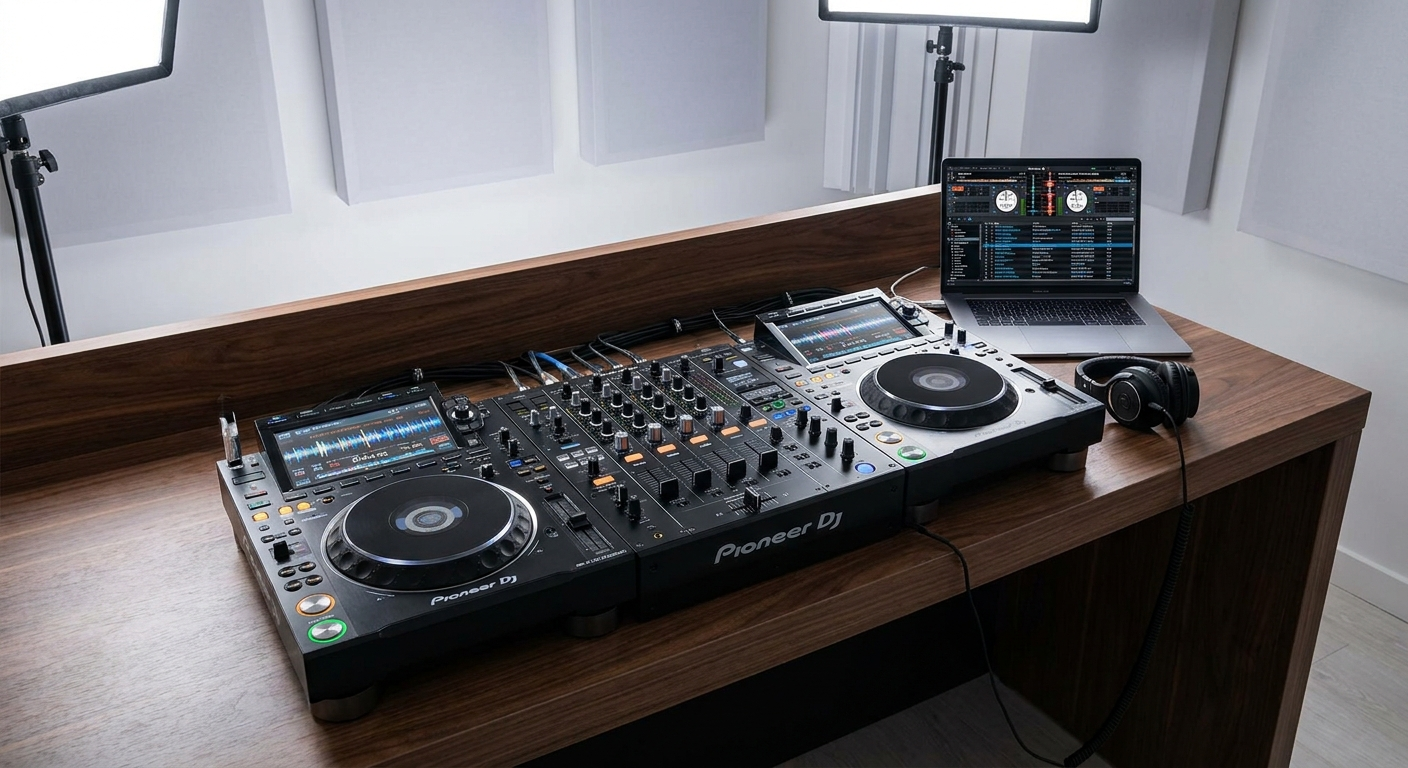
Testing means more than just confirming audio comes out of the speakers. It means listening critically to your entire event sound setup from every angle of the room.
The 30-Minute Sound Check Protocol
Follow this checklist every single time you set up for an event:
- Play a reference track. Pick one song you know intimately. Something with clear vocals, a bassline, and high-frequency content (cymbals, hi-hats). Play it through your system.
- Walk the room. Stand at the back of the room, the sides, and the center. Does the music sound balanced everywhere? If not, adjust speaker angles or EQ.
- Check for distortion. Turn the volume up to your expected peak level. Listen for crackling, buzzing, or muddiness. If you hear distortion, your gain staging is wrong. Fix it now.
- Test your microphone. If you are using a mic, test it at the same volume you will use during the event. Check for feedback (that horrible screeching sound). If you get feedback, move the mic away from the speakers or reduce the mic gain.
- Set your limiter. Most modern speakers have a built-in limiter. Make sure it is engaged. This prevents accidental volume spikes from damaging your speakers.
- Time your setup. Give yourself at least 1 hour before guests arrive for setup and sound check. Rushing leads to mistakes.
⚠️ Heads Up: Do not skip the limiter. I have seen too many blown tweeters because someone bumped the master volume knob. A limiter is your safety net. Use it.
Building The Perfect Playlist For Your Sound System
Your event sound setup is only as good as the music you play. Even the best speakers cannot fix a poorly curated playlist.
When you build your playlist, think about dynamics. A playlist that is all high-energy bangers will exhaust your guests. A playlist that is all ballads will put them to sleep. You need a mix.
Use PartyMusicPlaylist.com's playlist templates to structure your set. Here is a proven framework:
Opening Tracks (First 30 Minutes)
Warm, familiar, mid-tempo. Let guests settle in.
- "Sunshine" by John Denver — Familiar and uplifting
- "Put Your Records On" by Corinne Bailey Rae — Smooth and inviting
- "Here Comes The Sun" by The Beatles — Timeless and warm
- "Hold Back The River" by James Bay — Builds energy slowly
- "Budapest" by George Ezra — Easy listening with a good groove
Peak Energy Tracks (Middle Of The Event)
These are the songs that get everyone on the dance floor.
Can't-Miss Dance Floor Bangers
- "Uptown Funk" by Mark Ronson ft. Bruno Mars — The ultimate party starter
- "Levitating" by Dua Lipa — Modern pop perfection with a driving beat
- "I Wanna Dance With Somebody" by Whitney Houston — Timeless dance floor anthem
- "Get Lucky" by Daft Punk ft. Pharrell Williams — Funk and disco blended perfectly
- "Shut Up And Dance" by Walk The Moon — High energy, impossible to sit still
Cool Down Tracks (Last 30 Minutes)
Bring the energy down gently so guests can wind down.
- "At Last" by Etta James — Romantic and classic
- "Can't Help Falling In Love" by Elvis Presley — Timeless and tender
- "Perfect" by Ed Sheeran — Modern love song staple
- "Thinking Out Loud" by Ed Sheeran — Slow dance favorite
- "Unchained Melody" by The Righteous Brothers — Emotional and powerful
How To Use Guest Song Requests To Improve Your Event Sound Setup
Here is a secret that professional DJs know: guest requests are not a burden, they are a tool.
When you let guests request songs, you learn what the room wants. But more importantly, you can preview those songs before you play them. This gives you a chance to check how they sound on your system.
With PartyMusicPlaylist.com, your guests can submit requests before the event. You can build your playlist and test every track on your event sound setup. If a song sounds muddy or distorted, you can adjust your EQ before anyone hears it.
💡 Pro Tip: Always have a "request bin" of 10-15 songs that you know sound great on your system. When a guest asks for a song you do not have, you can suggest one from this bin. It keeps the dance floor moving and avoids awkward pauses.
Common Event Sound Setup Mistakes (And How To Avoid Them)
Let me share a few more mistakes I see regularly at events. These are small details, but they make a huge difference.
Mistake: Using The Wrong EQ Settings
Many hosts boost the bass and treble to make music sound "exciting." This actually reduces clarity. A flat EQ (all bands at neutral) is usually the best starting point. Adjust by 1-2 dB at most.
Mistake: Overloading The Power Strip
Speakers, subwoofers, laptops, lights — all plugged into one power strip. This causes voltage drop and can trip breakers. Use separate circuits for your audio gear and lighting.
Mistake: Forgetting Cable Management
Loose cables are trip hazards. Tape them down with gaffer tape (not duct tape — gaffer tape leaves no residue). Run cables along walls and under rugs.
Mistake: Not Having A Backup Plan
What if your laptop dies? What if a speaker stops working? Always carry a backup music source (a phone with downloaded playlists) and a backup speaker (even a small Bluetooth speaker is better than silence).
Your Event Sound Setup Checklist — Print This
- Speakers placed 12+ inches from walls, elevated to ear height
- Gain staging set correctly (meters in yellow zone)
- Room acoustics assessed (clap test done)
- Wired connections used for primary audio
- Backup cables and music source ready
- Sound check completed 1 hour before guests arrive
- Limiter engaged on speakers
- Power strip not overloaded
- Cables taped down safely
- Playlist tested on your system
Expert Tips For Professional-Grade Event Sound
You have learned the five major mistakes. Now let me give you some advanced tips that separate amateur setups from professional ones.
Tip #1: Use A Subwoofer Crossover
If you have a subwoofer, set the crossover frequency to around 80-100 Hz. This means the sub handles only the low frequencies, and your main speakers handle everything above that. This prevents muddiness and keeps your sound tight.
Tip #2: Position Your Subwoofer Correctly
Place the subwoofer in the center of the front wall, not in a corner. Subwoofers produce omnidirectional bass, but corner placement still causes uneven bass distribution. Center placement gives you more consistent low-end coverage.
Tip #3: Use A Real-Time Analyzer (RTA) App
Download a free RTA app on your phone (like AudioTool for iOS or Android). Play pink noise through your system and watch the frequency graph. If you see big peaks or dips, adjust your EQ to flatten the response. This is the most precise way to tune your room.
Tip #4: Invest In A Power Conditioner
Cheap power strips do not filter electrical noise. A power conditioner (like Furman or Tripp Lite) cleans the power going to your gear. This reduces hum and improves overall clarity.
"I spent $200 on a power conditioner. It eliminated a hum I had been fighting for months. Best investment I ever made." — Dave R., event DJ
Frequently Asked Questions
PartyMusicPlaylist Team
Helping you create the perfect soundtrack for life's most memorable moments. Expert tips on event music planning, DJ coordination, and playlist curation.
Learn MoreReady to Plan Your Event Music?
Create the perfect playlist for your special event. Search songs, organize your timeline, and share with your DJ.
Get Started FreeRelated Articles
Continue reading