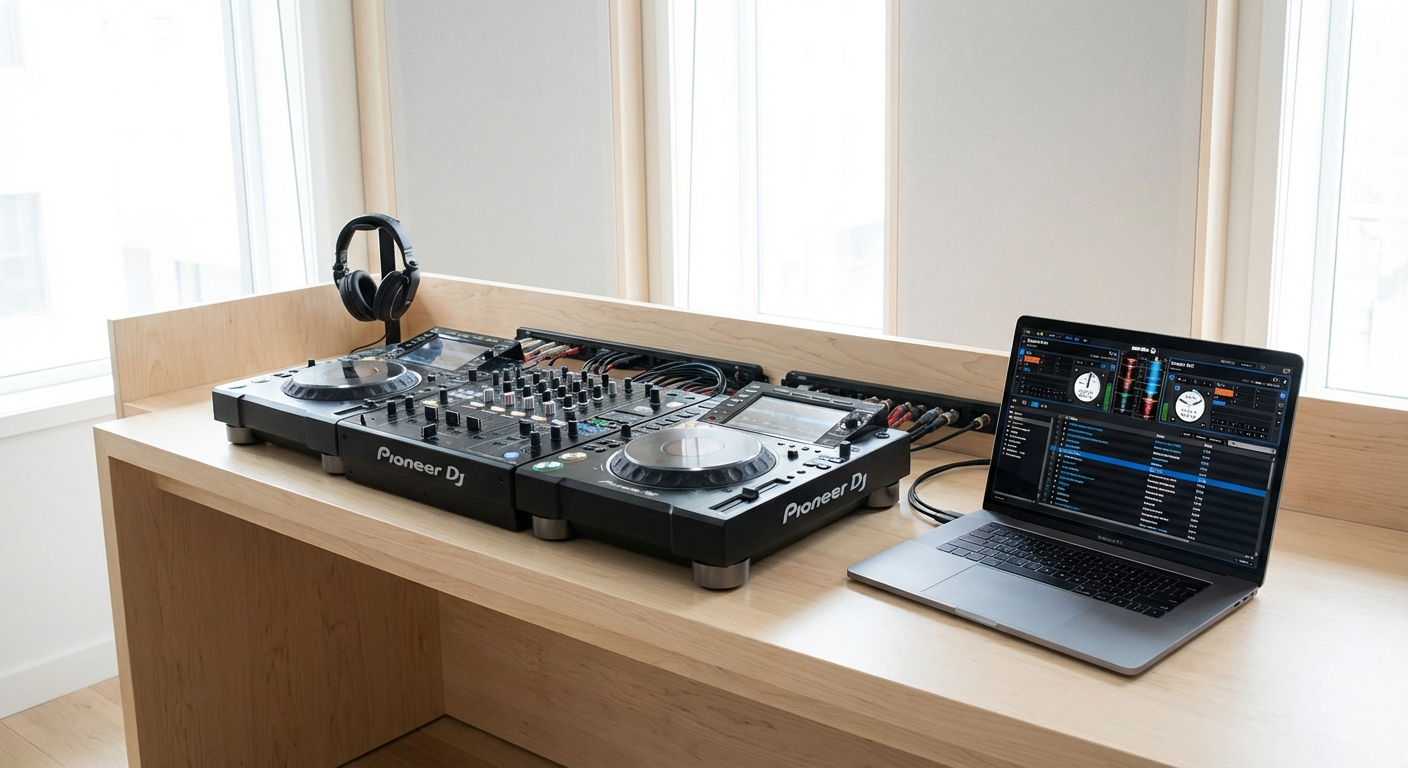
Planning an event? Whether it's a wedding, corporate gala, or backyard bash, the event sound setup can make or break the atmosphere. As a host, you want smooth transitions, crisp audio, and a packed dance floor. But achieving that professional sound can feel like a mystery. DJs have insider knowledge that can transform your event from amateur hour to a seamless sonic experience. Let's unlock those secrets!
🎯 Key Takeaways
- Understand the importance of speaker placement and coverage for optimal sound.
- Learn how to properly connect audio equipment and troubleshoot common issues.
- Discover essential gear beyond speakers and mixers for a professional sound.
- Master the art of soundcheck and level adjustments to prevent feedback and distortion.
- Curate a diverse and engaging playlist that caters to your audience's tastes.
Decoding the DJ's Secret Weapon: Mastering Event Sound Setup
Behind every successful event with a vibrant atmosphere is a well-planned and executed event sound setup. It's not just about playing music; it's about creating an immersive audio experience that keeps guests engaged and energized. DJs spend years honing their skills in sound engineering, equipment handling, and music selection. Understanding some of their core principles will empower you to elevate your event.
Think of your sound system as the backbone of your event. The music sets the tone, amplifies emotions, and drives the overall energy. A poorly configured system can lead to muddy audio, distracting feedback, and even equipment failure, potentially derailing your entire event.
But with a little knowledge and preparation, you can avoid these pitfalls and create a soundscape that perfectly complements your vision. We’re going to dive deep into the essential elements that DJs consider when setting up for an event, offering actionable tips you can use to create a professional-sounding experience.
Speaker Placement: The Foundation of Great Sound
One of the most crucial aspects of event sound setup is speaker placement. It's not enough to simply set your speakers on a table and crank up the volume. The placement directly affects how the sound travels, how evenly it's distributed, and how effectively it fills the space. The right placement ensures everyone enjoys a clear and balanced sound experience.
Consider the size and shape of your venue. Are you indoors or outdoors? Is the space wide and open, or narrow and confined? These factors will influence the ideal speaker configuration. For larger spaces, you might need multiple speakers strategically positioned to provide adequate coverage. Smaller spaces might benefit from a single pair of speakers carefully aimed to avoid excessive reflections.
💡 Pro Tip: Experiment with different speaker placements during your soundcheck to identify "dead spots" where the sound is weak or muffled. Adjust the speaker positions or add additional speakers to fill those gaps.
Here are a few key principles to keep in mind:
- Elevate your speakers: Raising your speakers off the ground helps the sound project further and reduces the risk of low-frequency muddiness. Use speaker stands whenever possible.
- Angle your speakers: Angling your speakers slightly downwards can help direct the sound towards the audience's ears, rather than over their heads.
- Avoid obstructions: Make sure there are no large objects blocking the path between the speakers and the audience. Obstructions can absorb or reflect sound, creating uneven coverage.
Different events call for different speaker setups. For a wedding, you might want to focus on clear, balanced sound for speeches and background music during dinner, then switch to a more powerful configuration for the dance floor. For a corporate event, prioritize intelligibility and even coverage throughout the room.
Connecting Your Gear Like a Pro: Cables, Mixers, and More
Once you've determined the optimal speaker placement, the next step is to connect your audio equipment. This involves understanding the different types of cables, mixers, and other essential components that make up your event sound setup. A solid understanding of these elements will ensure your audio signal flows smoothly and efficiently.
Cables are the lifelines of your sound system. Using the right cables and connecting them properly is essential for avoiding signal loss, noise, and other audio problems. Here are some common cable types you'll encounter:
- XLR cables: These are typically used for connecting microphones, mixers, and powered speakers. They provide a balanced signal, which reduces noise and interference.
- TRS cables: These are often used for connecting instruments, headphones, and some types of audio interfaces.
- RCA cables: These are commonly used for connecting consumer audio devices, such as CD players and turntables.
- Speaker Cables: These connect the amplifier to passive speakers. They are typically thicker gauge cables to handle the power.
A mixer is the central hub of your sound system. It allows you to combine and control multiple audio sources, such as microphones, instruments, and music players. Mixers come in various sizes and configurations, from small portable units to large professional consoles.
When connecting your gear, always follow these best practices:
- Turn off all equipment before connecting or disconnecting any cables.
- Use the shortest possible cable lengths to minimize signal loss.
- Label your cables to make it easier to troubleshoot problems.
- Secure your cables to prevent tripping hazards.
⚠️ Heads Up: A common mistake is using unbalanced (RCA) cables over long distances. This can result in noticeable hum and noise. Stick to balanced (XLR or TRS) connections whenever possible, especially for longer cable runs.
Beyond Speakers and Mixers: Essential Gear for a Flawless Event
While speakers and mixers are the cornerstones of any event sound setup, there are several other pieces of equipment that can significantly enhance your audio experience. These often-overlooked components contribute to a polished and professional sound.
A power conditioner is a device that protects your equipment from voltage spikes and fluctuations. It also filters out noise from the power line, resulting in cleaner audio. Investing in a good power conditioner can extend the lifespan of your gear and improve its performance.
Microphones are essential for speeches, announcements, and live performances. Choose microphones that are appropriate for your specific needs. Dynamic microphones are rugged and versatile, making them a good choice for general use. Condenser microphones are more sensitive and offer higher fidelity, but they require phantom power.
Consider incorporating these extras into your setup:
- Subwoofers: For a richer, fuller sound, especially for music with a strong bass component.
- Equalizers: To fine-tune the frequency response of your sound system and compensate for room acoustics.
- Audio Interfaces: For connecting your computer to your sound system and using digital audio software.
Don't underestimate the importance of having backup equipment on hand. A spare microphone, cable, or even a small mixer can be a lifesaver if something goes wrong during your event. Being prepared for unexpected issues can prevent major disruptions.
The Art of the Soundcheck: Dialing in Perfect Levels
Before your guests arrive, it's crucial to perform a thorough soundcheck. This allows you to identify and correct any issues with your event sound setup, ensuring that everything sounds its best. A soundcheck isn't just about making sure the music plays; it's a meticulous process of balancing levels, optimizing EQ, and preventing feedback.
Start by playing a variety of music tracks that represent the different genres and styles you'll be playing at your event. Pay attention to the overall volume, clarity, and balance of the sound. Are the vocals clear and intelligible? Is the bass too boomy or too weak? Are there any harsh or unpleasant frequencies?
Next, test each microphone individually. Speak or sing into the microphone at a normal volume and listen for any feedback or distortion. Adjust the microphone gain and EQ settings to achieve a clear and natural sound. If you're using multiple microphones, make sure they're properly balanced so that one microphone doesn't overpower the others.
Follow these steps for a comprehensive soundcheck:
- Start with low volumes and gradually increase them.
- Listen for feedback and adjust microphone placement or EQ settings accordingly.
- Walk around the venue to check the sound quality in different areas.
- Ask a friend or colleague to listen and provide feedback.
💡 Pro Tip: Use a spectrum analyzer app on your smartphone to visually identify any problem frequencies. This can help you pinpoint specific areas that need to be adjusted with an equalizer.
Crafting the Perfect Playlist: Music Selection for Every Moment
No event sound setup is complete without a carefully curated playlist. The music you choose will set the tone for your event and keep your guests entertained. A great playlist is more than just a collection of songs; it's a journey that evolves throughout the event, building energy and creating memorable moments.
Start by considering the overall theme and atmosphere of your event. Is it a formal wedding, a casual birthday party, or a high-energy corporate celebration? The music should reflect the mood and help to create the desired ambiance. For a wedding, you might start with elegant classical music during the ceremony, transition to upbeat pop during cocktail hour, and then crank up the dance anthems for the reception. For a corporate event, you might choose a mix of instrumental music for networking and more upbeat tracks for a post-presentation celebration.
Remember to cater to your audience's tastes. If you know that most of your guests enjoy a particular genre of music, be sure to include plenty of it in your playlist. You can also ask your guests for song requests in advance to get a better sense of their preferences. PartyMusicPlaylist makes it easy to collect song requests from your guests!
Can't-Miss Dance Floor Anthems
- "September" by Earth, Wind & Fire — Timeless classic, guaranteed to get everyone moving.
- "Uptown Funk" by Mark Ronson ft. Bruno Mars — Irresistible groove and infectious energy.
- "Don't Stop Believin'" by Journey — Singalong anthem that unites generations.
Setting the Mood: Song Suggestions for Key Event Moments
Music plays a pivotal role in shaping the atmosphere of any event. Choosing the right songs for specific moments can amplify emotions and create lasting memories. Here are some song suggestions for different key moments during your event, ensuring your event sound setup delivers the perfect vibe.
Entrance/Arrival Music: Set a welcoming and sophisticated tone as guests arrive. These songs should be upbeat but not too overpowering, creating a sense of anticipation.
- "Walking on Sunshine" by Katrina & The Waves — Upbeat and cheerful, perfect for a positive start.
- "Lovely Day" by Bill Withers — Smooth and soulful, creating a relaxed atmosphere.
- "Happy" by Pharrell Williams — Infectious energy that puts everyone in a good mood.
Dinner/Background Music: Choose songs that are mellow and unobtrusive, allowing for conversation and creating a pleasant ambiance. The emphasis should be on creating a backdrop that complements the meal.
- "Come Away With Me" by Norah Jones — Smooth and jazzy, perfect for a relaxed dinner setting.
- "Better Together" by Jack Johnson — Acoustic and mellow, creating a warm and inviting atmosphere.
- "La Vie en Rose" by Edith Piaf — Classic and romantic, adding a touch of elegance.
First Dance (If Applicable): This is a special moment that calls for a song that is meaningful to the couple. It should be romantic and create an intimate atmosphere.
- "At Last" by Etta James — Timeless classic, symbolizing a long-awaited union.
- "Thinking Out Loud" by Ed Sheeran — Modern and romantic, expressing enduring love.
- "Can't Help Falling in Love" by Elvis Presley — Sweet and tender, celebrating a deep connection.
You can easily create and share your playlist with guests using PartyMusicPlaylist!
Mastering the Microphone: Tips for Clear and Confident Announcements
A crucial, yet often overlooked, element of a successful event sound setup is the effective use of microphones. Whether it's for speeches, announcements, or live performances, mastering the art of microphone technique can significantly enhance the clarity and impact of your message.
One of the most common mistakes is holding the microphone too far away from your mouth. This can result in a weak and muffled sound that is difficult to hear. Aim to hold the microphone about 2-3 inches away from your mouth, and speak directly into it. Avoid speaking across the microphone, as this can cause pops and hisses.
Another important tip is to control your volume. Avoid shouting or yelling into the microphone, as this can cause distortion and feedback. Speak clearly and confidently, but maintain a natural volume level. If you need to project your voice, practice doing so without overdriving the microphone.
- Test the microphone before the event: Ensure it's working properly and adjust the gain to an appropriate level.
- Speak clearly and slowly: Enunciate your words and avoid mumbling.
- Be aware of your surroundings: Avoid standing too close to speakers or other sources of noise.
💡 Pro Tip: Invest in a good quality microphone stand. This will free up your hands and allow you to focus on delivering your message. It also helps to maintain a consistent distance between your mouth and the microphone.
Troubleshooting Common Sound Issues: Quick Fixes for a Smooth Event
Even with the most meticulous planning, sound issues can sometimes arise during an event. Knowing how to troubleshoot common problems can save you from major disruptions and ensure a smooth and enjoyable experience for your guests. A proactive approach to solving any event sound setup issue is key to continued success.
One of the most frequent issues is feedback, which is a high-pitched squealing or howling sound that occurs when a microphone picks up sound from a speaker and amplifies it repeatedly. To prevent feedback, try these tips:
- Move the microphone further away from the speakers.
- Reduce the microphone gain.
- Adjust the EQ settings to reduce the frequencies that are causing the feedback.
- Use a feedback suppressor.
Another common problem is hum or buzz, which is a low-frequency noise that can be caused by ground loops or electrical interference. To eliminate hum or buzz, try these solutions:
- Use balanced cables (XLR or TRS) instead of unbalanced cables (RCA).
- Plug all of your equipment into the same power outlet.
- Use a ground lift adapter.
- Check for loose or damaged cables.
⚠️ Heads Up: Don't ignore buzzing or humming! It's often a sign of a ground loop or faulty cable, which can damage your equipment over time. Address these issues promptly to prevent more serious problems.
Avoiding Event Sound Setup Disasters: Common Mistakes to Avoid
Setting up the sound for an event can seem daunting, but avoiding a few common mistakes can save you a lot of headaches. Here are some pitfalls to watch out for when planning your event sound setup:
Neglecting the Power Supply: One of the most overlooked aspects of event preparation is ensuring an adequate and stable power supply. Overloading circuits can lead to power outages, equipment damage, and a complete halt to your event. Always assess the power requirements of your equipment and ensure that the venue can handle the load.
Ignoring Acoustics: Room acoustics play a significant role in how sound travels and is perceived. Ignoring the acoustic properties of the venue can lead to muddy audio, excessive reverberation, and uneven sound distribution. Consider using acoustic panels or drapes to dampen sound reflections and improve clarity.
Forgetting the Soundcheck: Skipping the soundcheck is a recipe for disaster. A soundcheck allows you to identify and correct any issues with your sound system, ensuring that everything sounds its best before your guests arrive. Always allocate enough time for a thorough soundcheck.
Overlooking Cable Management: Poor cable management can create tripping hazards, damage cables, and make troubleshooting difficult. Take the time to organize and secure your cables, using cable ties or tape to keep them out of the way.
⚠️ Heads Up: Don't wait until the last minute to set up your sound system. Give yourself plenty of time to troubleshoot any problems and make adjustments. Rushing the process can lead to mistakes and unnecessary stress.
Expert Event Sound Setup Tips: Pro Advice for Unforgettable Audio
Want to take your event sound setup to the next level? Here's some pro advice from experienced DJs and sound engineers:
Invest in quality equipment: While it's tempting to cut corners on equipment, investing in quality speakers, microphones, and mixers will make a noticeable difference in the sound quality. Look for reputable brands and read reviews before making a purchase.
Consider the audience: Tailor your music selection and sound levels to the preferences of your audience. If you're playing for an older crowd, avoid excessively loud music and choose songs that are appropriate for their age group. If you're playing for a younger crowd, you can be more adventurous with your music choices and sound levels.
Use a limiter: A limiter is a device that prevents your sound system from exceeding a certain volume level. This can help to protect your speakers from damage and prevent distortion. Most modern mixers have a built-in limiter.
Hire a professional sound engineer: If you're planning a large or complex event, consider hiring a professional sound engineer to handle the sound setup and operation. A skilled sound engineer can ensure that everything sounds its best and troubleshoot any problems that may arise. You can even use PartyMusicPlaylist to find local DJs!
Frequently Asked Questions
PartyMusicPlaylist Team
Helping you create the perfect soundtrack for life's most memorable moments. Expert tips on event music planning, DJ coordination, and playlist curation.
Learn MoreReady to Plan Your Event Music?
Create the perfect playlist for your special event. Search songs, organize your timeline, and share with your DJ.
Get Started FreeRelated Articles
Continue reading
