Your Bluetooth Speaker Is Begging for These 5 Hacks
You’ve got the guest list ready, snacks prepped, and drinks on ice. But there’s one thing that can make or break your entire party: your Bluetooth speaker. Most people just pair their phone, hit play, and hope for the best. That’s a recipe for a mediocre party.
What if I told you that with a few simple tricks, you can transform that average speaker into a powerhouse party machine? These aren’t just tech tips—they’re battle-tested hacks that DJs and event pros use to keep the energy high and the dance floor packed.
In this guide, you’ll learn the 5 secret Bluetooth speaker hacks for an insane party—from placement secrets that double your bass to playlist strategies that prevent awkward silences. By the end, you’ll never host another party the same way.
🎯 Key Takeaways
- Discover the optimal speaker placement that fills your room with rich, balanced sound
- Learn the “bass boost” trick that works on any Bluetooth speaker
- Master the 80/20 playlist rule to keep guests dancing all night
- Get a foolproof battery life strategy that prevents music blackouts
- Find out how to use dual-speaker pairing for stereo sound without expensive gear
Why Your Bluetooth Speaker Party Setup Is Probably Wrong
Let’s start with a hard truth: your speaker placement is killing your party vibe. Most people plop their Bluetooth speaker on a table in the center of the room. That seems logical, right? Wrong.
Sound waves behave like light waves. When you place a speaker on a flat surface, the sound radiates in all directions—including directly into furniture, walls, and floors. That means you’re losing at least 30% of your sound quality to absorption.
Here’s the fix: elevate your speaker to ear level. Put it on a countertop, a shelf, or even a stack of books. When the tweeters are at ear height, the highs (vocals, cymbals, guitar riffs) hit your eardrums directly instead of bouncing off the floor.
💡 Pro Tip: For outdoor parties, place your speaker against a wall (or a large cooler). The wall acts as a sound reflector, effectively doubling your bass output. Try it—you’ll feel the difference in your chest.
The second mistake? Using only one speaker in a large space. If your room is bigger than 20x20 feet, one speaker creates dead zones where the music sounds thin and distant. The solution? Dual-speaker pairing. Most modern Bluetooth speakers (JBL, Sony, Ultimate Ears) let you link two units for true stereo sound. This alone can transform a flat party into an immersive experience.
- Placement rule #1: Ear level, not floor level
- Placement rule #2: Against a wall for bass boost
- Placement rule #3: Dual speakers for stereo separation
Hack #1: The “Bass Boost” Trick That Works on Any Speaker
Every Bluetooth speaker has a built-in equalizer (EQ) that shapes its sound. But here’s the secret most people don’t know: you can override that EQ using your phone’s settings.
On iPhone, go to Settings > Music > EQ and select “Bass Booster” or “Late Night.” On Android, use your music app’s built-in equalizer (or download a free EQ app like Equalizer FX). By boosting the 60-250 Hz frequency range, you’re telling your speaker to emphasize the low end—drums, bass lines, and sub-bass.
But here’s the catch: not all songs respond well to bass boosting. A track that’s already heavy on bass (like hip-hop or EDM) can become muddy and distorted. That’s why you need to match the EQ to the genre.
- For hip-hop and EDM: Boost 60-100 Hz (sub-bass) and cut 2-4 kHz (harsh highs)
- For rock and pop: Boost 100-250 Hz (mid-bass) and add a slight 2-4 kHz boost for vocal clarity
- For acoustic and vocals: Cut bass completely (below 100 Hz) and boost 1-4 kHz for crisp vocals
⚠️ Heads Up: Boosting bass too much can damage small speakers. Keep the gain under +6 dB to avoid distortion and potential hardware damage.
Want to take it further? Use a dedicated music app with a 10-band EQ. Apps like Poweramp (Android) or Evermusic (iOS) give you granular control. Create a “Party” preset with a smiley-face curve (boosted lows and highs, slightly scooped mids) for maximum energy.
Hack #2: The 80/20 Playlist Rule for Zero Awkward Silences
Your playlist is the soul of your Bluetooth speaker party. But here’s the problem: most playlists are too long, too short, or lack variety. You end up with either dead air while you scramble for the next song, or a boring loop that kills the mood.
The solution is the 80/20 rule. Here’s how it works:
- 80% crowd-pleasers — Songs that 90% of people know and love. Think “Uptown Funk,” “Shut Up and Dance,” “Happy,” “Blinding Lights.”
- 20% wild cards — Deep cuts, genre-benders, or nostalgic throwbacks that surprise and delight. This keeps the party fresh and prevents predictability.
But here’s the real magic: sequence matters more than song choice. You want to build energy gradually, then drop a banger at the peak. Think of your playlist like a DJ set—start with mid-tempo tracks (100-110 BPM), then climb to high-energy bangers (120-130 BPM) around the 45-minute mark.
- “Uptown Funk” by Mark Ronson ft. Bruno Mars — The ultimate crowd-warmup track
- “Blinding Lights” by The Weeknd — Universal appeal, perfect for any moment
- “Shut Up and Dance” by Walk the Moon — Instant sing-along energy
Editor's Top Picks for Your Bluetooth Speaker Party
- “Happy” by Pharrell Williams — Impossible not to smile, works for all ages
- “I Gotta Feeling” by The Black Eyed Peas — The quintessential party anthem
- “Levitating” by Dua Lipa — Modern dance-floor magic
💡 Pro Tip: Use PartyMusicPlaylist.com to let guests request songs in real time. It’s free, and it crowdsources the song selection so you never have to guess what people want to hear. Plus, you can export the final playlist to your phone for seamless playback.
The 80/20 rule also applies to genre diversity. If you play only one genre for two hours, even the best song gets stale. Mix in a Latin track (“Despacito”), a classic rock anthem (“Don’t Stop Believin’”), and a 90s throwback (“No Diggity”) every 4-5 songs. This keeps the brain engaged and the feet moving.
Hack #3: Battery Life Strategy That Prevents Disaster
Nothing kills a party faster than a speaker dying mid-song. You’re in the groove, “September” by Earth, Wind & Fire hits the drop, and then—silence. Your speaker battery gave up.
Here’s the hard truth: most Bluetooth speakers only last 6-12 hours at moderate volume. At party volume (loud enough to fill a room), that drops to 3-5 hours. If you’re hosting a 4-hour party, you’re cutting it dangerously close.
The fix is simple: charge your speaker to 100% before guests arrive, then keep it plugged in during the party. Wait—can you use a Bluetooth speaker while it’s charging? Yes, most modern speakers support pass-through charging. Check your manual, but 90% of JBL, Sony, and Ultimate Ears speakers allow this.
If your speaker doesn’t support pass-through charging, use this two-speaker rotation system:
- Speaker A starts the party (fully charged)
- After 2 hours, switch to Speaker B (also fully charged)
- While Speaker B plays, charge Speaker A
- Repeat as needed
- ☐ Charge both speakers 24 hours before the party
- ☐ Test each speaker for 10 minutes at party volume
- ☐ Keep charging cables accessible
- ☐ Have a backup aux cable (in case Bluetooth fails)
- ☐ Set a phone timer for 2-hour battery check-ins
⚠️ Heads Up: Don’t rely on your phone’s battery gauge for your speaker. Bluetooth speakers often show inaccurate battery levels. Always charge fully and test beforehand.
Another pro tip: lower the volume slightly for background music (first 30 minutes as guests arrive). This conserves battery for the high-energy hours later. Use a playlist with lower dynamic range for the warm-up phase—tracks like “Sunday Morning” by Maroon 5 or “Banana Pancakes” by Jack Johnson work perfectly.
Hack #4: Stereo Sound Without Expensive Gear
You don’t need a $500 sound system to get immersive stereo sound. Most modern Bluetooth speakers support dual-speaker pairing. This means you can link two identical speakers (or sometimes different models) to create a left-right stereo image.
Here’s how it works on popular brands:
- JBL: Press the “Connect” button on both speakers, then pair one to your phone. They automatically sync.
- Sony: Use the “Party Connect” feature in the Sony Music Center app.
- Ultimate Ears: Press the Bluetooth button on both speakers, then use the UE app to link them.
The result? Wider soundstage, clearer vocals, and punchier bass. Instead of hearing music from one point, you hear it from two points—your brain processes it as a full, immersive sound field. This is especially effective for parties where guests are spread out across a room or yard.
But here’s the catch: dual-speaker pairing only works if both speakers are the same brand (and often the same model). If you have a JBL Flip and a Sony SRS, you’re out of luck. In that case, use an aux splitter cable to connect both speakers to your phone simultaneously. It’s not wireless, but it works.
💡 Pro Tip: Place the two speakers on opposite sides of the room, about 10-15 feet apart. Angle them slightly inward toward the center of the dance floor. This creates a “sweet spot” where the stereo effect is most pronounced.
🔊 Pro-Level Tip: For outdoor parties, stagger your speakers. Place one near the food/drink area and one near the dance floor. This creates separate sound zones—guests can chat near the food without shouting, while the dance floor stays pumping. Use different playlists for each zone if your setup allows.
Hack #5: The “Silent Disco” Trick for Late-Night Parties
Here’s a secret that event pros use to keep parties going past noise curfews: the silent disco hack. You don’t need expensive wireless headphones—just your Bluetooth speaker and a simple trick.
Here’s how it works:
- Turn your speaker volume to low (just enough to hear in a small circle)
- Encourage guests to gather close to the speaker
- Use your phone as a second audio source via the headphone jack (if your phone has one) or a Bluetooth transmitter
This creates an intimate, “listening party” vibe that’s perfect for late-night wind-downs. It’s also great for apartment parties where neighbors might complain. The key is low volume, high intimacy—guests naturally lean in and connect.
For the playlist, switch to slower, more melodic tracks that work at low volume. Think:
- “At Last” by Etta James — Timeless, romantic, and beautiful at any volume
- “Can’t Help Falling in Love” by Elvis Presley — Perfect for quiet moments
- “Stand by Me” by Ben E. King — Universal sing-along at whisper levels
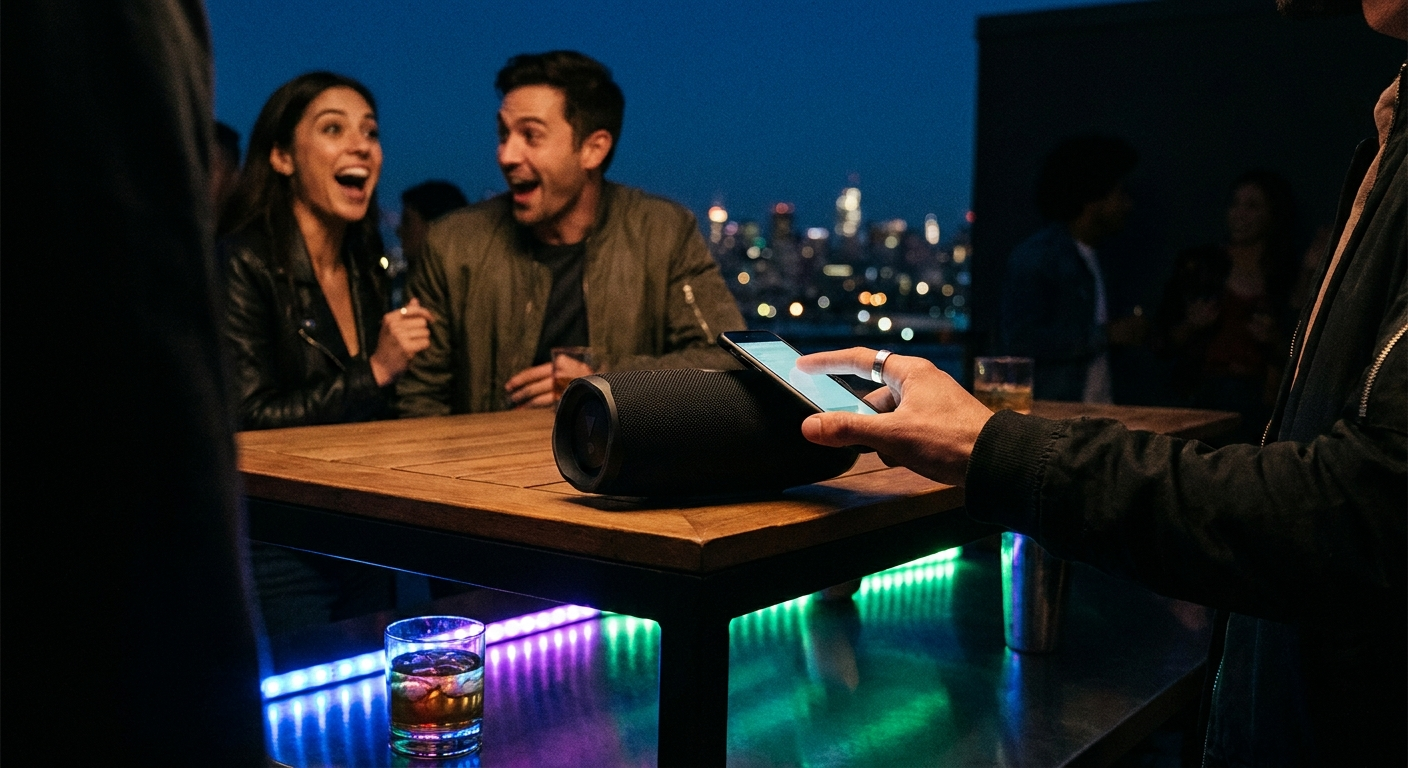
This hack also works for outdoor gatherings where you don’t want to disturb neighbors. Keep the speaker on a picnic table and let guests cluster around it. The low volume forces conversation and connection—it’s actually more social than blasting music.
Common Mistakes That Ruin Your Bluetooth Speaker Party
Even with the best hacks, there are pitfalls that can derail your party. Here are the top mistakes and how to avoid them:
Mistake #1: Overcrowding the speaker. Placing the speaker in a corner or behind furniture kills sound dispersion. Always keep it in an open area, at least 2 feet from walls.
Mistake #2: Using low-quality audio files. Streaming at 128 kbps sounds thin and lifeless. Use 320 kbps or lossless files (FLAC, ALAC) for maximum clarity. Spotify Premium streams at 320 kbps—that’s your baseline.
Mistake #3: Ignoring latency. Bluetooth audio has a delay of 100-300 milliseconds. If you’re playing music videos or karaoke, the audio will be out of sync. Use an aux cable for video-heavy activities.
Mistake #4: Not having a backup plan. Bluetooth can drop out randomly. Always have an aux cable ready, plus a secondary device (tablet or laptop) with the same playlist loaded.
⚠️ Heads Up: Bluetooth range is typically 30 feet (10 meters) in open space. Walls, furniture, and even people can reduce that to 10-15 feet. Keep your phone within 20 feet of the speaker at all times.
Expert Tips for Next-Level Bluetooth Speaker Parties
You’ve mastered the basics. Now here’s how to elevate your party from good to unforgettable:
Tip #1: Use a dedicated party playlist app. PartyMusicPlaylist.com lets you create collaborative playlists where guests add songs via a simple link. No more “can I have the aux cord?” arguments. Everyone contributes, everyone feels included.
Tip #2: Sync lighting with your music. Smart bulbs (like Philips Hue) can sync to your speaker’s output using apps like Hue Party or iLightShow. The lights pulse to the beat, creating a mini-disco effect without expensive gear.
Tip #3: Use a portable power bank. Even with pass-through charging, a power bank gives you freedom. You can move the speaker anywhere without hunting for an outlet. A 20,000 mAh bank can keep a JBL Flip running for two full parties.
Tip #4: Create a “guest request” system. Set up a simple Google Form or use PartyMusicPlaylist.com’s built-in request feature. Let guests submit songs as they arrive. This builds anticipation and ensures everyone hears their favorites.
Tip #5: Test your setup 24 hours before. Play a full 30-minute playlist at party volume. Walk around the room. Is there a dead spot? Is the bass too muddy? Adjust placement and EQ before guests arrive.
TL;DR: Elevate your speaker to ear level, use phone EQ for bass boost, follow the 80/20 playlist rule, charge fully and keep it plugged in, pair two speakers for stereo, and use the silent disco hack for late-night parties. Avoid overcrowding, low-quality audio, and Bluetooth latency. Use PartyMusicPlaylist.com for collaborative playlists.
Frequently Asked Questions
PartyMusicPlaylist Team
Helping you create the perfect soundtrack for life's most memorable moments. Expert tips on event music planning, DJ coordination, and playlist curation.
Learn MoreReady to Plan Your Event Music?
Create the perfect playlist for your special event. Search songs, organize your timeline, and share with your DJ.
Get Started FreeRelated Articles
Continue reading