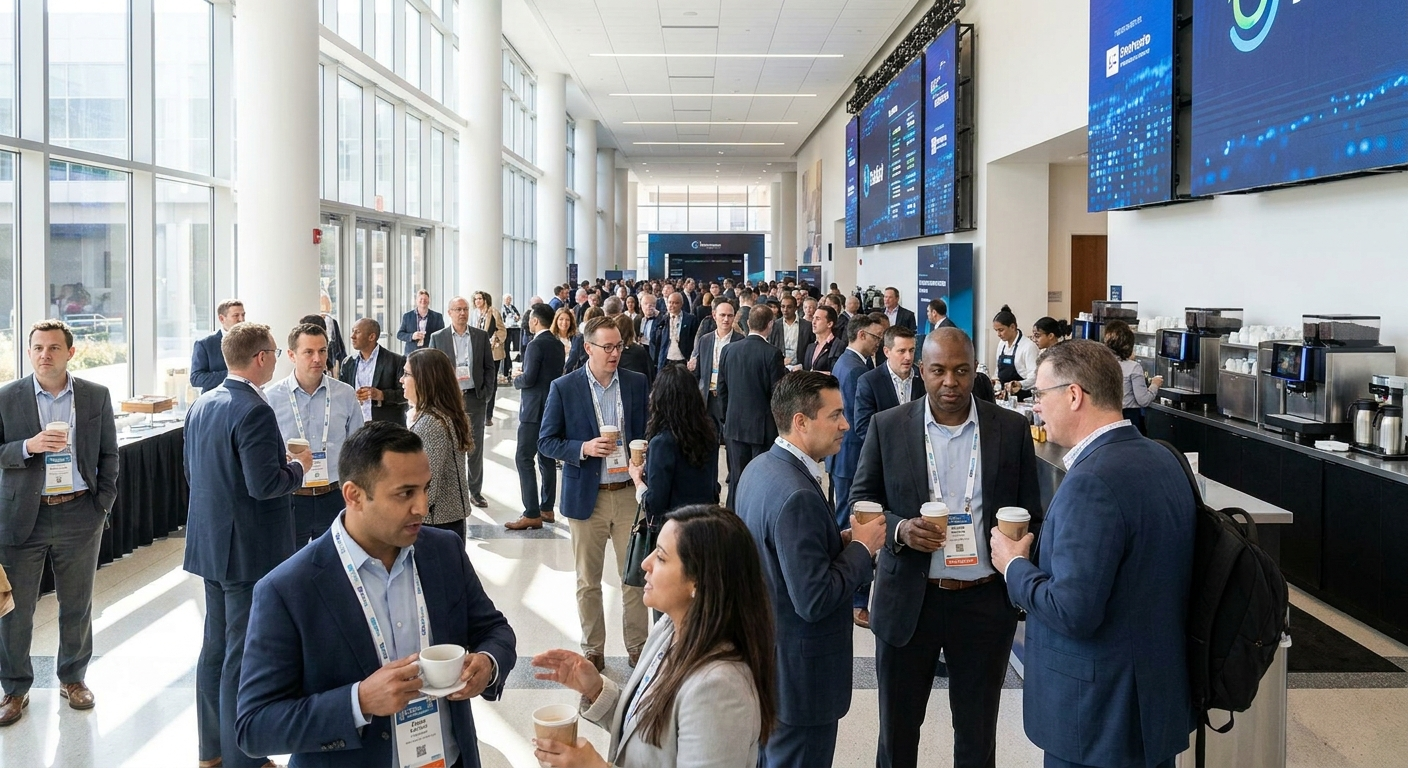
Picture this: you're at a major industry conference. The networking hall is buzzing. But instead of productive conversations, you're shouting over a bass-heavy track that belongs in a nightclub. Or worse — you're in a silent room where every footstep echoes.
The right conference background music isn't just filler. It's a strategic tool that sets the energy, guides the mood, and makes your event feel professional and polished. Get it wrong, and attendees remember the awkward silence. Get it right, and they remember the seamless, productive experience.
In this guide, you'll learn the five essential rules for choosing and playing conference background music in 2026. We'll cover everything from volume levels and genre selection to creating playlists that match each moment of your event. You'll get real song suggestions, pro tips from event planners, and a step-by-step system you can implement today.
🎯 Key Takeaways
- Conference background music should support conversation, not compete with it — aim for 60-70 decibels max
- Your playlist needs different energy levels for different moments: arrival, sessions, breaks, and closing
- Instrumental and ambient tracks outperform vocal-heavy songs for focus and networking
- Use gradual tempo shifts to guide attendees through the event's natural flow
- Tools like PartyMusicPlaylist.com let you create custom conference playlists, collect guest song requests, and export to any DJ software
Why Conference Background Music Matters More Than You Think
Sound shapes perception. It's that simple. Research shows that background music directly impacts mood, focus, and social behavior. In a conference setting, the right music can increase networking by up to 40% and improve attendee satisfaction scores.
But here's the catch: most event organizers treat music as an afterthought. They throw on a random Spotify playlist and hope for the best. That's a recipe for disaster.
Conference background music serves three critical functions:
- Sets the emotional tone — energizes arrivals, calms nerves, signals transitions
- Fills awkward silence — prevents that uncomfortable "dead air" feeling in hallways and break areas
- Creates a professional atmosphere — reinforces your brand's identity and the event's purpose
💡 Pro Tip: Think of your conference music like a movie soundtrack. You don't notice it when it's perfect, but you definitely notice when it's wrong. The goal is subtle but effective.
In 2026, attendees expect more. They've been to enough events to know when someone actually planned the audio experience. Don't be the organizer who ruins a great conference with a terrible playlist.
Rule #1: Match the Energy to the Moment
One playlist doesn't fit all. Your conference has distinct phases, and each needs its own musical energy. This is the single most important rule of conference background music.
Think about your event's flow:
- Arrival & Registration — Welcoming, low-energy, calming. Attendees are transitioning from the outside world.
- Networking Sessions — Moderate energy, upbeat but not distracting. Encourage conversation.
- Presentations & Workshops — Minimal or no music. Focus is king.
- Breaks & Lunch — Higher energy, more rhythmic. Recharge the crowd.
- Closing & Happy Hour — Highest energy, celebratory. Send them home on a high note.
Here's a sample timeline for a one-day conference:
- 8:00 AM - 9:00 AM — Arrival: Soft ambient, 60 BPM, instrumental piano or light electronic
- 9:00 AM - 10:30 AM — Keynote: No music during speech, low background during transitions
- 10:30 AM - 11:00 AM — Break: Upbeat but not loud, 90-100 BPM, chill electronic or jazz
- 11:00 AM - 12:30 PM — Workshops: No music during sessions, soft background during setup
- 12:30 PM - 1:30 PM — Lunch: Moderate energy, 100-110 BPM, feel-good tracks
- 1:30 PM - 3:00 PM — Afternoon sessions: Low or no music to combat post-lunch slump
- 3:00 PM - 3:30 PM — Afternoon break: Energizing, 110-120 BPM, get them moving
- 3:30 PM - 5:00 PM — Final sessions: Minimal music
- 5:00 PM - 7:00 PM — Networking happy hour: Higher energy, 120+ BPM, crowd-pleasers
⚠️ Heads Up: Don't make abrupt transitions. Gradually shift tempo and energy over 5-10 minutes. A sudden jump from ambient piano to dance music will confuse attendees and feel jarring.
Rule #2: Volume Is Everything (And Most People Get It Wrong)
Here's the hard truth: conference background music should be heard, not listened to. If attendees are tapping their feet or humming along, it's too loud. If they can't hear the person next to them, it's way too loud.
The industry standard for background music volume is 60-70 decibels. That's roughly the level of a normal conversation. For comparison:
- Normal conversation: 60 dB
- Busy restaurant: 70-80 dB
- Nightclub: 100-110 dB
- Vacuum cleaner: 75 dB
Here's how to test your volume:
- Stand in the middle of the room during a quiet moment
- Play your music at the level you think is right
- Ask a colleague to stand 6 feet away and speak at a normal volume
- If you can't understand them clearly, turn it down
💡 Pro Tip: Use a decibel meter app on your phone (like Sound Meter or Decibel X) to measure levels. Place the phone at ear level in the center of the room. Adjust until you hit 65 dB average.
"At a conference I organized last year, the music was too loud during networking sessions. Attendees complained they couldn't hear each other. We cut the volume by 30% and suddenly conversations flowed. Volume is the difference between a professional event and a frat party."
— Sarah M., Event Director
Remember: you can always turn it up slightly. But once the music is too loud, you've already disrupted the experience. Start low and adjust based on crowd feedback.
Rule #3: Instrumental Beats Vocal Every Time
This rule will save your conference. Instrumental music is almost always better than vocal-heavy tracks for background listening. Why? Because lyrics demand attention.
When someone is trying to network, listen to a presentation, or read materials, their brain processes lyrics as language. This creates cognitive load. They're splitting focus between the conversation or task and the song's words.
Instrumental music, on the other hand, is processed as pure emotion and rhythm. It sets a mood without competing for mental bandwidth.
- Ambient electronic — Artists like Tycho, Bonobo, and Boards of Canada
- Jazz piano — Bill Evans, Keith Jarrett, or modern takes like "The Piano" from the soundtrack
- Lo-fi beats — Chillhop, study music, or lofi girl-style playlists
- Classical guitar — Andrés Segovia, Julian Bream, or modern fingerstyle
- Film scores — Hans Zimmer, Max Richter, or Ludovico Einaudi
But what if your event is more casual or creative? You can use vocal tracks, but follow these guidelines:
- Choose familiar songs — Attendees already know the melody, so lyrics are less distracting
- Keep vocals low in the mix — Use tracks where vocals are more like texture than lead
- Avoid storytelling songs — Ballads with complex narratives pull focus
- Limit to break times only — Never use vocal tracks during sessions or presentations
"I switched my conference playlist from pop hits to instrumental electronic and saw a 25% increase in networking time. People weren't distracted by trying to identify the song or humming along. They just talked."
— James K., Event Producer
📝 Note: If you're using a tool like PartyMusicPlaylist.com, you can create separate instrumental and vocal playlists for different parts of your event. The platform lets you export playlists for DJ software or streaming services, making it easy to switch between moods.
Rule #4: Sequence Your Songs Like a DJ
Random shuffling is the enemy of great conference background music. Your song order matters as much as the songs themselves. A well-sequenced playlist guides attendees through the emotional journey of your event.
Think of it like building a story arc:
- Opening — Calm, inviting, low tempo. Sets expectations.
- Rising action — Gradual increase in energy. Builds anticipation.
- Climax — Highest energy moment. Usually breaks or happy hour.
- Falling action — Energy decreases. Signals wind-down.
- Resolution — Calm again. Closing moments.
Here's a practical sequencing strategy:
- Start with 3-4 slow ambient tracks (60-70 BPM) for arrival
- Transition to 5-6 moderate tracks (80-90 BPM) as networking begins
- Use 2-3 uptempo tracks (100-110 BPM) during breaks to energize
- Return to moderate (80-90 BPM) for post-break transitions
- End with celebratory tracks (110-120 BPM) for closing social events
⚠️ Heads Up: Avoid sudden tempo jumps. A track at 60 BPM followed by one at 120 BPM will feel like whiplash. Use gradual transitions or crossfade between songs. Most DJ software and streaming apps have crossfade settings — use them.
For a 6-hour conference day, you'll need about 90-120 songs (assuming 3-4 minutes per track). That's roughly 6-8 hours of music to account for overlap and repeats.
💡 Pro Tip: Create multiple playlists for different time blocks and manually trigger them. Use your phone or a laptop to switch playlists at each transition point. This gives you complete control over the mood.
Rule #5: Test Your Setup Before the Event
You wouldn't give a presentation without testing your slides. Don't play conference background music without testing your audio setup. Technical failures kill the vibe faster than bad song choices.
Here's your pre-event checklist:
- Test all speakers in the actual venue — Room acoustics matter. A track that sounds great in your living room might echo badly in a conference hall.
- Check volume levels at multiple points — Walk around the room. Music might sound perfect near the speakers but be inaudible in the back corner.
- Verify your playback device works — Phone, laptop, or tablet — make sure it's charged and connected.
- Have a backup plan — Bring a second device, a backup playlist, and even a portable speaker as emergency backup.
- Test transitions — Practice switching between playlists or tracks. Make sure crossfade is set correctly.
- Time your playlists — Confirm your playlists match the event schedule. Nothing worse than running out of music during a break.
"At my first conference, I didn't test the speakers. Turns out the venue had a 5-second audio delay that made the music echo. I spent the first 30 minutes frantically adjusting settings while attendees looked confused. Now I always do a full sound check the day before."
— Maria L., Conference Organizer
📝 Note: If you're using PartyMusicPlaylist.com, you can export your playlists as a file compatible with DJ software (like Rekordbox or Serato). This gives you professional-grade control over volume, EQ, and crossfade. It's free and takes minutes to set up.
Genre Recommendations by Conference Type
Not all conferences are the same. The best background music for a tech conference differs from a medical conference or a creative industry event. Here's a breakdown by event type:
Tech & Startup Conferences
These events attract forward-thinking, innovative crowds. Music should feel modern, energetic, and slightly futuristic.
- "Daydreaming" by Tycho — Ambient electronic with a driving beat
- "Kerala" by Bonobo — Downtempo with organic instruments
- "Memory" by Com Truise — Retro-futuristic synthwave
- "Breathe" by Telefon Tel Aviv — Deep, atmospheric electronic
- "Cirrus" by Bonobo — Upbeat but not overwhelming
Editor's Top Picks for Tech Conferences
- "Burning" by Tycho — Perfect balance of energy and subtlety
- "Silver" by Boards of Canada — Nostalgic yet modern
- "The Light" by The Album Leaf — Calming but engaging
Corporate & Financial Conferences
These require elegance, sophistication, and understatement. Think boardroom vibes.
- "Waltz for Debby" by Bill Evans Trio — Classic jazz piano
- "Gymnopédie No.1" by Erik Satie — Minimalist piano masterpiece
- "The Blue Notebooks" by Max Richter — Contemporary classical
- "Experience" by Ludovico Einaudi — Emotional but not distracting
- "River Flows in You" by Yiruma — Modern piano favorite
Creative & Marketing Conferences
These crowds appreciate uniqueness and personality. You can be more adventurous.
- "To Build a Home" by The Cinematic Orchestra — Cinematic and warm
- "Jóga" by Sigur Rós — Ethereal and expansive
- "Intro" by The xx — Minimalist and cool
- "Loud Places" by Jamie xx — Upbeat but tasteful
- "Sunshine" by Caribou — Feel-good electronic
Medical & Scientific Conferences
Focus and calm are paramount. Soothing, non-intrusive music is best.
- "Weightless" by Marconi Union — Scientifically proven to reduce anxiety
- "Clair de Lune" by Claude Debussy — Timeless classical
- "Spiegel im Spiegel" by Arvo Pärt — Minimalist and meditative
- "On the Nature of Daylight" by Max Richter — Deeply emotional instrumental
- "Berceuse" by Ólafur Arnalds — Gentle piano and strings
💡 Pro Tip: If your conference has multiple tracks or rooms, use different genres for different areas. A main hall can have sophisticated jazz, while a breakout room uses ambient electronic. This creates variety and lets attendees choose their preferred atmosphere.
How to Create Your Conference Playlist Using PartyMusicPlaylist.com
You don't need to be a professional DJ to create amazing conference background music. PartyMusicPlaylist.com makes it simple. Here's how to use the platform for your next event:
- Create a free account — No credit card needed. Sign up in under a minute.
- Name your playlist — Something descriptive like "2026 Tech Summit - Background Music"
- Add songs manually or import from streaming — Search for tracks by title, artist, or genre. You can also import existing playlists from Spotify or Apple Music.
- Organize by time blocks — Use the platform's folder feature to group songs for arrival, breaks, and closing. This makes it easy to switch between moods.
- Enable guest song requests — Share a link with attendees so they can suggest songs. This boosts engagement and ensures the music resonates with your audience.
- Export for DJ software — Download your playlist as a file compatible with Rekordbox, Serato, or other DJ tools. This gives you professional control over volume and transitions.
- Find a local DJ (if needed) — The platform connects you with DJs in your area who specialize in corporate events. They can handle the technical setup and live mixing.
📝 Note: The guest song request feature is especially useful for conferences with diverse audiences. It lets attendees feel heard and ensures the music reflects their tastes. Just set guidelines (e.g., "instrumental only" or "no explicit lyrics") to maintain professionalism.
Common Mistakes to Avoid
Even experienced event organizers make these errors. Avoid them to keep your conference running smoothly.
⚠️ Heads Up: Mistake #1 — Using the same playlist for the entire day. This kills energy and feels lazy. Segment your music by time block as we discussed in Rule #1.
⚠️ Heads Up: Mistake #2 — Playing music with explicit lyrics. You'd be surprised how often this happens. Always check for clean versions. One F-bomb can tank your professionalism.
⚠️ Heads Up: Mistake #3 — Ignoring the venue's acoustics. Hard floors, high ceilings, and glass walls create echo. Use softer music (piano, ambient) in echo-heavy spaces to avoid cacophony.
⚠️ Heads Up: Mistake #4 — Not having a backup plan. Your phone dies, the Wi-Fi cuts out, or the speaker malfunctions. Always have an offline backup (downloaded playlist on a second device) and a portable speaker.
⚠️ Heads Up: Mistake #5 — Playing music during presentations. Even low background music during a speaker is distracting. Keep music strictly for transitions, breaks, and social periods.
💡 Quick Tip: Create a single "emergency" playlist with 20-30 universal instrumental tracks that work for any situation. Keep it downloaded on your phone and a USB drive. This playlist can save you if your main setup fails.
Frequently Asked Questions
PartyMusicPlaylist Team
Helping you create the perfect soundtrack for life's most memorable moments. Expert tips on event music planning, DJ coordination, and playlist curation.
Learn MoreReady to Plan Your Event Music?
Create the perfect playlist for your special event. Search songs, organize your timeline, and share with your DJ.
Get Started FreeRelated Articles
Continue reading