The Silent Saboteur of Your Trivia Night
You've spent hours crafting the perfect trivia questions. The categories are clever. The prizes are impressive. But there's one thing you might be overlooking that could tank the entire evening: your trivia night music.
Bad music choices don't just annoy your guests. They kill the energy, disrupt concentration, and send people packing before the final round. In 2026, with endless streaming options and smart playlists at your fingertips, there's zero excuse for a mediocre soundtrack.
This guide reveals the nine critical music mistakes that ruin trivia nights — and exactly how to fix each one. Whether you're hosting at a bar, a community center, or your living room, these tips will transform your event from forgettable to legendary.
🎯 Key Takeaways
- The #1 mistake is playing music too loud during question rounds — it kills comprehension
- You need at least 3-4 hours of curated music for a standard trivia night, not a random playlist
- Song transitions between rounds matter more than most hosts realize
- Guest song requests can be a goldmine — if you handle them correctly
- Using a tool like PartyMusicPlaylist simplifies everything from volume to timing
Mistake #1: Blasting Music During Question Time
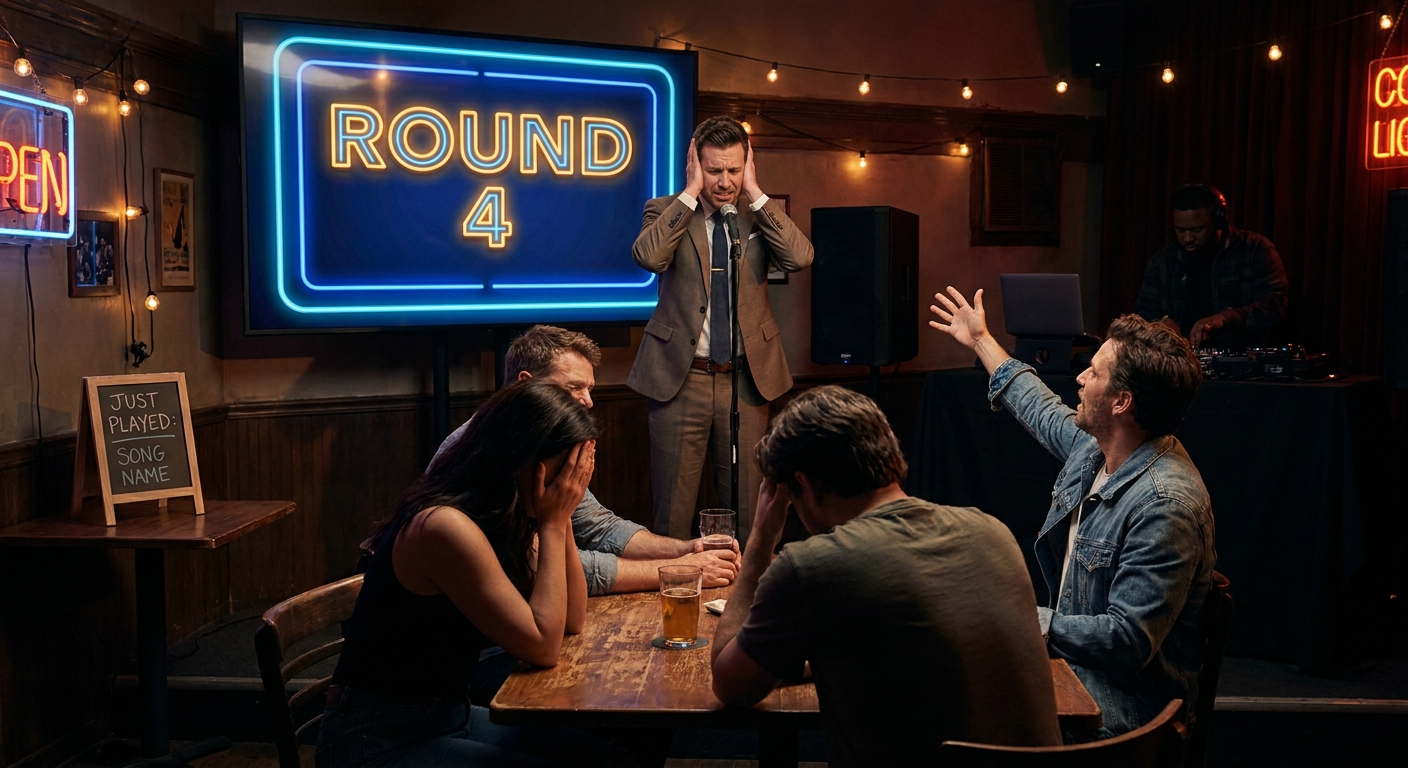
This is the most common error and the most destructive. You want energy, so you crank the volume. But here's the problem: your guests need to hear the questions.
When music is too loud, people strain to hear the host. They miss clues. They get frustrated. The competitive fun evaporates.
💡 Pro Tip: Keep background music at 30-40% volume during question rounds. Use instrumental or low-vocal tracks so lyrics don't distract. Save the high-energy bangers for breaks between rounds.
The fix is simple. Create two distinct volume zones in your trivia night music plan: one for active gameplay and one for breaks. Your playlist templates can help you organize these transitions.
The Science of Sound and Focus
Research shows that music with lyrics competes directly with spoken word processing in the brain. When both are happening simultaneously, cognitive load spikes. Your trivia participants need that brainpower for recalling facts, not filtering out song lyrics.
- Use instrumental versions of popular songs during question rounds
- Keep volume low enough that normal conversation is easy
- Test your setup before guests arrive — sit in the back row and listen
⚠️ Heads Up: If multiple people ask "What did you say?" during the first round, your music is too loud. Don't ignore this signal.
Mistake #2: Playing the Same Songs Every Week
Repetition breeds contempt — especially with music. If your trivia night music playlist is identical every week, regulars will tune out. They'll associate your event with boredom.
In 2026, music discovery is easier than ever. There's no excuse for a stale rotation. Your guests have access to millions of songs at home. If your playlist feels like a radio station from 2018, they'll notice.
How to Keep Your Playlist Fresh
- Rotate genres weekly — one week 80s, next week 90s, then modern pop
- Add new releases from trending artists every two weeks
- Include deep cuts from classic albums that surprise regulars
- Take guest requests seriously — they tell you what people actually want to hear
A great rule of thumb: refresh at least 20% of your playlist each week. That keeps the energy high without alienating people who love the standards.
"I used to play the same 'greatest hits' playlist every trivia night. Attendance dropped by 30% over three months. When I started rotating genres and taking live requests from the audience, we doubled our regular crowd in six weeks." — Mike R., bar trivia host, Chicago
Mistake #3: Ignoring the Energy Arc of Your Event
Trivia nights have a natural emotional curve. The first round is warm-up. The middle rounds build tension. The final round is peak excitement. Your trivia night music must mirror this arc.
Starting with slow ballads is a mistake. Ending with chaotic noise is also wrong. You need a deliberate build and release pattern.
The Ideal Trivia Night Music Timeline
- Pre-game (30 minutes): Upbeat, familiar hits that get people talking and ordering drinks. Think "Happy" by Pharrell Williams or "Uptown Funk" by Mark Ronson.
- Round 1-2 (40 minutes): Moderate energy, instrumental-heavy tracks. Keep volume low. Think lo-fi beats or jazz instrumentals.
- Break 1 (10 minutes): Mid-tempo crowd-pleasers. Think "Shut Up and Dance" by Walk the Moon or "Can't Stop the Feeling!" by Justin Timberlake.
- Round 3-4 (40 minutes): Low-volume, focus-friendly music again. Instrumental versions of current hits work well.
- Final round & results (20 minutes): High-energy anthems. Think "We Are the Champions" by Queen or "Don't Stop Believin'" by Journey.
- Post-game (30+ minutes): Dance floor bangers. Let loose. Think "Blinding Lights" by The Weeknd or "Levitating" by Dua Lipa.
💡 Pro Tip: Use PartyMusicPlaylist's scheduling feature to automatically transition between these phases. No manual DJing required.
Can't-Miss Tracks for Break Times
- "Shake It Off" by Taylor Swift — Universal singalong appeal
- "I Gotta Feeling" by The Black Eyed Peas — Instant mood booster
- "September" by Earth, Wind & Fire — Timeless positivity
- "Happy" by Pharrell Williams — Science-backed happiness trigger
- "Dancing Queen" by ABBA — Cross-generational crowd-pleaser
Mistake #4: Using Copyrighted Music Without Permission
This is less about ruining the party and more about ruining your reputation — or getting sued. If you're hosting a public trivia night at a bar, restaurant, or venue, you need proper licensing for the music you play.
In 2026, streaming services like Spotify and Apple Music are for personal use only. Playing them in a commercial setting without a business license is a violation of copyright law. The penalties can be severe.
What You Actually Need
- A commercial music license from a provider like BMI, ASCAP, or SESAC
- Business-tier streaming accounts from services like Soundtrack Your Brand or Rockbot
- Royalty-free music options if you're on a tight budget
⚠️ Heads Up: Many venues already have blanket licenses. Check with the owner or manager before buying your own. But never assume — ask in writing.
"I thought my Spotify playlist was fine for our weekly pub trivia. Two years in, we got a cease-and-desist from ASCAP. The fine was $2,500. Learn from my mistake." — Sarah L., event organizer, Austin
Mistake #5: Forgetting the "Music Round" Altogether
One of the most popular trivia night formats includes a dedicated music round. This is where you play short clips of songs and teams identify the artist, title, or year. Skipping this round is a missed opportunity.
Music rounds are inherently engaging. They break up the monotony of text-based questions. They appeal to the auditory learners in your crowd. They also let you showcase your carefully curated trivia night music in a functional way.
How to Design a Killer Music Round
- Play 10-15 second clips — long enough to recognize, short enough to be challenging
- Mix eras and genres — one clip from the 60s, one from 2024, one obscure indie track
- Use "Name That Tune" style for high-energy moments
- Offer bonus points for identifying the album or B-side
💡 Pro Tip: Create your music round clips in advance using a simple audio editor. Save them as separate files so you can play them seamlessly. No fumbling with skipping through full songs.
Mistake #6: Playing Music That's Too Obscure or Too Mainstream
Balance is everything in trivia night music. If you play only deep cuts that nobody knows, the energy dies. If you play only top-40 hits, regulars get bored.
The sweet spot is a mix of 70% familiar crowd-pleasers and 30% interesting discoveries. This keeps everyone engaged while still offering surprises for music lovers.
The Perfect Mix Formula
- 70% "Safe" songs: Billboard hits, wedding playlist staples, karaoke favorites
- 20% "Fun" songs: One-hit wonders, novelty tracks, genre classics
- 10% "Wild card" songs: New releases, indie darlings, regional favorites
This formula ensures that even the most casual music fan feels included, while the audiophiles in your crowd get their moment too.
📝 Note: Your audience's age range matters. A crowd of 20-somethings will love different music than a 50+ crowd. Do a quick demographic check before your first event. Adjust your trivia night music accordingly.
Mistake #7: Not Having a Backup Plan for Technical Issues
Technology fails. It's not a matter of if, but when. Your streaming service might go down. Your Bluetooth speaker might disconnect. Your laptop might crash mid-round. Without a backup plan, your trivia night music becomes dead air — and dead air kills events.
Your Essential Backup Kit
- Downloaded playlist on at least two devices (phone + laptop)
- Offline music files stored locally, not just streamed
- Aux cable as a hardwired backup to Bluetooth
- Portable speaker with its own battery if venue power fails
- Printed song list so you can manually track what's playing
⚠️ Heads Up: Test your entire setup at least one hour before guests arrive. Don't assume everything works because it worked last week. Updates, battery drains, and cable failures happen constantly.
Mistake #8: Letting the Music Dictate the Pace
Your trivia night music should serve your event, not the other way around. Too many hosts let the playlist run on autopilot without adjusting for what's happening in the room.
Is a round running long? Cut the break music short. Is a team dominating? Maybe extend the music break to let other teams catch up socially. The best hosts are flexible and read the room.
How to Stay in Control
- Use a playlist tool that lets you skip, pause, and reorder on the fly
- Have a "fast-forward" button in your mind — know which songs to cut if time is tight
- Watch body language — if people stop talking during breaks, your music is wrong
- Keep a few "emergency" songs ready for when energy flags unexpectedly
💡 Pro Tip: The best emergency songs are universal crowd-pleasers that work in any situation. Think "Sweet Caroline" by Neil Diamond or "Livin' on a Prayer" by Bon Jovi. Everyone knows them. Everyone sings along.
Mistake #9: Ignoring Guest Song Requests
Your guests want to feel heard. When they ask for a specific song and you ignore them, it creates a small but real negative experience. Over time, these small negatives add up.
In 2026, the best trivia hosts actively solicit and integrate guest requests. It builds community, makes regulars feel valued, and keeps your trivia night music fresh without you having to curate everything yourself.
The Smart Way to Handle Requests
- Create a simple request system — a slip of paper, a QR code, or a dedicated phone number
- Vet requests quickly — skip anything inappropriate or too obscure
- Play requests during breaks — never interrupt a question round
- Acknowledge the requester — "This one's for Sarah at table 4!"
💡 Pro Tip: Use PartyMusicPlaylist's guest request feature to let attendees submit songs directly through their phones. It integrates seamlessly into your existing playlist and eliminates paper slips entirely.
"I started taking song requests seriously at my weekly trivia night. Within a month, our regular attendance jumped from 40 to 80 people. People love hearing 'their' song played. It's free marketing." — David K., trivia host, Portland
Your Action Plan for Perfect Trivia Night Music
You now know the nine mistakes. Here's your checklist for fixing every single one before your next event.
- Volume test: Set background music to 30-40% during questions, test from the back row
- Playlist rotation: Refresh 20% of songs weekly, track what works and what doesn't
- Energy arc: Map out pre-game, round, break, and post-game music phases
- Licensing: Confirm your venue has proper music licenses or get your own
- Music round: Design at least one dedicated music identification round per night
- Balance check: Ensure your mix is 70% familiar, 20% fun, 10% wild card
- Backup plan: Have downloaded playlists on two devices plus a physical aux cable
- Pace control: Practice flexible playlist management — skip, pause, reorder as needed
- Request system: Set up a simple method for guests to submit song requests
Follow these steps, and your trivia night music will go from background noise to a core part of the experience. Your guests will stay longer, have more fun, and keep coming back week after week.
TL;DR: Trivia night music mistakes are fixable. Keep volume low during rounds, rotate your playlist weekly, match music energy to event phases, get proper licenses, include a music round, balance familiar and new songs, prepare technical backups, control the pace, and take guest requests. Use more music planning tips to level up your events.
Frequently Asked Questions
PartyMusicPlaylist Team
Helping you create the perfect soundtrack for life's most memorable moments. Expert tips on event music planning, DJ coordination, and playlist curation.
Learn MoreReady to Plan Your Event Music?
Create the perfect playlist for your special event. Search songs, organize your timeline, and share with your DJ.
Get Started FreeRelated Articles
Continue reading