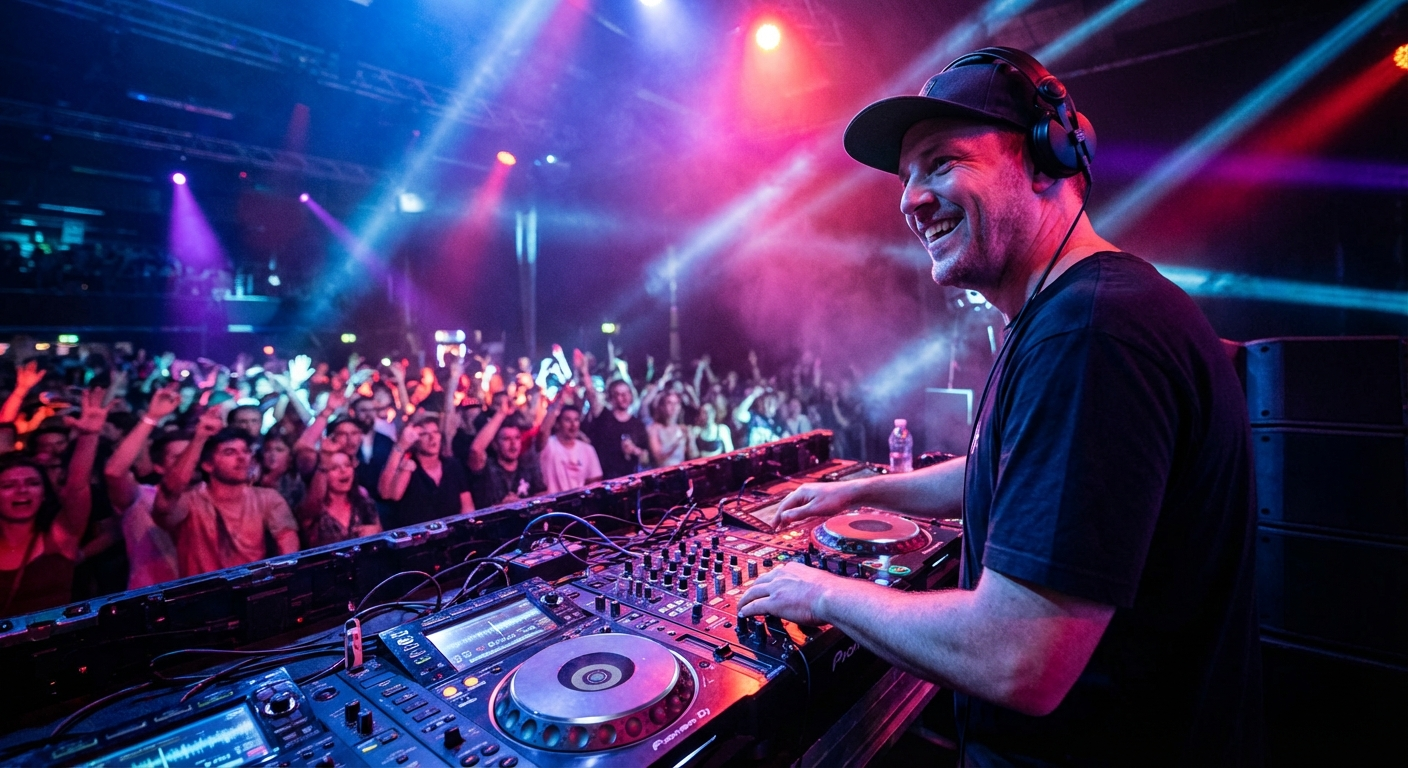
Ever been to an event where the music was either deafeningly loud or barely audible? It can kill the vibe faster than you can say "turn it down!" Getting the event music volume right is crucial, and it's more nuanced than just cranking the dial. You need to consider everything from the venue to the type of event you're hosting. In this guide, we'll uncover the surprising mistakes people make with music volume and how to avoid them. Get ready to learn how to create the perfect auditory atmosphere for your next gathering. Let's dive in!
Why Does Event Music Volume Matter So Much?
Think about the last wedding, corporate event, or even casual party you attended. What do you remember most? Beyond the food and decorations, the music played a HUGE role in setting the mood, right? Music volume is a key ingredient in that recipe. Too loud, and people can't easily converse, leading to frustration and a disconnect. Too quiet, and the energy flatlines, leaving guests feeling bored and unengaged.
The goal is to find that sweet spot where the music enhances the experience without overpowering it. It's about creating a sonic environment that supports the event's purpose, whether it's fostering lively conversation, encouraging dancing, or simply providing a pleasant backdrop. A well-balanced music volume can make your event more memorable and enjoyable for everyone. It's the difference between a forgettable gathering and a resounding success.
Consider the different impacts of various volumes:
- Low Volume: Ideal for background ambiance, networking events, or during dinner service. Allows for easy conversation.
- Medium Volume: Suitable for cocktail hours, mingling, and the initial stages of a party. Encourages a relaxed but energetic atmosphere.
- High Volume: Reserved for dance floors, peak party moments, and when you want to create a high-energy, immersive experience.
Ultimately, understanding the power of event music volume is about respecting your guests and creating an environment where they can relax, connect, and have a great time. Neglecting this crucial element can undermine all your other planning efforts. So, let's explore the common pitfalls and how to steer clear of them.
Mistake #1: Ignoring the Venue's Acoustics
One of the biggest blunders is overlooking how the venue itself affects sound. A cavernous hall with high ceilings will sound vastly different from a cozy, carpeted room. Venue acoustics play a HUGE role in perceived volume. Hard surfaces like concrete and glass reflect sound, making it seem louder and more echoey. Soft surfaces like carpets, curtains, and upholstered furniture absorb sound, making it seem quieter.
Before you even think about setting the volume, take the time to assess the venue. Walk around, listen to the ambient noise, and try to imagine how the music will fill the space. Is there an echo? Are there areas where the sound seems to disappear? These observations will inform your volume adjustments.
Here's how different venue types can impact your event music volume:
- Large, Open Rooms: Require more powerful speakers to fill the space. Be mindful of echoes and consider using sound dampening materials if possible.
- Small, Intimate Spaces: Less power is needed. Focus on clarity and avoiding distortion. Too much bass can easily overwhelm the room.
- Outdoor Venues: Sound dissipates quickly outdoors. Wind and ambient noise can also interfere. Plan for higher volume levels but be respectful of neighbors.
Here’s a tip: if you are using a DJ, make sure they have visited the venue previously and are aware of any acoustic quirks. This will help them prepare and bring the right equipment. When in doubt, bring extra sound dampening materials. Heavy curtains, rugs, or even strategically placed plants can act as sound absorbers and help to control the volume more effectively. Remember, adjusting the volume is not just about turning a knob; it's about understanding how the venue interacts with the sound.
Mistake #2: Not Considering the Event Type and Guest Demographics
A teen dance party will naturally require a higher volume than a corporate networking event. Failing to tailor the music volume to the event type and guest demographics is a MAJOR misstep. Think about who will be attending your event and what their expectations are. An older crowd might prefer a more moderate volume that allows for easy conversation, while a younger crowd might be more receptive to louder music.
Consider these factors when determining the appropriate event music volume:
- Age Range: Younger audiences often prefer louder music with more bass. Older audiences generally prefer lower volumes with clearer vocals.
- Event Purpose: A wedding reception calls for a different volume level than a business conference. Tailor the music to the activity.
- Time of Day: Lower volumes are generally preferred during daytime events, while higher volumes may be appropriate for evening parties.
- Cultural Background: Different cultures have different norms regarding music volume. Be mindful of cultural sensitivities.
It's also important to be aware of any noise ordinances or restrictions in your area. Many cities have laws that limit the amount of noise that can be generated at certain times of day. Violating these ordinances can result in fines or even having your event shut down. Always check with local authorities to ensure that you are in compliance with noise regulations.
Remember, the goal is to create an atmosphere that is enjoyable for everyone. If you're unsure about the appropriate volume level, it's always better to err on the side of caution. You can always increase the volume later if necessary, but it's much harder to undo the damage caused by music that is too loud from the start.
How to Find the Perfect Volume: A Step-by-Step Guide
Okay, so you know why event music volume matters and the common mistakes. Now, let's get practical. Here's a step-by-step guide to nailing the perfect volume for your event:
- Pre-Event Sound Check: Before guests arrive, conduct a thorough sound check. Play a variety of music genres at different volumes to get a feel for how the sound carries in the venue. Walk around the space and listen from different locations to identify any dead spots or areas where the sound is too loud.
- Start Low: Begin with a lower volume than you think you'll need. It's always easier to increase the volume than to decrease it after guests have already arrived and are complaining. A good starting point is a volume that allows for easy conversation without raising your voice.
- Monitor Guest Reactions: Pay close attention to how your guests are reacting to the music. Are they able to easily converse? Are they dancing and enjoying themselves? Are they covering their ears or looking uncomfortable? Their body language will tell you a lot about whether the volume is appropriate.
- Make Gradual Adjustments: Avoid making sudden, drastic changes to the volume. Small, gradual adjustments are less jarring and allow you to fine-tune the sound to the perfect level.
- Use a Sound Level Meter: If you want to be precise, use a sound level meter to measure the decibel level of the music. This can help you ensure that you are staying within acceptable limits and avoiding potential hearing damage. There are many affordable sound level meters available online or at electronics stores.
- Delegate a "Volume Watcher": Enlist a trusted friend or assistant to monitor the volume throughout the event. They can act as your ears on the ground and provide feedback on whether the volume needs to be adjusted.
- Be Prepared to Adapt: Be flexible and willing to adjust the volume as needed throughout the event. The energy and mood of the crowd can change over time, and you may need to adjust the music accordingly.
Remember, finding the perfect event music volume is an ongoing process. It requires careful observation, experimentation, and a willingness to adapt. By following these steps, you can create a sonic environment that enhances the enjoyment of your event for everyone.
Choosing the Right Songs for Different Volume Levels
The type of music you play also impacts the perceived volume. A high-energy dance track will naturally seem louder than a mellow acoustic song, even if they are played at the same decibel level. Here’s how to choose songs to maximize the impact of your event music volume:
Low Volume (Background Music)
Focus on creating a relaxed and unobtrusive atmosphere. Choose songs with mellow melodies, simple arrangements, and minimal percussion. The goal is to provide a pleasant backdrop that doesn't distract from conversation. Here are some examples:
- "Watermark" by Enya — Calming and atmospheric, perfect for creating a serene ambiance.
- "Weightless" by Marconi Union — Scientifically designed to reduce anxiety and promote relaxation.
- "Clair de Lune" by Claude Debussy — A timeless classical piece that exudes elegance and sophistication.
- "The Boxer" by Simon & Garfunkel — Acoustic and mellow, ideal for creating a nostalgic and intimate atmosphere.
- "Hallelujah" by Leonard Cohen — A soulful and moving ballad that adds depth and emotion to the background. The Jeff Buckley version also works well.
Medium Volume (Cocktail Hour/Mingling)
Select songs that are upbeat and engaging but not too overwhelming. Choose tracks with catchy melodies, moderate tempos, and subtle rhythms. The goal is to create a lively and energetic atmosphere that encourages conversation and interaction. Here are some examples:
- "Walking on Sunshine" by Katrina & The Waves — An upbeat and infectious anthem that instantly lifts the mood.
- "September" by Earth, Wind & Fire — A funky and danceable classic that gets everyone moving.
- "Lovely Day" by Bill Withers — A soulful and optimistic tune that radiates positivity and warmth.
- "Valerie" by Amy Winehouse ft. Mark Ronson — A retro-inspired track with a groovy beat and soulful vocals.
- "Mr. Blue Sky" by Electric Light Orchestra — A whimsical and uplifting song that is guaranteed to put a smile on everyone's face.
High Volume (Dance Floor/Party Time)
Go for high-energy tracks with driving beats, catchy hooks, and powerful vocals. Choose songs that are guaranteed to get people moving and create a sense of excitement and celebration. Here are some examples:
- "Don't Stop Me Now" by Queen — An explosive and exhilarating anthem that ignites the dance floor.
- "Uptown Funk" by Mark Ronson ft. Bruno Mars — A funky and irresistible track with a retro vibe.
- "I Wanna Dance with Somebody (Who Loves Me)" by Whitney Houston — A classic dance-pop anthem that is guaranteed to get everyone singing and dancing.
- "September" by Earth, Wind & Fire — We mentioned it above for medium volume, but it still works great here.
- "Dancing Queen" by ABBA — A timeless disco classic that is loved by people of all ages.
- "Levels" by Avicii — An electronic dance track that will get people moving.
Remember, these are just suggestions. Feel free to experiment and create your own playlists that reflect your personal taste and the preferences of your guests. The key is to choose songs that complement the event music volume and enhance the overall atmosphere.
Leveraging Guest Requests for Perfect Music Selection
One of the best ways to ensure that your music selection is on point is to involve your guests! Soliciting song requests before or during the event can give you valuable insights into their musical preferences and help you create a playlist that everyone will enjoy. Guest requests are GOLD for event music!
Here are a few strategies for incorporating guest requests:
- Pre-Event Song Requests: Include a section on your RSVP form or event website where guests can submit song requests. This allows you to curate a playlist in advance that reflects the tastes of your audience.
- Request Cards: Place request cards on tables or near the DJ booth where guests can write down their favorite songs. Collect the cards throughout the event and incorporate the requests into the playlist.
- Online Request Platforms: Use a platform like PartyMusicPlaylist to create a collaborative playlist where guests can add their own songs. This makes it easy to manage and organize requests in real-time.
- Live DJ Interaction: If you have a DJ, encourage them to interact with the crowd and take requests. A skilled DJ can read the room and play songs that will keep the energy high.
When incorporating guest requests, it's important to strike a balance between playing what people want to hear and maintaining the overall tone and style of your event. You don't want to play every single request, but you should make an effort to incorporate a good selection of them. You can also use guest requests as a guide to identify popular genres and artists that you can incorporate into your playlist.
Platforms like PartyMusicPlaylist make it incredibly easy to gather song requests and build collaborative playlists. This ensures your event music volume is hitting all the right notes with the actual people at the event.
Mistake #3: Cranking Up the Volume to Compensate for Poor Sound Quality
Sometimes, people mistakenly believe that increasing the volume will improve the sound quality. In reality, it often has the opposite effect. Turning up the volume to mask poor sound quality is a HUGE mistake. If your sound system is lacking or your music files are low-quality, simply increasing the volume will only amplify the flaws. It's like trying to fix a blurry photo by making it bigger; it just makes the blurriness more noticeable.
Instead of cranking up the volume, focus on improving the sound quality itself. Here are a few tips:
- Invest in Quality Equipment: Use high-quality speakers, amplifiers, and audio cables. Cheap equipment can distort the sound and make it difficult to achieve a balanced volume.
- Use High-Quality Music Files: Avoid using low-resolution MP3s or streaming from services with poor audio quality. Opt for lossless audio formats like FLAC or WAV, or stream from services that offer high-quality audio.
- Properly Position Your Speakers: Place your speakers in a way that optimizes sound distribution. Avoid blocking the speakers with furniture or other objects. Experiment with different speaker placements to find the sweet spot for your venue.
- Use an Equalizer: An equalizer can help you fine-tune the sound and correct any imbalances in the frequency range. Use it to boost the frequencies that are lacking and cut the frequencies that are overpowering.
Remember, good sound quality is just as important as the event music volume. By investing in quality equipment and using high-quality music files, you can create a sonic experience that is both enjoyable and comfortable for your guests. Trying to compensate for poor sound quality with excessive volume will only result in a headache for everyone.
Expert Tip: The "Conversation Test"
Here's a simple yet effective way to gauge if your event music volume is appropriate: the "conversation test." Simply try to have a conversation with someone at a normal speaking voice at different points in the venue. If you have to shout or strain to be heard, the music is too loud. If you can barely hear each other, it's too quiet. This simple test can give you a quick and accurate assessment of the volume level.
This test is especially useful during the initial setup phase and can be repeated throughout the event to ensure that the volume remains comfortable for everyone. Remember to conduct the conversation test in different areas of the venue, as the acoustics can vary from place to place. Adjust the volume as needed to ensure that people can easily converse without having to raise their voices.
Here are some additional tips for conducting the conversation test:
- Choose a Representative Sample: Conduct the test with a few different people to get a range of perspectives.
- Test at Different Times: Repeat the test at different times throughout the event, as the volume may need to be adjusted as the crowd grows or the energy changes.
- Be Honest: Be honest with yourself about whether the volume is comfortable. Don't be afraid to make adjustments, even if you think the music sounds great.
The conversation test is a simple but powerful tool that can help you ensure that your event music volume is perfect for your event. By using this technique, you can create a sonic environment that is both enjoyable and conducive to conversation and interaction.
Tips on Using a DJ Controller to Optimize Volume Levels
If you're using a DJ controller, you have even more control over your event music volume. Here are a few tips on how to use your controller to optimize the volume levels:
- Gain Staging: Proper gain staging is crucial for achieving a balanced and consistent sound. Adjust the gain knob on each channel to ensure that the audio signal is strong but not clipping (distorting). Aim for a signal level that peaks around -6dB on your meters.
- EQ Adjustments: Use the EQ knobs on your controller to fine-tune the frequency balance of each track. Cut the bass frequencies on tracks that are too bass-heavy, and boost the high frequencies on tracks that sound dull.
- Crossfader Control: Use the crossfader to smoothly transition between tracks and avoid sudden volume changes. Practice your crossfading techniques to create seamless mixes.
- Master Volume Control: Use the master volume knob to control the overall volume level of your sound system. Be careful not to crank the master volume too high, as this can cause distortion and damage your speakers.
- Headphones Monitoring: Use your headphones to preview tracks and make adjustments to the volume and EQ before bringing them into the mix. This allows you to ensure that each track sounds its best before it is played to the audience.
Understanding how to use your DJ controller effectively is essential for achieving optimal event music volume. By mastering these techniques, you can create a professional-sounding mix that will keep your guests dancing all night long.
Frequently Asked Questions
PartyMusicPlaylist Team
Helping you create the perfect soundtrack for life's most memorable moments. Expert tips on event music planning, DJ coordination, and playlist curation.
Learn MoreReady to Plan Your Event Music?
Create the perfect playlist for your special event. Search songs, organize your timeline, and share with your DJ.
Get Started FreeRelated Articles
Continue reading
