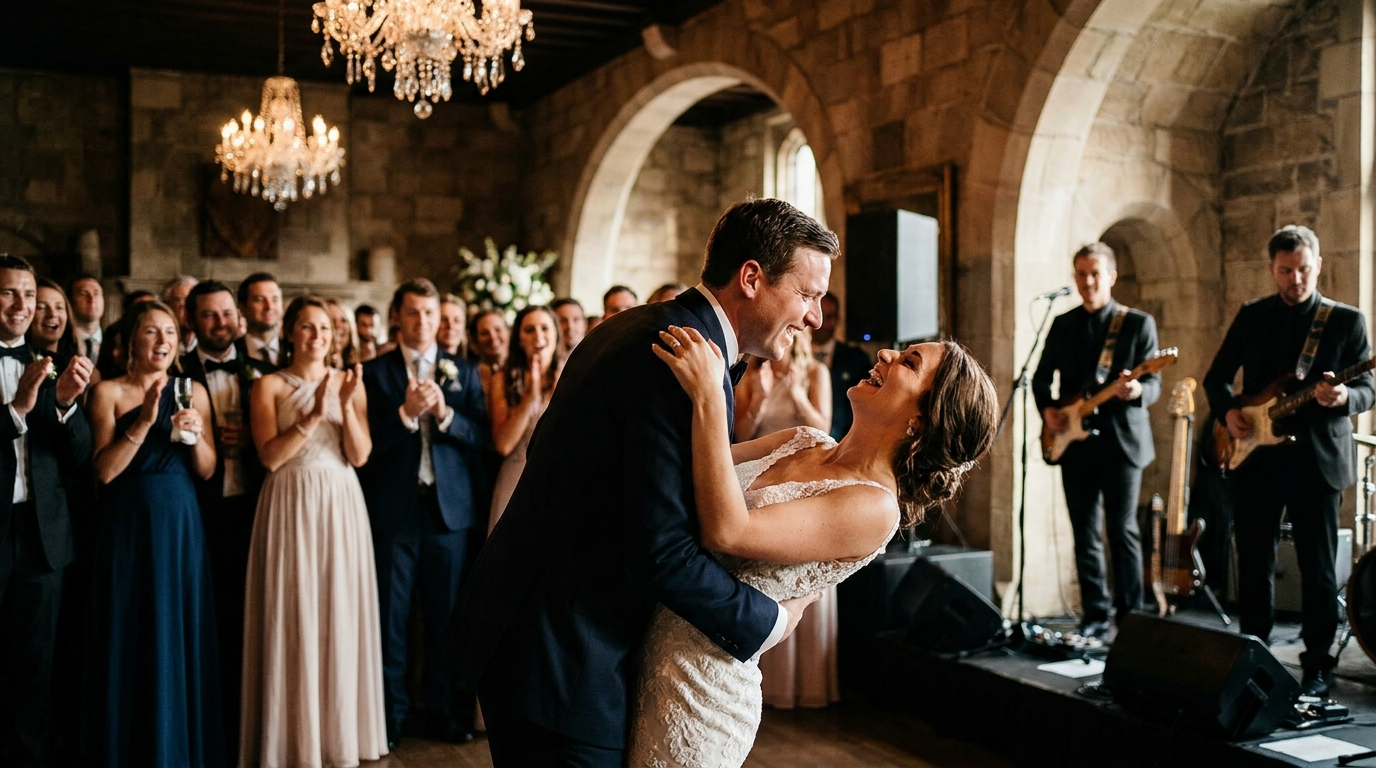
Setting the Stage: Why Office Party Music Matters
Let's face it: office parties can either be a blast or a total snoozefest. A huge part of that depends on the music. Are you ready to transform your next corporate gathering from awkward silence to an unforgettable celebration? You've come to the right place.
In this guide, we're diving deep into the world of office party music. We'll explore song selections that are guaranteed to get everyone, even the boss, moving. We’ll also cover how to create the perfect playlist, avoid common pitfalls, and ensure your event is a resounding success.
Ready to ditch the elevator music and create a vibe that actually encourages team bonding and good times? Let's get started!
The Foundation: Understanding Your Audience
Before you even think about hitting play, take a moment to consider your audience. What kind of company culture do you have? Is it a younger, more modern vibe, or is it a more established, traditional one? Knowing this will drastically influence your music selection.
Think about the age range of your employees. A playlist filled with Gen Z anthems might not resonate with the Baby Boomers in the office, and vice versa. Aim for a mix that appeals to a broad spectrum of tastes.
Also, be mindful of potentially offensive or controversial lyrics. While a little bit of edge can be fun, it's best to err on the side of caution in a professional setting. You want to create a fun, inclusive atmosphere, not cause HR nightmares.
Here are some great songs that usually work for a diverse office crowd:
- "September" by Earth, Wind & Fire — An instant mood booster, perfect for getting people on the dance floor.
- "Walking on Sunshine" by Katrina & The Waves — Upbeat and infectious, guaranteed to put a smile on everyone's face.
- "Don't Stop Believin'" by Journey — A classic singalong anthem that everyone knows and loves.
Consider sending out a quick, anonymous survey asking for song requests. This is a great way to get input from everyone and ensure that your playlist has something for everyone. Remember, the goal is to create a playlist that reflects the diversity of your company and gets people excited to celebrate together.
Crafting the Perfect Office Party Playlist: Step-by-Step
Creating a killer office party song list isn't just about throwing a bunch of random tunes together. It's about crafting an experience that builds throughout the night. Here's a step-by-step guide to help you create the perfect vibe:
- Start with Background Music: Begin with mellow, upbeat tracks that encourage conversation and mingling. Think acoustic versions of popular songs, light jazz, or chill pop.
- Transition to Mid-Tempo Grooves: As the night progresses and people start to loosen up, gradually increase the tempo. Introduce more familiar pop and rock hits that people can tap their feet to.
- Peak with Dance Anthems: When the dance floor opens (or the makeshift dance floor in the break room!), unleash the high-energy bangers. Think classic dance tracks, current pop hits, and anything that gets people moving.
- Wind Down with Classics: As the night winds down, transition back to slower, more mellow tunes. This will help people relax and start to head home without killing the buzz completely.
Don't forget to consider the length of your event. A two-hour cocktail party will require a shorter playlist than a five-hour holiday bash. Aim for at least 3-4 hours of music to avoid repetition. Services like PartyMusicPlaylist can help you easily create and manage playlists of any length, ensuring a smooth and seamless musical experience for your event.
Genre Blending: Finding the Sweet Spot
One of the biggest challenges of office party music is finding a balance between different genres. You want to cater to a wide range of tastes without creating a jarring or disjointed listening experience.
The key is to blend genres gradually and strategically. For example, you could start with classic rock during the cocktail hour, transition to 80s pop as the night progresses, and then move into current dance hits later on. This creates a natural flow that keeps everyone engaged.
Here's an example of how you might blend genres:
- Cocktail Hour: "Brown Eyed Girl" by Van Morrison, "Hotel California" (Acoustic) by The Eagles
- Dinner/Mingling: "Signed, Sealed, Delivered (I'm Yours)" by Stevie Wonder, "Valerie" by Amy Winehouse
- Dance Floor: "Uptown Funk" by Mark Ronson ft. Bruno Mars, "Dancing Queen" by ABBA
Another tip is to use remixes and covers to bridge the gap between genres. A funky remix of a classic rock song or an acoustic cover of a pop hit can be a great way to introduce variety without alienating anyone. Play around with different combinations and see what works best for your audience. You don't want to play anything too crazy, but a little variance is good.
Setting the Mood: Music for Different Moments
The right office party music isn't just about playing popular songs; it's about setting the right mood for different moments throughout the event. Here are some song suggestions for various scenarios:
Arrival & Cocktail Hour:
- "Come Away With Me" by Norah Jones — Relaxing and sophisticated.
- "Better Together" by Jack Johnson — Upbeat and feel-good.
- "Sunny Afternoon" by The Kinks — A classic with a cheerful vibe.
- "Riptide" by Vance Joy — Indie-pop perfection.
- "Three Little Birds" by Bob Marley — Instantly calming and uplifting.
Dinner & Mingling:
- "Isn't She Lovely" by Stevie Wonder — Timeless and romantic.
- "You Make My Dreams" by Hall & Oates — Energetic and fun.
- "Crazy Little Thing Called Love" by Queen — A rockabilly classic.
- "September" by Earth, Wind & Fire — Guaranteed to get people moving.
- "I Want You Back" by The Jackson 5 — Irresistible Motown groove.
Dance Floor:
- "Uptown Funk" by Mark Ronson ft. Bruno Mars — A modern funk anthem.
- "Dancing Queen" by ABBA — A timeless disco classic.
- "Don't Start Now" by Dua Lipa — A current pop banger.
- "Yeah!" by Usher ft. Lil Jon & Ludacris — A crunk classic
- "I Gotta Feeling" by The Black Eyed Peas — An early 2000s electronic dance anthem.
Wind Down:
- "Hallelujah" by Leonard Cohen — Soulful and moving.
- "What a Wonderful World" by Louis Armstrong — A classic with a heartwarming message.
- "Landslide" by Fleetwood Mac — A timeless ballad.
- "Fast Car" by Tracy Chapman — Acoustic and introspective.
- "Let It Be" by The Beatles — A comforting and familiar tune.
The Power of Requests: Let Your Guests Participate
One of the best ways to ensure that your office party music is a hit is to let your guests participate in the selection process. This not only makes them feel more involved but also helps you get a better sense of their musical preferences.
There are several ways to solicit song requests. You could send out a survey in advance of the party, create a shared playlist on a music streaming service, or even have a designated request box at the event itself. PartyMusicPlaylist offers a fantastic guest request feature that allows attendees to submit songs directly to the playlist, giving you real-time feedback and ensuring everyone hears something they enjoy.
Of course, you don't have to play every single request. But by incorporating some of your guests' suggestions, you'll create a more inclusive and engaging atmosphere. It shows that you care about their preferences and want them to have a good time. Be sure to filter out any inappropriate or off-brand songs.
"Music is the universal language of mankind." — Henry Wadsworth Longfellow
Tech to the Rescue: Playlist Creation Tools
Gone are the days of manually curating playlists on CDs or iPods. There are now a plethora of playlist creation tools that can make the process much easier and more efficient. These tools offer features like collaborative playlists, song recommendations, and seamless integration with music streaming services.
As mentioned before, PartyMusicPlaylist is an excellent option for creating and managing playlists for events. It allows you to create collaborative playlists, solicit song requests from guests, and export your playlist to various DJ software formats. Plus, it's completely free to use!
Other popular playlist creation tools include Spotify, Apple Music, and YouTube Music. These services offer vast libraries of songs and allow you to create playlists that can be shared with others. Experiment with different tools to find one that suits your needs and preferences. Using playlist creation tools can save you time and effort and ensure that your office party music is on point.
Common Mistakes to Avoid: Office Party Music Fails
Even with the best intentions, it's easy to make mistakes when selecting office party music. Here are some common pitfalls to avoid:
- Playing the Same Songs Over and Over: Repetition can be a mood killer. Make sure your playlist is long enough to avoid hearing the same songs multiple times.
- Ignoring the Audience: Don't play music that only you like. Cater to the tastes of your guests.
- Playing Inappropriate Music: Avoid songs with explicit lyrics or offensive content.
- Not Testing the Sound System: Make sure your sound system is working properly before the party starts. Nothing is worse than crackling speakers or distorted audio.
- Forgetting Backup Music: Always have a backup playlist or music source in case of technical difficulties.
By avoiding these common mistakes, you'll be well on your way to creating a successful and enjoyable office party atmosphere. It's also a good idea to have back-up plans in place. For example, if the WiFi fails, what songs will you play? What will you do if the speaker stops working?
"One good thing about music, when it hits you, you feel no pain." — Bob Marley
Expert Tips for an Unforgettable Vibe
Ready to take your office party music to the next level? Here are some expert tips to help you create an unforgettable vibe:
- Hire a Professional DJ: If you want to guarantee a seamless and professional music experience, consider hiring a DJ. They can read the crowd, mix songs seamlessly, and create a dynamic atmosphere.
- Use Lighting to Enhance the Mood: Lighting can have a huge impact on the overall atmosphere of your party. Use dim lights, colored lights, or even a disco ball to create a more festive vibe.
- Create a Themed Playlist: Consider creating a themed playlist based on the occasion of the party. For example, you could have a holiday-themed playlist for a Christmas party or an 80s-themed playlist for a retro celebration.
- Don't Be Afraid to Experiment: Don't be afraid to try new things and experiment with different genres and styles of music. You might be surprised at what works.
Remember, the goal is to create an atmosphere that encourages people to relax, have fun, and connect with their colleagues. By following these expert tips, you'll be well on your way to throwing an office party that everyone will remember.
And don't forget to check out local DJ options! Some DJs have corporate event experience or offer discounted rates to businesses. Finding a good DJ is a great way to ensure that your party is elevated.
Leveraging Local Talent: Finding the Right DJ for Your Event
While creating your own playlist is a viable option, hiring a local DJ can significantly enhance your office party. A skilled DJ brings expertise in reading the crowd, seamlessly transitioning between songs, and creating an engaging atmosphere. They can also handle technical aspects, ensuring a smooth and professional music experience.
Finding the right DJ involves a bit of research. Start by asking for recommendations from colleagues or friends who have organized similar events. Online directories and review sites can also provide valuable insights. When contacting potential DJs, inquire about their experience with corporate events, their music library, and their ability to accommodate requests. Don't hesitate to ask for references or listen to samples of their mixes.
Before finalizing your decision, discuss your expectations and preferences with the DJ. Share your vision for the event, the type of music you'd like to hear, and any specific songs you want included. A good DJ will be receptive to your input and work with you to create a customized playlist that aligns with your goals. Remember, investing in a quality DJ can elevate your office party and create a memorable experience for everyone. Consider asking the DJ to bring back-up equipment.
Frequently Asked Questions
PartyMusicPlaylist Team
Helping you create the perfect soundtrack for life's most memorable moments. Expert tips on event music planning, DJ coordination, and playlist curation.
Learn MoreReady to Plan Your Event Music?
Create the perfect playlist for your special event. Search songs, organize your timeline, and share with your DJ.
Get Started FreeRelated Articles
Continue reading