The Hidden Sound Setup That Separates Amateur DJs From Professionals
You've spent weeks crafting the perfect playlist. You know every transition, every drop, every sing-along moment. But here's the brutal truth that most DJs learn the hard way: your event sound setup can make or break your entire performance. Even the most carefully curated song list sounds terrible through a poorly configured system.
I've seen talented DJs lose gigs because they ignored the technical side of sound. And I've watched average DJs become crowd favorites simply because they mastered their equipment setup. The difference? Knowing the secrets that turn a basic PA system into a professional-grade sound experience.
In this guide, you'll discover the exact event sound setup strategies that top DJs use. We're talking about everything from speaker placement to gain staging, from room acoustics to backup plans. By the end, you'll have a complete blueprint for delivering crystal-clear audio at any venue.
🎯 Key Takeaways
- Master the 3-step gain staging process to eliminate distortion before it starts
- Learn the optimal speaker placement formula for any room shape or size
- Discover why 80% of sound issues come from improper EQ settings
- Get a pre-gig checklist that covers every critical component of your setup
- Understand the backup strategies that professional DJs never skip
Why Your Current Event Sound Setup Is Costing You Gigs
Think about the last time you attended a party where the music sounded muddy. The bass was overwhelming. The vocals were buried. People were shouting instead of dancing. That DJ lost the crowd within the first 10 minutes.
Here's a hard truth: audiences don't care about your playlist if they can't hear it clearly. They'll blame the DJ, not the equipment. And they'll remember that bad experience long after they forget the song selection.
The music industry has evolved rapidly. Modern sound systems are more powerful and more affordable than ever. But with great power comes great responsibility. A poorly configured professional system sounds worse than a well-tuned budget system.
Let's break down the core components that every DJ needs to understand for a flawless event sound setup.
The 3 Pillars of Professional Sound
Every great sound setup rests on three fundamental pillars:
- Gain Staging — The single most overlooked element. This controls the volume at every point in your signal chain, from your laptop to your speakers.
- EQ Management — Using equalization to carve out space for each instrument and vocal. This is how you avoid muddiness.
- Speaker Positioning — Where you place your speakers determines how the sound travels through the room. Bad placement wastes your equipment's potential.
Ignore any one of these pillars, and your entire event sound setup suffers. Master all three, and you'll sound like you're playing through a million-dollar system.
💡 Pro Tip: Before you even plug in your first cable, walk the room. Stand at the back, the sides, and the front. Listen for hard surfaces (concrete, glass, tile) that create echo. Note where people will be standing. Your speaker placement should start from the audience's perspective, not from the DJ booth.
The Step-by-Step Event Sound Setup Process
This is the exact process I use for every gig. Follow these steps in order, and you'll eliminate 90% of common sound problems before they start.
Step 1: The Venue Assessment
Arrive at least 45 minutes before setup time. Walk the entire space with a notepad. Here's what you're looking for:
- Room dimensions — Measure length, width, and ceiling height. This determines your speaker power requirements.
- Flooring material — Carpet absorbs sound. Hardwood creates reflections. Concrete causes echo.
- Seating vs. standing — Bodies absorb sound. A full room sounds different than an empty one.
- Power outlet locations — You don't want to run extension cords across walkways.
- Potential sound leaks — Doors, windows, thin walls that might annoy neighbors or other event areas.
Step 2: The Equipment Unpacking & Inspection
Never assume your gear survived the trip intact. Always test every component before connecting anything.
- Unpack speakers and check for physical damage (dents, torn cones, loose connections)
- Test each speaker individually with a known good source (your phone with a test tone)
- Inspect all cables — look for frayed wires, bent connectors, or kinked jackets
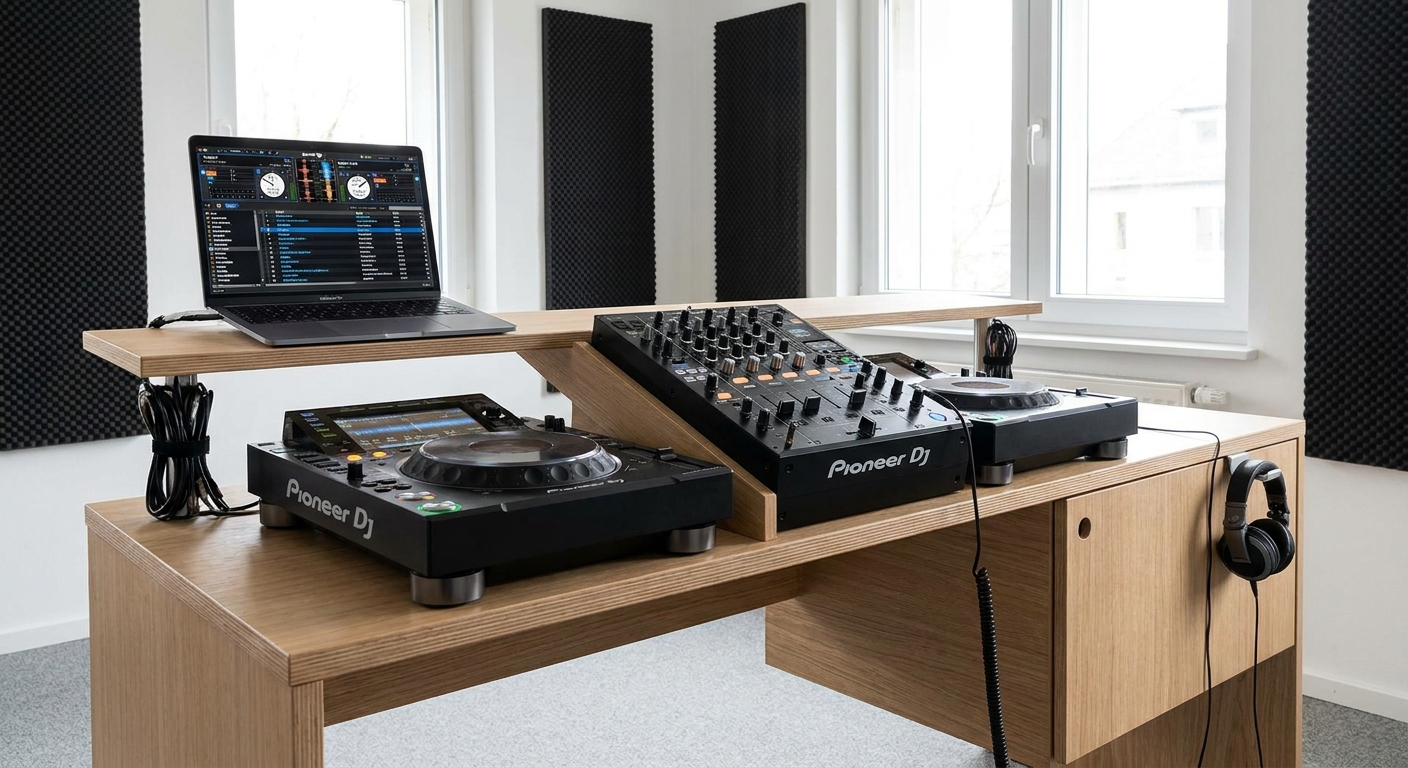
- Power on your mixer/controller and confirm all channels work
- Test your microphone (if using one) for feedback and clarity
This process takes 10 minutes. It saves you from discovering a dead speaker during the first song of your set.
Step 3: Cable Management & Signal Flow
This is where most DJs make their first mistake. Running cables haphazardly creates interference and tripping hazards.
- Keep power cables separate from audio cables — Crossing them creates hum and interference. Use cable bridges if they must intersect.
- Use balanced cables (XLR) whenever possible — They reject interference much better than unbalanced (RCA) cables, especially over longer distances.
- Label your cables — Use colored tape or cable tags. When something fails mid-set, you'll know exactly which cable to swap.
- Bundle cables with velcro straps — Never use zip ties. Velcro allows quick changes and prevents cable damage.
⚠️ Heads Up: Don't daisy-chain power strips. Plug your speakers directly into wall outlets when possible. Power strips introduce resistance and can cause voltage drops that affect your sound quality. If you must use extension cords, use heavy-gauge (12-gauge or thicker) cords rated for the total wattage of your gear.
The Perfect Speaker Placement Formula
Where you place your speakers is arguably the most important decision in your event sound setup. Get this wrong, and you'll battle feedback and dead zones all night.
The golden rule: speakers should be at ear level for standing listeners. For seated audiences, lower them slightly. This ensures the sound reaches people directly, not bouncing off the floor or ceiling.
The "Triangle of Sound" Method
For a standard rectangular room, use this three-point placement:
- Main speakers at the front corners — Angle them inward toward the center of the dance floor. They should form a 60-degree angle from the back wall.
- Subwoofers on the floor, centered — Low frequencies need floor coupling to propagate properly. Place subs in the center of the front wall or slightly offset.
- Monitor speakers at the DJ position — You need to hear what the audience hears. Angle monitors toward your ears, not your chest.
For longer rooms (like a hallway or narrow tent), you may need delay speakers. These are secondary speakers placed halfway back in the room, running on a slight delay so the sound reaches everyone simultaneously.
🔊 The 3-to-1 Rule for Speaker Distance: If you have two speakers playing the same audio, place them at least three times as far apart as the distance between each speaker and its nearest listener. This prevents comb filtering (that hollow, phase-cancelled sound). For example, if listeners are 5 feet from speaker A, speaker A and speaker B should be at least 15 feet apart.
Gain Staging: The Secret Most DJs Ignore
Here's a scenario I see constantly: A DJ plugs their laptop into the mixer, cranks the master volume to 100%, and then wonders why the sound distorts. This is the number one cause of bad sound at events.
Gain staging is the process of setting the volume at each point in your signal chain so that no single component is pushed too hard. Think of it like a series of water pipes. If one pipe is too narrow, water backs up. If one pipe is too wide, you lose pressure.
The Correct Gain Staging Order
- Start with your source — Your laptop, phone, or CDJ. Set its output to about 75-80%. This gives you headroom without pushing the device into distortion.
- Set your mixer channel gain (trim) — Play the loudest part of your track. Adjust the channel gain so the meter hits around -6 dB to -3 dB. Never let it hit 0 dB (red).
- Set your mixer master volume — Start at 50%. Listen in the room. Most of the time, 60-70% is plenty for small to medium venues.
- Adjust your amplifier/speaker volume — This is the final stage. Turn it up until the room sounds full but not distorted. If you hit distortion here, your previous stages were set too high.
💡 Pro Tip: Use a pink noise track and a sound level meter (your phone has one) to calibrate your system. Aim for 85-90 dB SPL at the dance floor. This is loud enough for energy but safe for hearing over a 4-hour set. Your ears will thank you later.
EQ Magic: Carving Space for Every Song
Equalization is where event sound setup becomes art. The goal is not to make everything sound "good" in isolation — it's to make everything work together in the mix.
Think of the frequency spectrum as a pie. Every instrument and vocal wants a slice. If you give everything the same slice, you get mud. Here's how professional DJs slice it:
- Sub-bass (20-60 Hz) — The thump you feel in your chest. Reserve this for kick drums and bass drops. Cut it from everything else.
- Bass (60-250 Hz) — The low-end foundation. Bass guitars, low toms, and male vocals live here. Don't overlap multiple sources.
- Midrange (250 Hz - 2 kHz) — The "body" of most instruments. Vocals, guitars, pianos, and snares. This is where muddiness happens. Cut unnecessary frequencies here.
- High-mid (2-6 kHz) — Presence and clarity. Boost this for vocals to cut through the mix. But be careful — too much creates harshness.
- Highs (6-20 kHz) — Air and sparkle. Cymbals, hi-hats, and sibilance. A gentle boost adds life. Too much causes listener fatigue.
The "High-Pass Filter" Hack
Every DJ should use a high-pass filter (HPF) on every channel except the subwoofer. This cuts unnecessary low frequencies that muddy the mix.
- On vocals — HPF at 80-100 Hz. This removes rumble and pops without affecting vocal clarity.
- On guitars — HPF at 100-120 Hz. Let the bass guitar handle the low end.
- On keyboards — HPF at 80-100 Hz. Unless you're playing organ bass, you don't need those frequencies.
- On your master output — HPF at 20-30 Hz. This removes subsonic rumble that eats amplifier power without adding audible sound.
Must-Have Songs for Testing Your Event Sound Setup
Before you play for a crowd, you need test tracks that reveal every flaw in your system. These songs are specifically chosen to expose problems with bass, mids, highs, and stereo imaging.
Editor's Top Picks for Sound Testing
- "Get Lucky" by Daft Punk — The perfect track for checking midrange clarity. The guitar and vocals should be crisp without harshness.
- "Bohemian Rhapsody" by Queen — Tests dynamic range. From quiet piano to full operatic section, your system should handle the transition without distortion.
- "Billie Jean" by Michael Jackson — The kick drum pattern reveals subwoofer accuracy. Every beat should be distinct, not a muddy thud.
- "Hotel California" (Hell Freezes Over) by Eagles — The acoustic guitar intro exposes high-frequency detail. You should hear finger movement on strings, not just a blur of sound.
- "Superstition" by Stevie Wonder — The clavinet riff tests stereo imaging. It should pan clearly from left to right without phasing issues.
Play each track at your expected performance volume. Listen critically. If any track sounds off, your event sound setup needs adjustment before the crowd arrives.
The Ultimate Pre-Gig Sound Check Checklist
Use this checklist before every event. Print it out and tick each item off. This guarantees you never miss a critical step.
- ☐ Speaker placement — Confirmed optimal positions for main, sub, and monitors
- ☐ Cable inspection — All cables tested, labeled, and run without crossing power lines
- ☐ Power check — All components plugged into grounded outlets with adequate capacity
- ☐ Gain staging — Source at 75%, channel trim at -6 dB, master at 60%
- ☐ EQ calibration — High-pass filters set, no unnecessary boosts
- ☐ Stereo imaging — Both speakers playing, panning test with a known track
- ☐ Subwoofer integration — Crossover set correctly (typically 80-100 Hz)
- ☐ Microphone test — No feedback, clear vocal reproduction
- ☐ Backup plan — Spare cables, extra speaker, second laptop/source ready
- ☐ Room walk — Listen from multiple positions, adjust EQ if needed
⚠️ Heads Up: Don't skip the microphone test just because you're not doing a speech. Many events have unexpected announcements. Nothing kills a vibe like screeching feedback during a birthday toast. Test your mic with someone speaking at a normal volume, not shouting.
Common Event Sound Setup Mistakes (And How to Fix Them)
Even experienced DJs fall into these traps. Here are the most common mistakes and their solutions.
Mistake #1: Cranking the Master Volume Too High
The fix: Lower your master volume and increase your amplifier/speaker gain instead. The mixer should never be in the red. If you need more volume, add more speakers, don't push existing ones harder.
Mistake #2: Ignoring Room Acoustics
The fix: Use furniture, curtains, or portable acoustic panels to absorb reflections. If the room is echoey, reduce high-frequency content with EQ. If the room is dead (carpeted), boost presence frequencies slightly.
Mistake #3: Over-EQing
The fix: Less is more. Instead of boosting, try cutting. A 3 dB cut is often more effective than a 3 dB boost. Boosts introduce noise and can cause feedback. Cuts clean up the mix naturally.
Mistake #4: Using Consumer Speakers for Professional Events
The fix: Invest in powered PA speakers (like QSC K-series or JBL EON) for events. Home stereo speakers lack the power handling, dispersion, and durability needed for live sound. Your ears and your reputation will thank you.
Building Your Event Sound Setup Toolkit
Beyond the basics, these tools elevate your event sound setup from amateur to professional.
- Sound level meter (app or hardware) — Calibrate your volume to 85-90 dB SPL at the dance floor
- Pink noise generator — Essential for EQ calibration and system tuning
- Phase checker — Ensures your speakers are in phase (both pushing air in the same direction)
- Cable tester — Quickly identify faulty cables before they cause problems
- Ground loop isolator — Eliminates hum caused by electrical grounding issues
- Power conditioner — Protects your gear from power surges and filters electrical noise
💡 Pro Tip: Keep a soundproofing blanket in your car. If you encounter a room with terrible echo (glass walls, high ceilings), drape the blanket over a chair or mic stand near the reflective surface. It's not pretty, but it works wonders for reducing slapback echo.
How PartyMusicPlaylist.com Simplifies Your Event Sound Setup
Your event sound setup is only as good as the music you play through it. That's where PartyMusicPlaylist.com comes in. Our free online tool helps you build the perfect playlist for any event, ensuring every song works with your sound system.
Here's how we make your job easier:
- Guest song requests — Let attendees suggest songs before the event. No more "can you play this?" interruptions during your set.
- DJ-friendly export — Export your playlist to CSV or directly to your DJ software. Your track list is ready to load.
- Templates for every event — From weddings to corporate parties, our pre-built templates save hours of planning.
- Find local DJs — If you need backup or want to collaborate, our directory connects you with professionals in your area.
Check out our playlist templates for inspiration, and read more music planning tips on our blog.
Frequently Asked Questions
PartyMusicPlaylist Team
Helping you create the perfect soundtrack for life's most memorable moments. Expert tips on event music planning, DJ coordination, and playlist curation.
Learn MoreReady to Plan Your Event Music?
Create the perfect playlist for your special event. Search songs, organize your timeline, and share with your DJ.
Get Started FreeRelated Articles
Continue reading